


You bought (or you're about to buy) an Airbnb rental. The numbers looked good on paper. But now you're staring at the calendar trying to figure out what to charge on March 15th, and whether $180 is too high for a Tuesday, or whether you just left $50 on the table because some music festival you didn't know about is happening that weekend.
Manual pricing for short-term rentals feels like a high-stakes guessing game. Price too high and you risk empty nights. Price too low and you leave serious money on the table. Worse, you're constantly checking competitor listings, adjusting for events you might miss, and wondering if you're actually maximizing the return on your investment.
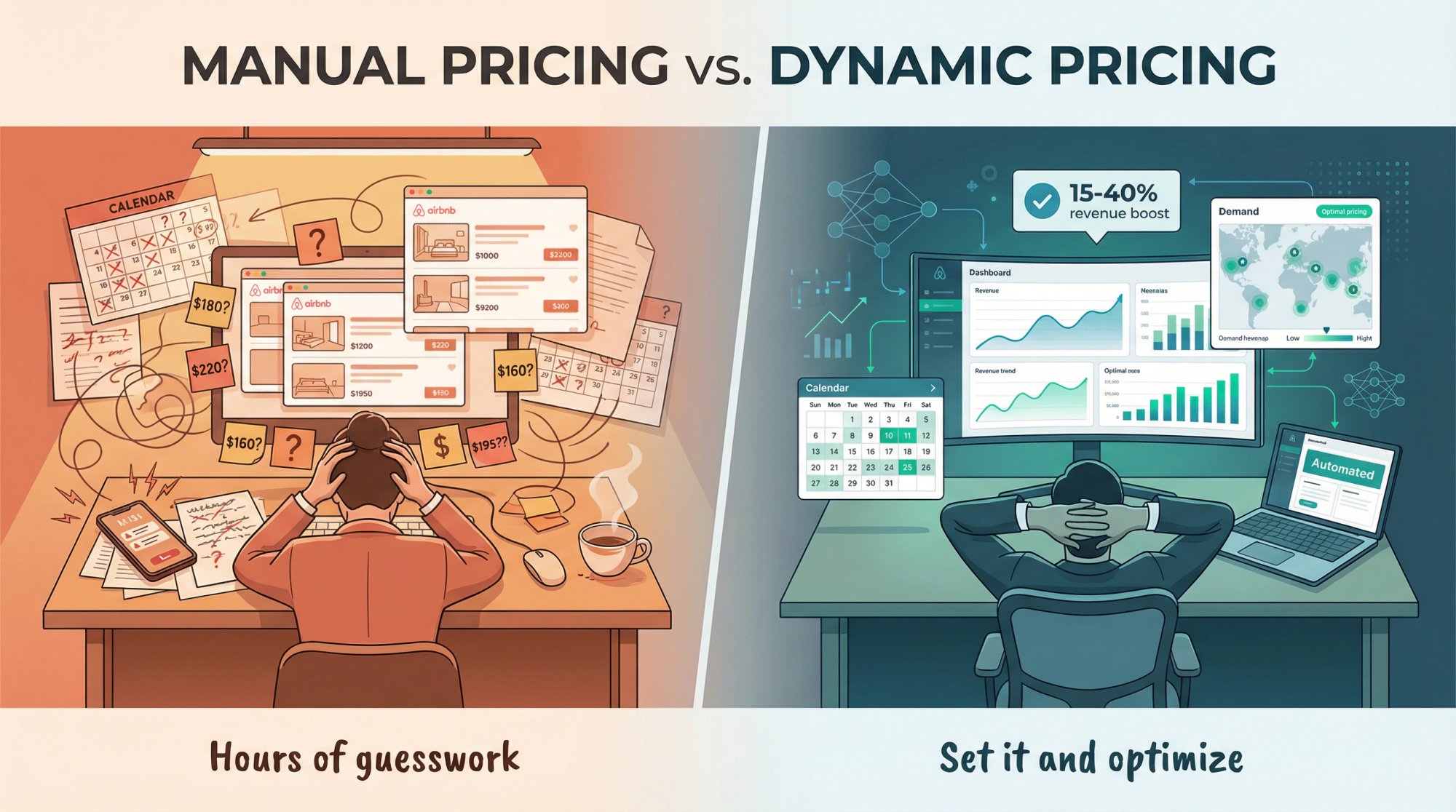
This is where Airbnb pricing software (also called short-term rental or STR dynamic pricing tools) comes in. These platforms automatically adjust your rates based on real-time demand, seasonality, competition, and dozens of other factors. Hosts commonly see 15-40% boosts in revenue by using dynamic pricing effectively.
Here's what most comparison articles won't tell you: picking the wrong tool, or setting it up without understanding the fundamentals, can actually hurt your revenue. You can end up with a calendar full of one-night stays that cost more in cleaning than they're worth, or prices so low you're subsidizing guests while your mortgage payment stays the same.
This guide is both a comparison and a setup playbook. By the end, you'll be able to:
-
Pick a tool that matches your business (first STR, 1031 sprint, or growing portfolio)
-
Understand how dynamic pricing actually works under the hood (no mystery box)
-
Compare pricing models with real break-even math (flat fee vs. percent of bookings)
-
Roll it out safely without wrecking your calendar
-
Connect your pricing strategy to the broader STR investment picture
Before we jump into specific tools, Chalet's free market analytics can help you understand your market's baseline revenue potential. Once you know what competitive properties in your area actually earn, you'll have a much clearer picture of whether dynamic pricing is worth the investment. Let's start with why this matters.
Why Use Dynamic Pricing for Your Airbnb?
Dynamic pricing means your nightly rate fluctuates intelligently instead of staying fixed. Hotels have done this for decades. Now Airbnb hosts can too.
The manual alternative is brutal: you're checking the calendar daily, researching local events, stalking competitor listings, and still missing obvious opportunities. Maybe there's a conference you didn't know about that would justify a $300 rate instead of your usual $160. Or maybe you're holding firm at $180 on a dead Tuesday when $120 would have booked it and covered your fixed costs.
The advantages of automation are significant:
→ Maximize revenue during high-demand periods.
A smart tool might have you charging $280 on a peak holiday weekend that you'd otherwise list at $175. Multiply that across 20-30 high-demand nights per year and you're looking at thousands in additional revenue.
→ Stay competitive during slower periods.
By lowering prices when demand is soft, you fill more nights without manual monitoring. The goal isn't to maximize occupancy percentage. It's to find the sweet spot between occupancy and nightly rate that maximizes total income.
→ Save actual time and mental energy.
Instead of constantly researching comps and tweaking prices, you can set it and check in periodically. For investors juggling day jobs or managing multiple properties, this isn't just convenience. It's the difference between sustainable operations and burnout.
→ Avoid expensive mistakes.
Forgetting to update seasonal rates. Underpricing far-future dates that would have booked anyway. Missing local events that drive 2x normal demand. Pricing software catches these blind spots automatically.
Dynamic pricing also creates new failure modes if you don't understand what the software is optimizing for. That's why we're going to explain how these tools actually work before comparing specific platforms.
If you're still in the research phase and trying to figure out whether a specific market can support your investment goals, Chalet's ROI calculator lets you model the revenue impact of different pricing strategies. You can run scenarios with conservative estimates, aggressive dynamic pricing assumptions, and everything in between.
How Does Airbnb Dynamic Pricing Software Work?
Most hosts think dynamic pricing is "the tool looks at the market and sets a price." That's too vague to be useful. Here's the core idea from first principles.
Every Nightly Rate Is an Optimization Problem
For any given night, you're implicitly choosing between:
-
A higher price with a lower chance of booking, or
-
A lower price with a higher chance of booking
The rational target is the price that maximizes expected revenue:
Expected revenue = price × probability of booking at that price
Pricing software is basically a machine that estimates that probability curve using market data and your listing data. When a tool tells you to charge $210 instead of $180, it's saying "based on what we see, $210 has a high enough booking probability that the expected revenue beats $180."
How Pricing Algorithms Actually Calculate Your Rate
A common structure looks like this:
Step 1: Base price.
The listing's "typical" nightly value for the year. Think of this as your anchor.
Step 2: Market signals adjust that base.
Seasonality: Peak months vs. slow months. Ski towns charge more in winter. Beach towns charge more in summer.
Day of week: Weekends vs. weekdays. This varies wildly by market. Business districts might have higher weekday demand.
Events and holidays: Concerts, conferences, sporting events, festivals, national holidays.
Lead time: How close the date is. Many tools discount last-minute availability or charge premiums for far-future bookings during peak seasons.
Booking pace: How quickly comparable listings are filling up. If your comp set is 80% booked two months out, that's a demand signal.
Example: How Your Rate Gets Calculated
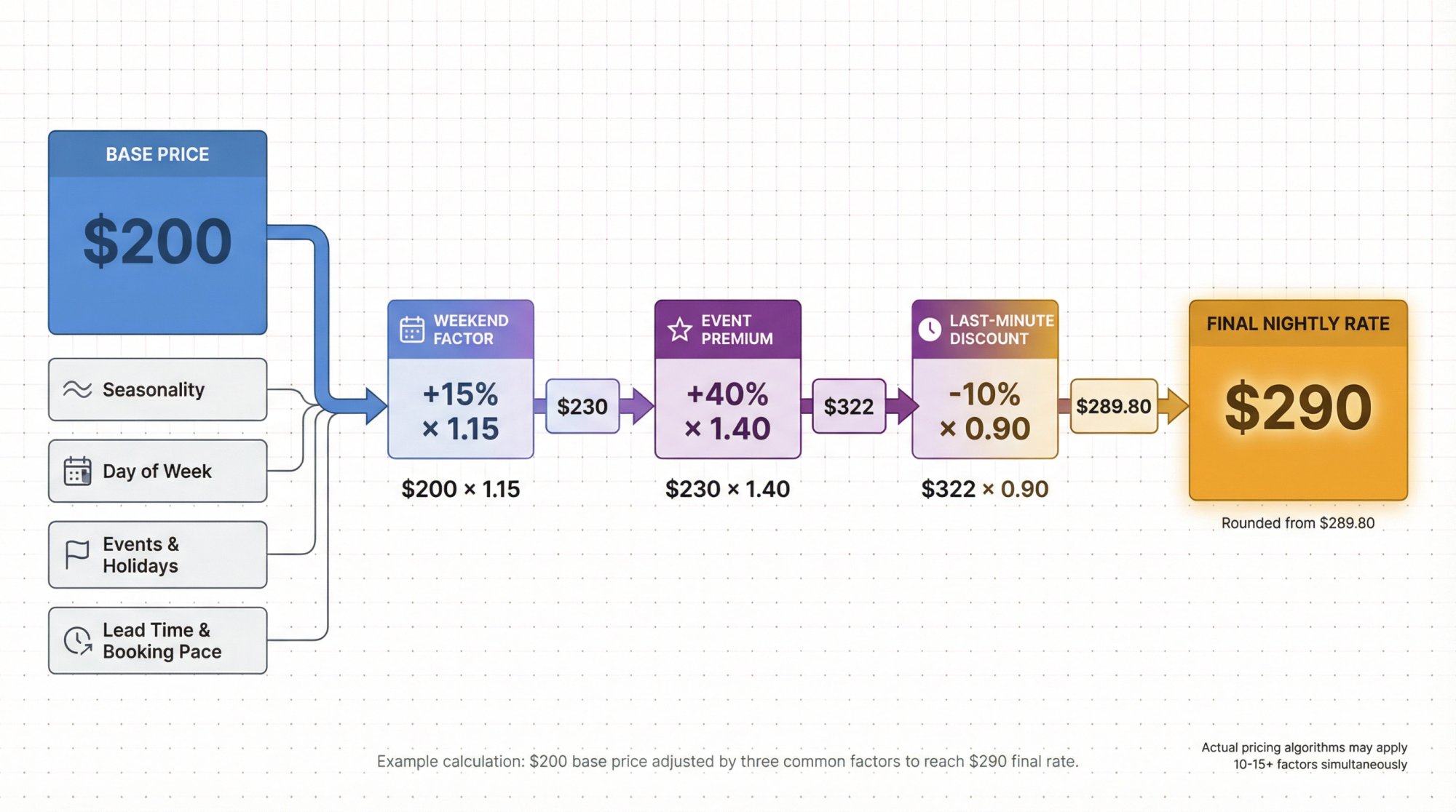
Say your base price is $200. A pricing engine might apply:
-
Weekend factor: +15% (× 1.15)
-
Event premium: +40% (× 1.40)
-
Last-minute discount: -10% (× 0.90)
Price = $200 × 1.15 × 1.40 × 0.90
Price = $200 × 1.15 = $230
$230 × 1.40 = $322
$322 × 0.90 = $289.80
So the software would recommend about $290 for that night.
Now here's the key insight: the "right" factors depend on your goal. If your goal is "maximize occupancy," you'll behave very differently than "maximize profit per clean" or "avoid one-night stays."
That's why "control" features (minimum stay rules, gap fills, floor prices) matter more than most marketing pages admit.
Without proper controls, you're not running a strategy. You're gambling that the default settings match your business model.
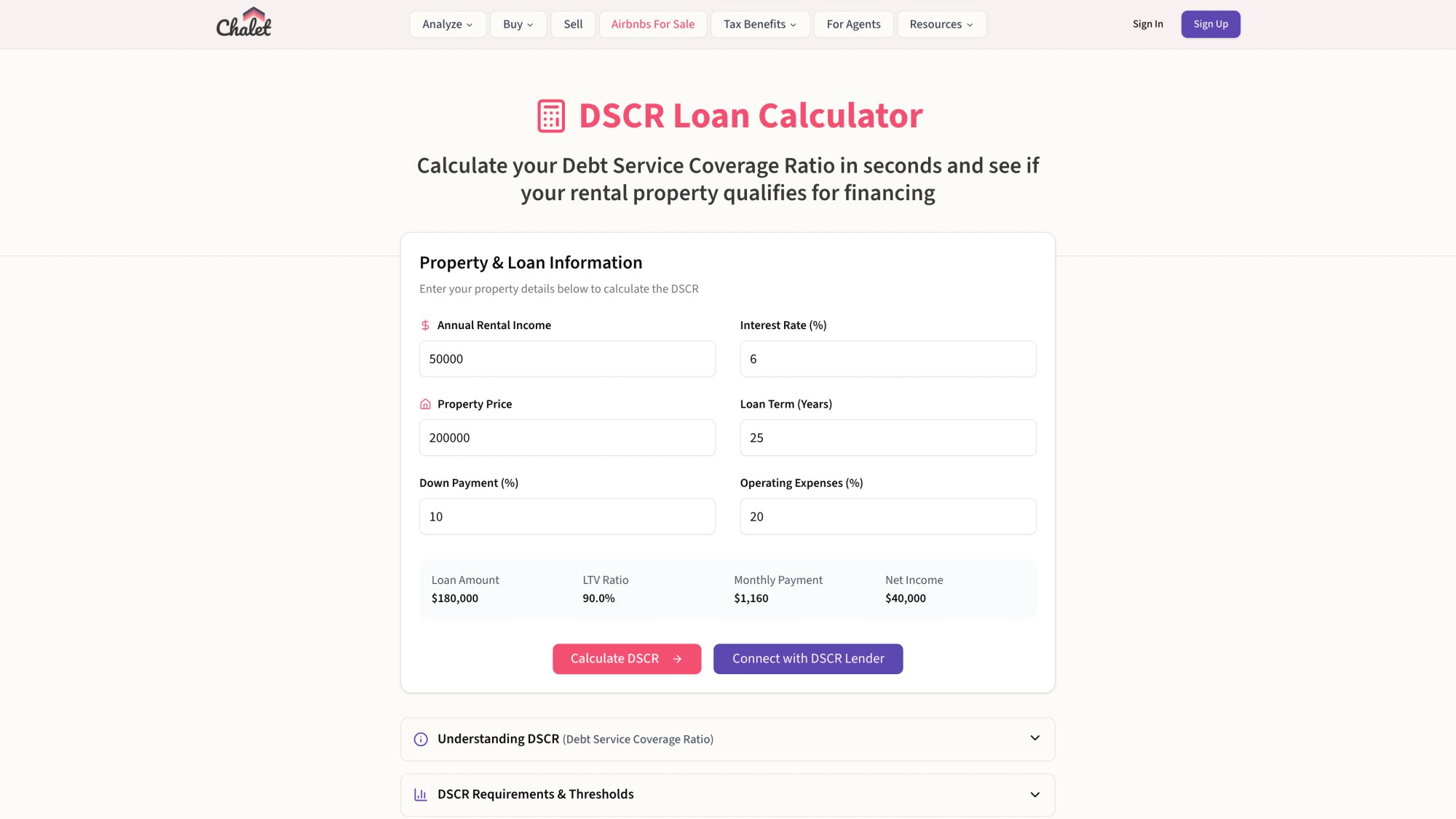
Chalet's DSCR calculator can help you figure out what your actual revenue floor needs to be. If you're financing with a DSCR loan, you need consistent cash flow to cover debt service. That clarity should inform your minimum price settings in any pricing tool.
Flat Fee vs. Percentage: Which Pricing Model Is Right for You?
A tool can be "best" and still be a bad fit if the pricing model doesn't match your revenue profile. Let's do the math properly.
How Different Pricing Models Work
| Model Type | How It Works | Example Tools |
|---|---|---|
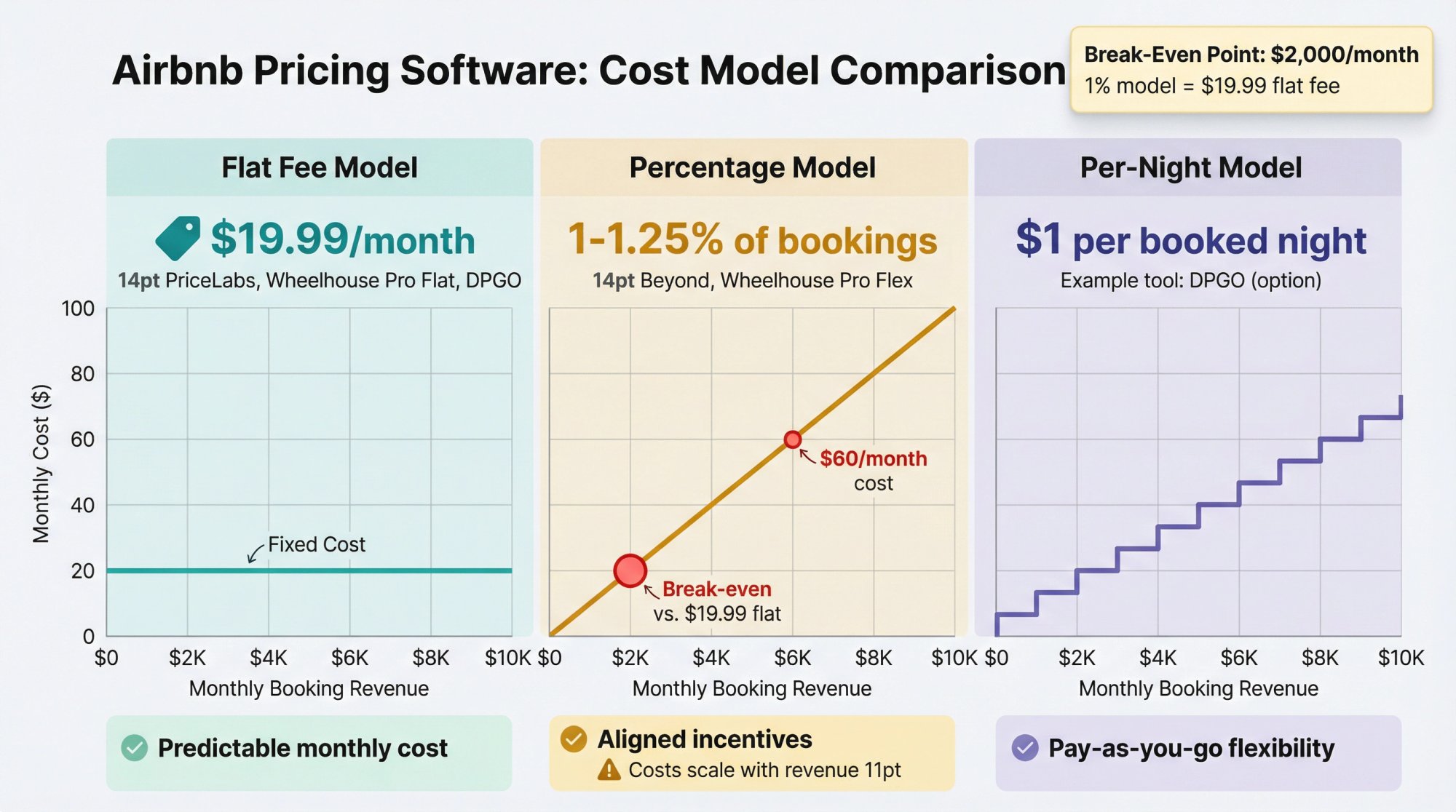
| Flat per-listing pricing | Fixed monthly fee per property | PriceLabs ($19.99/month), Wheelhouse Pro Flat ($19.99/month), DPGO ($18/month) |
| Percent of bookings | Commission on booked revenue | Beyond (1-1.25%), Wheelhouse Pro Flex (1%), DPGO (0.5%), Lodgify (0.8%) |
| Per-night pricing | Fee per booked night | DPGO ($1/night) |
Flat fee is easy to budget. It also means the tool does not become more expensive when you crush it in peak season. Your software cost is predictable.
Percent pricing can feel "aligned." The vendor only earns when you do. But you should do the break-even math.
When Does Percentage Pricing Cost More? (Break-Even Math)
If a flat plan costs $19.99/month and a revenue-share plan costs 1%, then:
1% × monthly booked revenue = $19.99
monthly booked revenue = $19.99 / 0.01 = $1,999
So above about $2,000/month in booked revenue, a 1% pricing model costs more than the $19.99 flat plan.
For a 0.8% model (like Lodgify Dynamic Pricing) vs. $19.99 flat:
monthly booked revenue = $19.99 / 0.008 = $2,498.75
Above about $2,500/month, the 0.8% model costs more than $19.99.
Two Important Caveats
Caveat 1: Vendors define "revenue" differently.
Some calculate the fee on nightly rate only. Others include cleaning fees. Some include taxes and fees in the base (Lodgify explicitly does this in their fee documentation). If taxes are 12% in your market and the fee applies to the tax-inclusive total, your effective cost just jumped.
Caveat 2: Break-even is just the starting point.
A more expensive tool can be cheaper in practice if it:
-
Reduces turnovers by optimizing for longer stays
-
Avoids one-night bookings you dislike
-
Captures event premiums you would miss manually
The right metric isn't software cost. It's net profit after all operating costs and labor.
Critical insight: If your property grosses $6,000/month, a 1% tool costs you $60/month while a $20 flat tool costs $20. But if the 1% tool generates an extra $150/month in revenue through better event capture, you're still ahead by $90. Always model the revenue delta, not just the fee.
Before committing to any pricing tool, use Chalet's market dashboards to see what comparable properties in your area are actually earning. If you're in a market where $3,000/month is realistic, flat pricing makes mathematical sense. If you're in a high-ADR market doing $8,000+/month, the percent-based tools get expensive fast. You can also assess whether your market supports profitability at all before investing in premium pricing software.
PriceLabs Review: Best for Customization and Control
PriceLabs is one of the most established dynamic pricing platforms, launched in 2014 and now trusted by thousands of hosts and property managers. It's known for powerful customization and deep analytics.
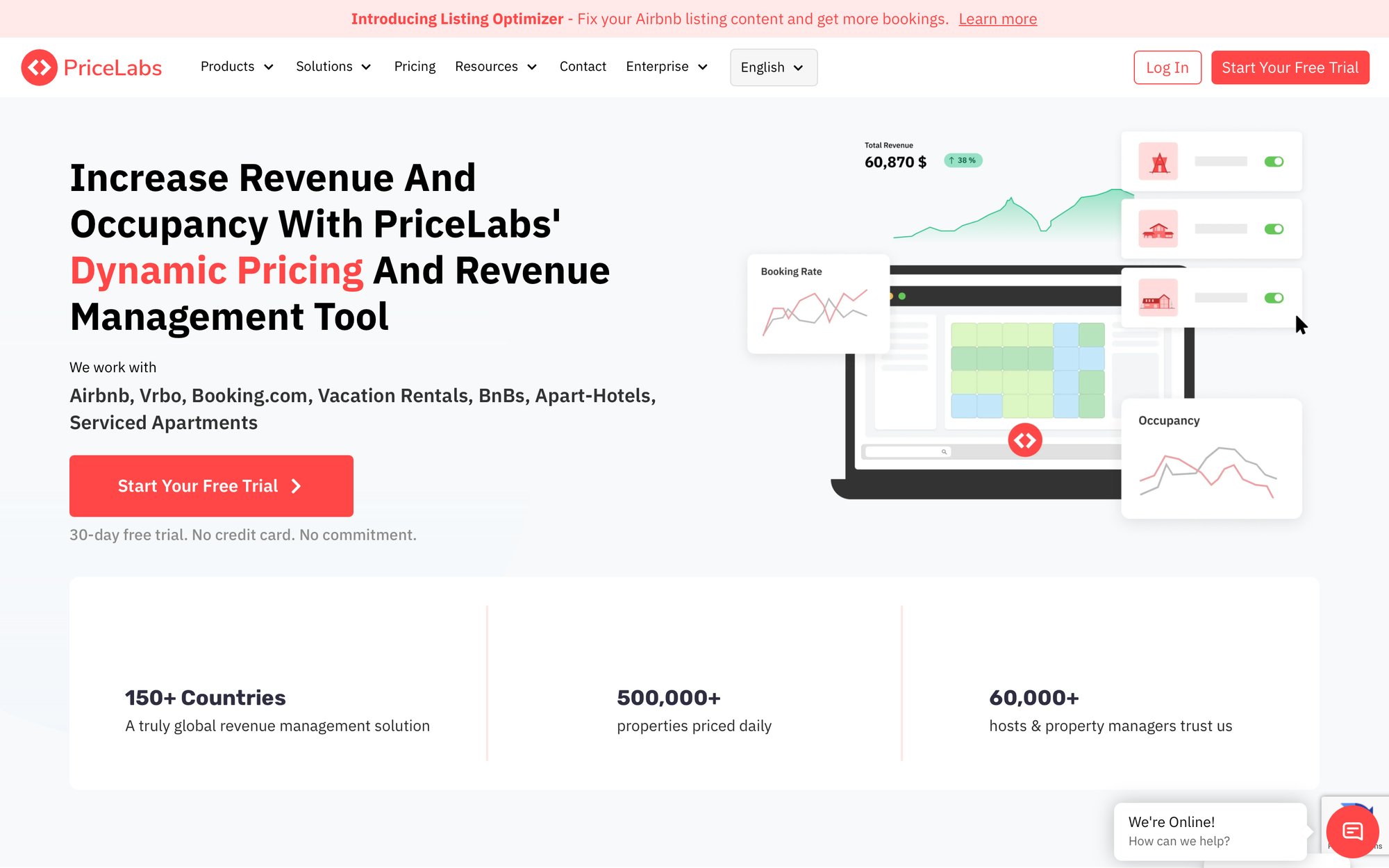
Key Features:
① Advanced customization.
You can set granular rules based on occupancy rates and booking lead time, customize prices for orphan days (those annoying one-night gaps), impose length-of-stay discounts, last-minute discounts, and more. Few competitors match the depth of rule-setting PriceLabs offers.
② Market data and dashboards.
PriceLabs provides a color-coded Demand Calendar highlighting high/low demand dates in your market. You instantly see when big events or seasonal spikes occur. The Market Dashboard feature offers local supply and demand trends plus competitor comps to help inform your base pricing strategy.
③ Revenue forecasting.
The Revenue Estimator tool lets you project earnings for any address using PriceLabs' data. This is incredibly useful for analyzing potential investments or setting a baseline for a new listing. (If you're evaluating multiple markets, cross-reference this with Chalet's free analytics to get a second opinion on revenue potential.)
④ Integrations.
There are no geographic limitations. Hosts worldwide can use PriceLabs since it sources data for virtually all markets. It connects directly with Airbnb and Vrbo, and integrates with 150+ property management systems and channel managers (Lodgify, Guesty, Smoobu, Hostfully, etc.). This makes it suitable whether you have one listing or a large portfolio.
Pricing:
Plans start at $19.99 per listing/month in many markets, with a 30-day free trial (no credit card required). PriceLabs also introduced an alternative commission plan of approximately 1% of bookings if you prefer performance-based pricing.
How it prices (the non-hand-wavy version):
PriceLabs calls its newer algorithm Hyper Local Pulse (HLP). It uses demand forecasting and elasticity estimation at a hyper-local level. The system ingests demand inputs like seasonality, day-of-week patterns, events/holidays, booking pacing, and lead time. It also incorporates your historical and upcoming booking data.
Control and rules:
PriceLabs exposes many customizations including orphan day pricing, day-of-week pricing adjustments, and occupancy-based adjustments. You can get very surgical about how the tool behaves.
User experience:
The interface is functional but slightly dated in design. Because it offers so many knobs to turn, beginners might find it a bit overwhelming at first. PriceLabs provides tutorials, and once configured, it runs largely hands-off. For those willing to invest a little time learning, the payoff is significant control over revenue management.
Who should pick it:
-
You have 1-20 listings and you want pricing to behave exactly how you intend (especially around weekends, minimum stays, and gap nights).
-
You list across multiple channels and want a mature integration ecosystem.
-
You're comfortable with some initial setup complexity in exchange for long-term control.
Where it breaks (common failure mode):
You don't set a cost-based minimum floor and the algorithm discounts aggressively during low-demand periods. This isn't a "PriceLabs problem." It's a "you didn't tell the software what 'too low' means" problem. (We'll cover how to set proper floors in the setup playbook section.)
Wheelhouse Review: Best for Portfolio Management
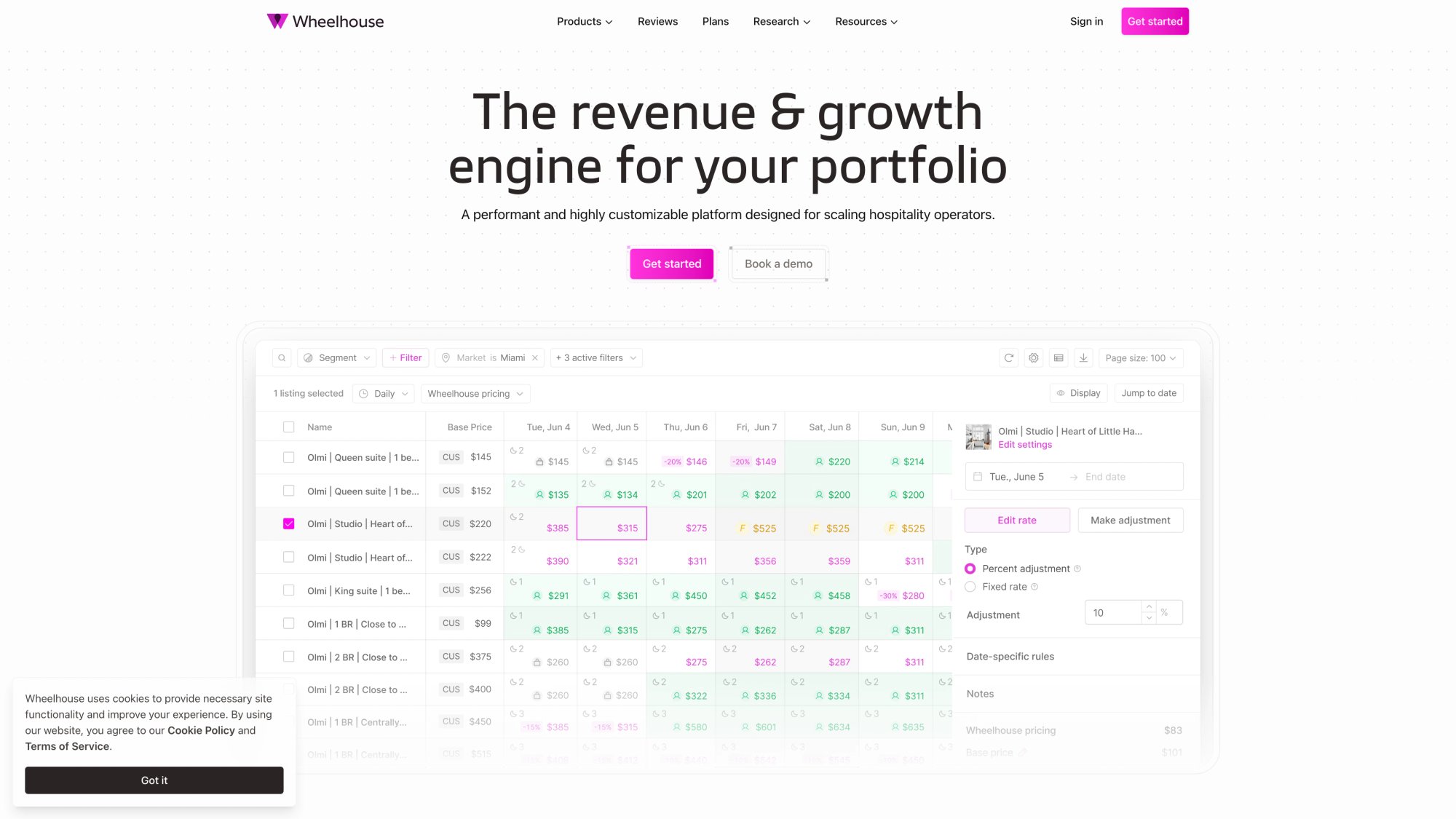
Wheelhouse offers a balance between power and simplicity, with one of the most polished user interfaces in the category. It's an intelligent pricing engine that caters to both beginners and advanced users through adjustable strategy settings.
Key Features:
① Strategy customization.
Wheelhouse lets you choose a pricing strategy that matches your risk/revenue goals. You can pick from preset modes like Recommended, Aggressive, or Conservative pricing, which automatically tune your rates higher or lower accordingly. This is great for users who want quick setup ("I want to maximize occupancy" vs. "I want top dollar even if occupancy is lower"). For finer control, you can customize further or set manual overrides on specific dates.
② User-friendly interface.
Wheelhouse is frequently lauded for its clean, modern dashboard. Reports are built-in to track your key metrics (occupancy, average daily rate, revenue) and compare performance over time. The user experience is intuitive, which lowers the learning curve.
③ Market data.
Behind the scenes, Wheelhouse analyzes 10-15+ factors (market demand, comps, events, seasonality, etc.) and updates pricing recommendations at least daily (often multiple times per day if conditions change). They also offer a Market Reports feature for competitive benchmarking and trends.
Pricing:
Wheelhouse offers a free plan plus paid plans including:
-
Pro Flex: 1% of revenue
-
Pro Flat: $19.99 per listing/month
They also list "Dynamic Sets" priced at $12.99 per set/month (billed separately from Dynamic Pricing).
The free plan lets you use the software with basic functionality at no cost, which is nice for trying it out long-term on a single listing. To unlock all features, you'll need a paid plan.
How it prices and why people like it:
Wheelhouse emphasizes being able to mix data-driven, rule-based, and hybrid strategies. Settings you can tune include min/max prices, minimum stays, check-in/out rules, occupancy and revenue pacing. They position the product as exportable/auditable and focused on understanding pricing in context (comp sets, demand spikes, prior performance).
Channel reach:
Wheelhouse can push recommendations to channels like Airbnb, TripAdvisor, Booking.com, HomeAway/VRBO, and more through partner integrations.
Performance:
Some users have reported substantial gains. Case studies mention approximately 40% increases in revenue after switching to Wheelhouse. Your results will vary, but it underlines that an effective dynamic strategy can seriously improve income.
Who should pick it:
-
You care about explaining "why" to yourself, an owner, or a team.
-
You want strong bulk editing and portfolio workflows.
-
You want a hybrid of automation and rule logic without drowning in complexity.
Where it breaks:
If you want pure "set it and forget it" and never look at the calendar, you may underuse what you paid for. Wheelhouse shines when you engage with the strategy controls. (Honestly, every pricing tool performs better with some human oversight.)
Beyond Pricing Review: Best for Simple Automation
Beyond (formerly Beyond Pricing) was one of the pioneers of automated pricing for STRs. It currently powers pricing for over 340,000 listings in 7,500+ cities, making it one of the most widely used platforms. Beyond is known for its data-driven but user-friendly approach.
Key Features:
① Real-time demand data.
Beyond's pricing algorithm places heavy emphasis on hyper-local, real-time demand signals. It doesn't just look at historical trends. It analyzes things like how many travelers are searching for stays in your area right now, upcoming events, and day-of-week patterns. This means your prices adjust dynamically to capture surges in demand that other tools might miss.
② Automated with controls.
Beyond is designed to "just work" out-of-the-box with minimal tweaking. You can simply set a base price and let it optimize. You still retain control over critical settings like minimum/maximum rates and minimum stay rules, so you won't get prices below your comfort level. The dashboard is intuitive and geared toward ease of use. You won't need advanced training to get started.
③ Integrations.
Beyond connects directly to Airbnb and Vrbo, updating your prices on those platforms automatically. It also integrates with many popular property management systems (Guesty, Hostfully, Lodgix, Escapia, etc.), so property managers can manage pricing across channels seamlessly.
④ Neyoba (AI assistant).
Beyond markets Neyoba as an AI-powered pricing assistant that gives instant answers about pricing, bookings, and performance. It offers transparent insights into the drivers behind dynamic pricing decisions.
Pricing (January 20, 2026):
Beyond's pricing page shows:
-
Growth: 1% of bookings
-
Pro: 1.25% of bookings
After a free 30-day trial, they charge 1% of booking revenue for any nights booked with Beyond's pricing. If a reservation is canceled, Beyond credits back the fee for that booking.
This commission model aligns their incentive with yours. They only "win" when you do. For many hosts, 1% is a small price for significant revenue lift. For high-grossing properties, that 1% can exceed the cost of flat-fee competitors. (For example, a listing grossing $50,000/year would pay approximately $500 annually to Beyond, versus approximately $240 with a $20/month flat tool.)
Unique features:
Signal is their direct booking website builder included for customers. They also offer robust portfolio analytics for hosts managing multiple listings.
Who should pick it:
-
You prefer a simpler experience where you steer with a few high-level levers (like base price) and let automation do most of the work.
-
You don't mind paying more in high-revenue months in exchange for less hands-on management.
-
You're relatively new to dynamic pricing and want a polished, intuitive interface.
Where it breaks:
If you run premium listings (high ADR) or you're very seasonal, percent-based pricing can become expensive relative to flat-fee tools. Do the break-even math per listing. Also, if you want deep customization (day-of-week overrides, orphan pricing, etc.), Beyond offers fewer knobs than PriceLabs or Wheelhouse.
DPGO Review: Best for Flexible Payment Options
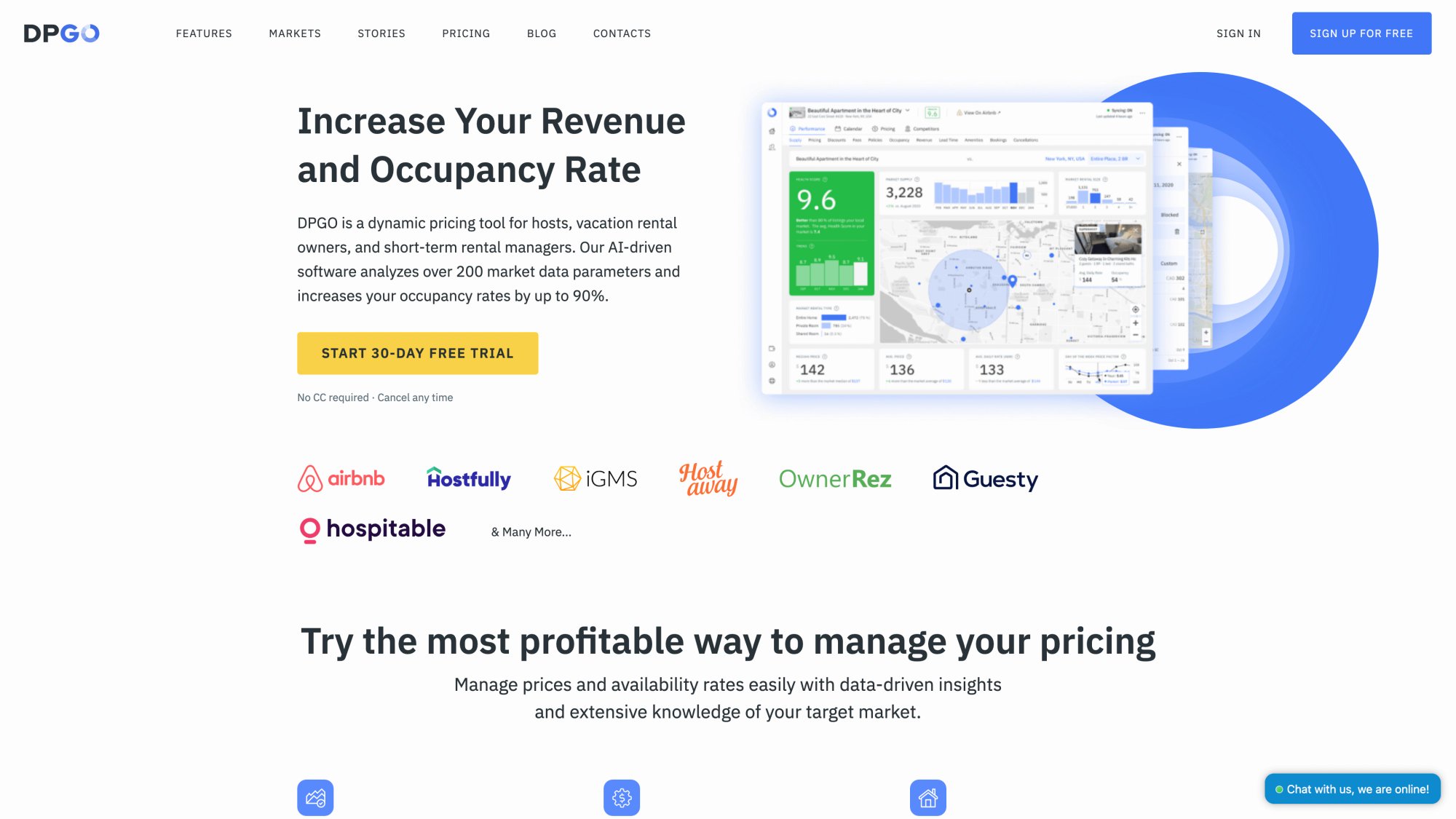
DPGO is a newer entrant that positions itself as an AI-powered pricing tool with a low cost barrier. It's particularly aimed at Airbnb hosts who want intelligent automation without complexity.
Key Features:
① AI-driven with presets.
DPGO uses machine learning to analyze real-time local market data (competitor rates, demand shifts, booking pace) and then adjusts your prices daily. What sets it apart is the use of predefined strategy modes. You can simply select Conservative, Balanced, or Aggressive pricing models, and the AI will prioritize either higher occupancy or higher average daily rate accordingly. This is great for hosts who don't want to fiddle with dozens of rules. You basically decide your philosophy and DPGO does the rest.
② Hands-off simplicity.
The focus is on being accessible for new or busy hosts. The interface is straightforward and the learning curve is low. You won't find an overload of options.
Pricing (January 20, 2026):
DPGO's pricing page shows three options:
-
Flat fee: $18 per listing/month
-
Flexible: 0.5% of booked price
-
Fixed: $1 per booked night
They offer a free 30-day trial with no credit card required.
How it describes its approach:
DPGO emphasizes local data analysis and explicitly says its goal is not to cover the entire world but to provide detailed forecasts for specific areas. This focus can be an advantage (deeper local data) or a limitation (market coverage gaps).
Integration reality check:
Always confirm your specific integration setup. For example, OwnerRez's DPGO support documentation notes that properties must be in the USA or Canada with an active Airbnb listing. Rates pushed into OwnerRez can then be used for any booking channels, not just Airbnb. This is a reminder: with any tool, your real "channel coverage" depends on whether you connect directly to Airbnb or via a property management system / channel manager.
Who should pick it:
-
You want alternative billing options (flat, percent, or per-night) and you operate in markets DPGO supports well.
-
You're comfortable confirming integrations for your exact stack before committing.
-
You prefer AI-driven simplicity over manual rule customization.
Where it breaks:
If your tool doesn't integrate cleanly with your property management system or channel manager setup, you end up with more manual work and higher error risk. Always confirm your exact connection path first. Also, market coverage can be more limited compared to established players.
Other Airbnb Pricing Tools Worth Knowing
Rategenie
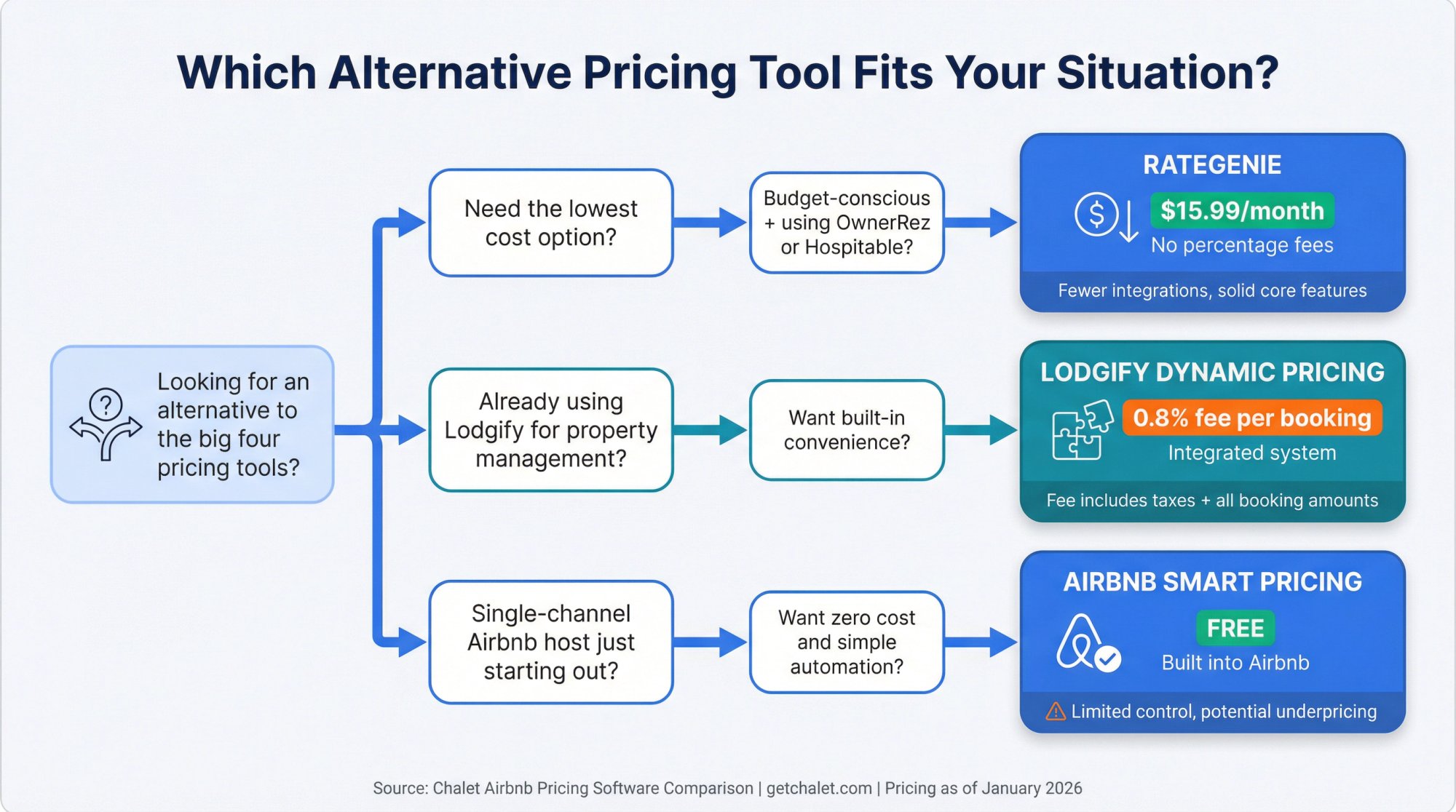
Rategenie is notable for being one of the most affordable standalone solutions at about $15.99 per listing per month (no percentage commissions). It analyzes your market's occupancy rates, historical booking trends, and forward-looking demand to auto-adjust prices daily. The platform is designed to be easy to use with a low learning curve.
Rategenie doesn't connect directly to Airbnb's API on its own. Instead, it often works through integrations with systems like OwnerRez and Hospitable (Tokeet). The analytics, dashboards, and extras are fewer than tools like PriceLabs, but if you want the budget option with solid core functionality and you're using a supported property management platform, Rategenie can be a smart choice.
Lodgify Dynamic Pricing
If you already use Lodgify for property management, their built-in Dynamic Pricing feature is convenient. It incurs a 0.8% fee for each confirmed reservation while activated. Lodgify's algorithm factors in 40+ attributes and produces 18 months of nightly rates with min/max bounds and manual overrides.
The fee is applied on bookings entered in Lodgify with Dynamic Pricing enabled, and it's calculated over the total booking amount including fees and taxes. If you're fine with percent-based pricing for the convenience of one integrated system, this works well. If you want the deepest, most granular revenue management controls across multiple property management systems, a dedicated pricing engine may still win.
Airbnb Smart Pricing
Airbnb's Smart Pricing is a zero-cost option available to every host. It lives in your listing's pricing settings and will automatically adjust your nightly price based on factors Airbnb deems important. You can set a minimum and maximum price, and you can override Smart Pricing by setting custom prices for specific nights without turning it off entirely.
Who should use it: You're new, single-channel (Airbnb only), and you want a free baseline before paying for tools.
Where it breaks: Multi-channel operations, advanced minimum-stay strategy, owner reporting, and deep transparency about why prices changed.
Airbnb's goal with Smart Pricing is to maximize bookings on their platform, which isn't always the same as maximizing your revenue. There's a conflict of interest. Airbnb makes money on every booking, so filling your calendar benefits them. Many experienced hosts claim Smart Pricing undervalues listings. It might drop your price too low to secure a booking, whereas you might have gotten that booking later at a higher price.
Pricing Software Comparison: What Actually Matters
The biggest mistake in choosing pricing software is comparing feature checklists instead of control and cost structure. This table focuses on what will impact your nightly prices and your profit.
| Tool | Best for | Pricing model | Automation level | What it does really well | Watch-outs |
|---|---|---|---|---|---|
| PriceLabs | Hosts/PMs who want deep customization and broad PMS/channel manager support | Starts at $19.99 per listing/month; 30-day free trial | Full autopricing + lots of overrides | Lots of knobs (day-of-week, orphan gaps, occupancy-based adjustments), strong integrations | Can feel "too powerful" if you never define a cost-based minimum floor |
| Wheelhouse | Hosts/teams who want transparency and portfolio workflows | Free plan; paid plans include 1% of revenue (flex) or $19.99/month (flat) | Full autopricing, plus rule-based and hybrid options | Strategy visibility: comp sets + demand context + rules; designed for bulk portfolio changes | You still need to set boundaries or it will optimize for the wrong goal |
| Beyond | Operators who like a revenue-share model and a simpler setup | 1% of bookings (Growth) or 1.25% (Pro) | Full autopricing | Strong base-price + comps approach; pushes toward "optimal booking price" | Percent-of-bookings cost can become expensive at high revenue per listing |
| DPGO | Hosts who want a "pay as you go" style option | $18/month (flat), 0.5% of booked price, or $1 per booked night; 30-day free trial | Full autopricing | Positions itself as AI-driven pricing with local market analysis | Integrations and market coverage can be more constrained depending on your stack |
| Lodgify Dynamic Pricing | Lodgify users who want built-in pricing without adding a separate tool | 0.8% fee per confirmed reservation while enabled | Full autopricing inside Lodgify | One-click within Lodgify; min/max controls; manual overrides | Fee is based on booking totals inside Lodgify, so model costs carefully |
| Airbnb Smart Pricing | Single-channel Airbnb hosts who want "good enough" automation | Included in Airbnb | Full autopricing inside Airbnb only | Easy, free, fast | Limited strategy controls; conflicts with other Airbnb rule systems |
How to Choose: 5 Key Decisions
Instead of "feature shopping," answer these in order. It will usually reveal the best fit quickly.
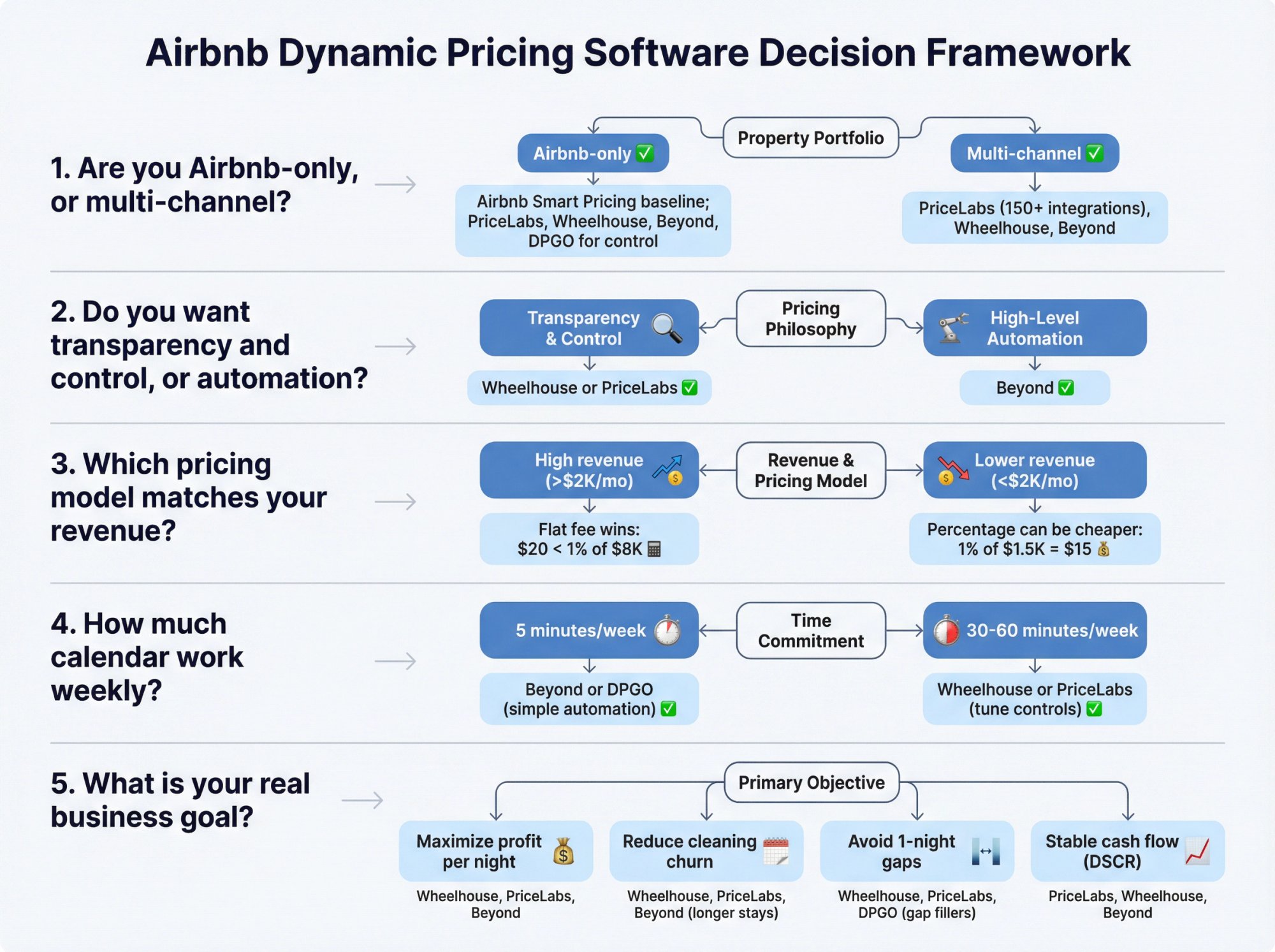
1. Are you Airbnb-only, or multi-channel?
Airbnb-only: Airbnb Smart Pricing can be a baseline, but third-party tools add control and strategy. Most dedicated pricing tools (PriceLabs, Wheelhouse, Beyond, DPGO) integrate directly with Airbnb.
Multi-channel (Airbnb + Vrbo + Booking.com + direct bookings): Pick a tool that integrates cleanly with your property management system or channel manager. PriceLabs explicitly markets 150+ PMS/channel manager integrations, which is a major advantage for multi-channel operators.
If you're managing listings across multiple platforms, you'll also want to check Chalet's STR directory for channel managers and property management systems that play well with your chosen pricing tool.
2. Do you want transparency and control, or automation with fewer knobs?
If you like rules, guardrails, and being able to explain decisions to yourself (or an owner, or a partner), go with Wheelhouse or PriceLabs. These tools expose the logic and let you tune it.
If you want high-level levers and prefer to let the engine do most of the work, Beyond is a strong choice. It's designed for users who trust the algorithm and don't want to micromanage every setting.
3. Which pricing model matches your revenue?
Do the break-even math per listing (refer to the earlier section on pricing model math).
If you have high ADR or strong peak seasons, percent-of-bookings pricing can get expensive fast. A property grossing $8,000/month would pay $80/month on a 1% model versus $20 on a flat plan. That's $720 extra annually.
If you're early-stage and revenue is low (say, $1,500/month), percent-based tools can actually be cheaper at first. A 1% fee on $1,500 is $15/month, which beats most flat plans.
Pro tip: Use Chalet's ROI calculator to model your expected monthly revenue under different scenarios. Plug in conservative and aggressive assumptions. Then calculate the software cost under both flat and percentage pricing. This gives you a clear picture of which model makes financial sense.
4. How much calendar work are you willing to do weekly?
Be honest with yourself.
5 minutes/week: Pick simple automation like Beyond or DPGO. Set your base price, minimum/maximum rates, and let it run.
30-60 minutes/week: Pick tools with transparency and tuning like Wheelhouse or PriceLabs because you'll actually use the controls. These platforms reward engagement.
If you're spending more than an hour per week manually pricing one property, you're doing it wrong. Either automate more or simplify your strategy.
5. What is your real business goal?
Most hosts say "maximize revenue." Often the real goal is one of these:
→ Maximize profit per booked night.
You care about quality guests, longer stays, and avoiding cleaning churn. Your minimum stay rules and gap-fill settings matter more than peak event pricing.
→ Reduce cleaning churn.
Fewer turnovers mean lower operating costs and less wear. Configure your tool to prefer 3+ night stays even if it means slightly lower total occupancy.
→ Avoid one-night gaps.
Those unbookable single nights destroy revenue. Use orphan day pricing and gap-fill rules aggressively.
→ Keep occupancy stable for debt coverage.
If you're financing with a DSCR loan, you need consistent cash flow to cover debt service. Your minimum price floor should be tied to your break-even cost, not market sentiment. Understanding DSCR financing can help you set the right floor price that protects your loan performance.
Your goal determines whether you should prioritize minimum stays, gap rules, and floors more than "optimal market price." Most pricing tools can support any of these goals, but you have to configure them correctly.
If you're a 1031 exchange investor racing a tight timeline, Chalet connects you with exchange-savvy real estate agents who can help you close fast and property managers who understand the operational realities of dynamic pricing from day one. Getting this coordination right can be the difference between hitting your exchange deadlines and blowing past them.
How Chalet Helps You Beyond Pricing Tools
Pricing software is just one piece of the STR investment puzzle. Even the best dynamic pricing tool can't help if you bought in the wrong market, underestimated operating costs, or can't find reliable vendors to actually run the property.
This is where Chalet comes in.
We're the one-stop platform for Airbnb and short-term rental investors. We pair free market analytics with a vetted vendor network so you can research, buy, finance, insure, set up, and manage your rental in one place.
Free analytics you can actually use
Chalet's market dashboards show ADR, occupancy, and revenue trends across multiple cities. You can compare markets, validate projections, and spot opportunities before committing capital.
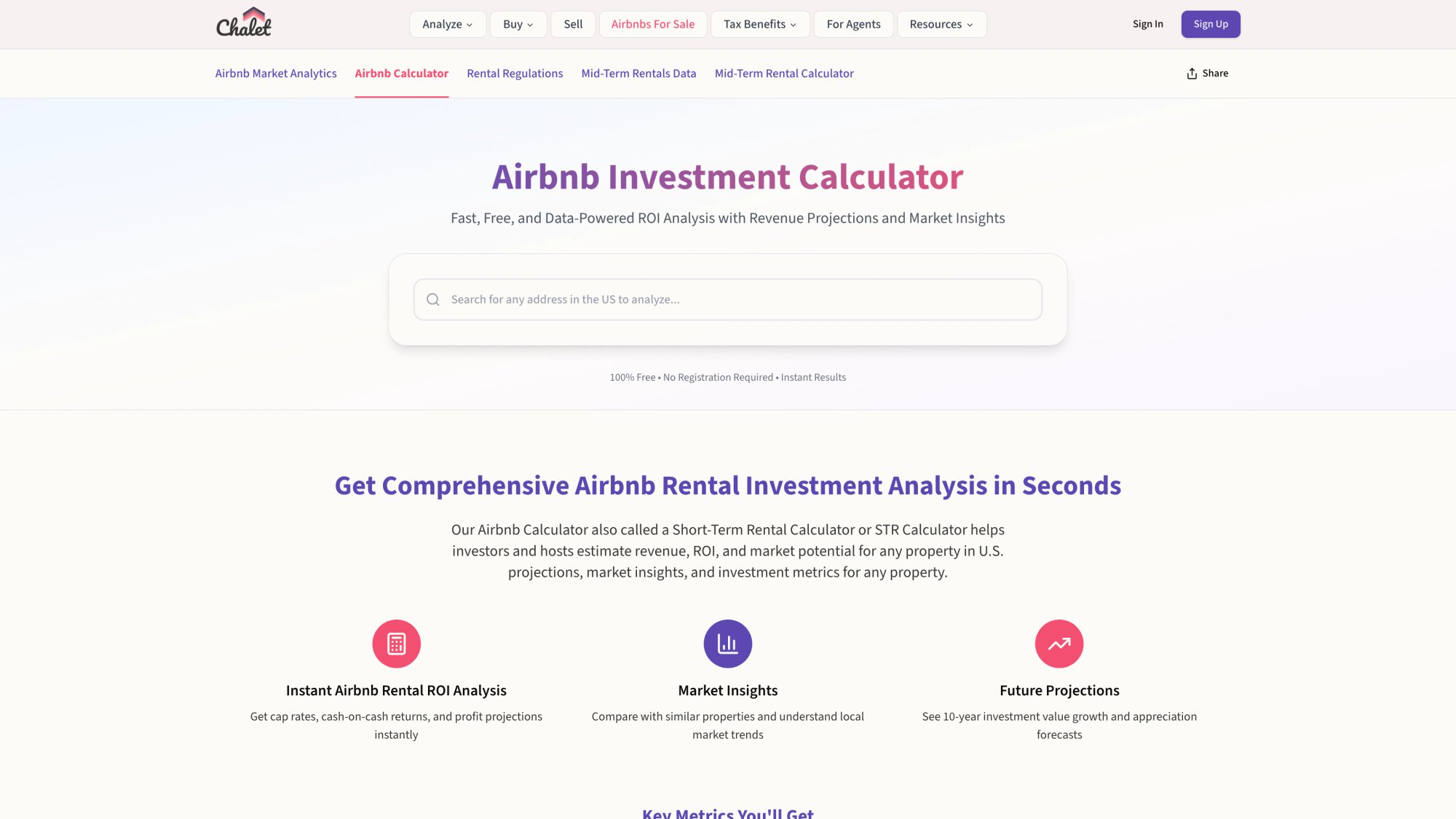
Our ROI and DSCR calculator lets you model deals with real numbers. Plug in purchase price, down payment, interest rate, estimated revenue, operating expenses, and see if the math actually works. You can test different financing scenarios (conventional vs. DSCR) and pricing strategies (conservative vs. aggressive) side by side.
The vendor network you'll actually need
Once you've picked a market and run the numbers, you need people to execute:
→ Airbnb-friendly real estate agents who understand STR cash flow, local regulations, and cap rates.
→ DSCR lenders who can close in 30-45 days for 1031 exchanges and don't require tax returns.
→ STR-specific insurance that actually covers short-term rentals (your standard homeowner's policy won't).
→ Property managers who know how to optimize turnovers, guest communication, and maintenance. Choosing the right management approach can make or break your pricing strategy's effectiveness.
→ Furnishing, cleaning, CPA, cost segregation. All the operational pieces that separate profitable STRs from cash-draining headaches.
Chalet's STR directory connects you with vetted pros in every category. We only earn when you engage and close with a referred professional, so our incentives are aligned with yours.
Regulation checks and compliance
Before you buy (or even before you set up dynamic pricing), you need to know the rules. Chalet's regulation library breaks down local STR laws by market. Permit requirements, occupancy caps, tax registration, and zoning restrictions. All in plain English.
If you're looking at Nashville, Austin, Denver, or any other competitive STR market, check the regulations first. Some markets have permit caps that make new STRs impossible. Others have straightforward registration processes.
Find properties that are already set up (or ready to convert)
Chalet's Airbnbs for sale marketplace lists turnkey STR properties and properties with STR potential. You can filter by market, price range, and projected returns. For 1031 investors racing a deadline, this can be a lifesaver.
The bottom line: Dynamic pricing is important, but it's downstream of the real decisions. Are you in the right market? Did you buy at the right price? Can you actually get a permit? Do you have vendors you trust?
Start with Chalet's free tools. Explore the data. Run ROI scenarios. Check regulations. When you're ready to buy, finance, and operate, we'll connect you with the pros who can make it happen.
Setup Guide: Roll Out Dynamic Pricing Safely
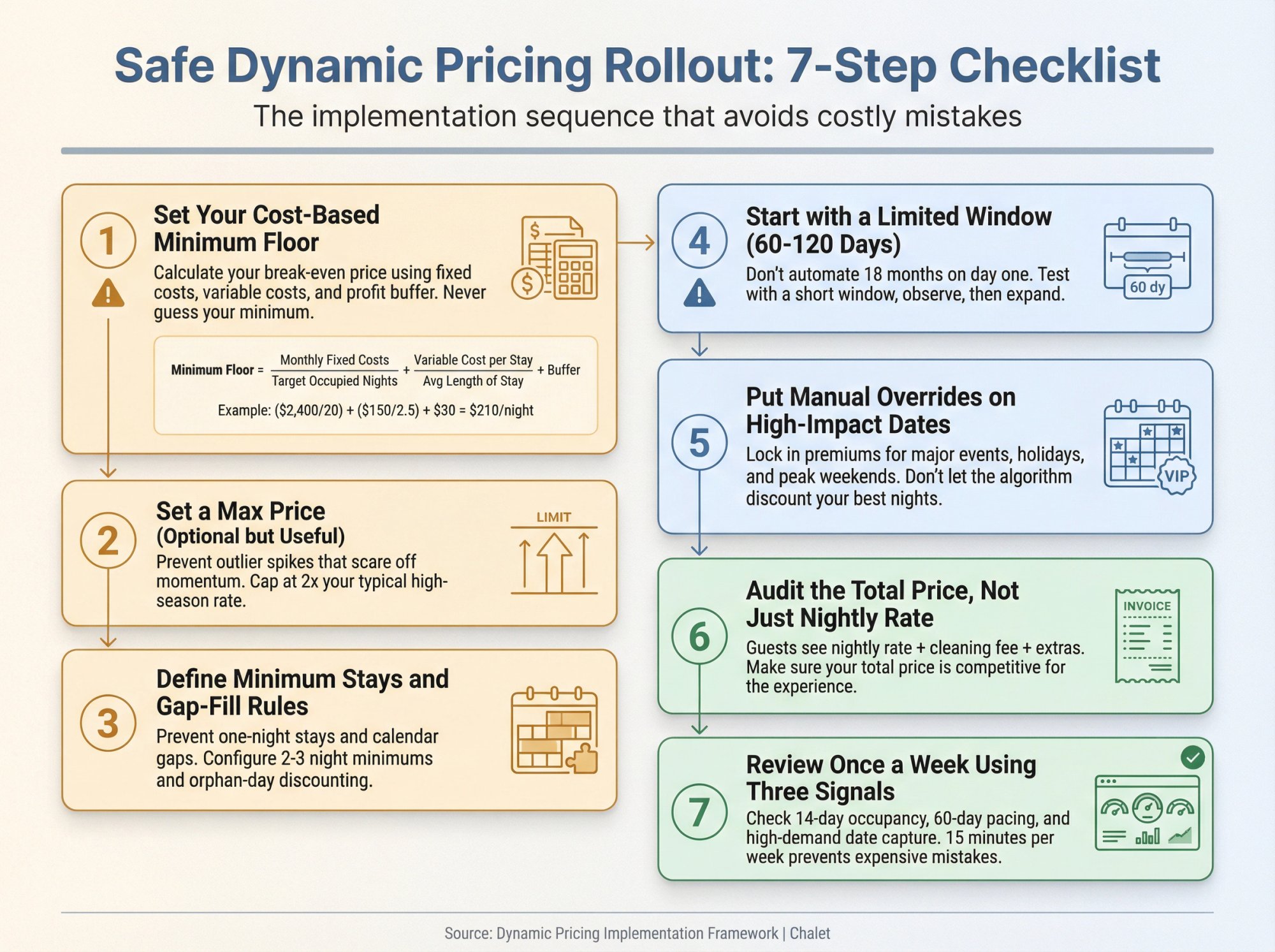
This is the rollout sequence that avoids most horror stories.
① Set Your Cost-Based Minimum Floor
Your minimum price should not be "whatever feels okay." It should be tied to costs.
A practical model:
Minimum nightly floor ≈ (monthly fixed costs / target occupied nights) + (variable cost per stay / average length of stay) + buffer
Fixed costs: Mortgage, HOA, utilities, insurance, internet, software subscriptions, etc.
Variable per stay: Cleaning, laundry, consumables, restocking, wear and tear.
Buffer: Profit margin + "I don't want this booking at this price" cushion.
Example:
| Cost Component | Amount | Calculation |
|---|---|---|
| Monthly fixed costs | $2,400 | – |
| Target occupied nights/month | 20 | – |
| Fixed cost per night | $120 | $2,400 / 20 |
| Variable cost per stay | $150 | Cleaning + laundry + consumables |
| Average length of stay | 2.5 nights | – |
| Variable cost per night | $60 | $150 / 2.5 |
| Buffer | $30 | Profit margin |
| Minimum floor | $210/night | $120 + $60 + $30 |
Blind spot: If you set this floor too low, the software can successfully maximize occupancy while you quietly lose money. This is the single most common failure mode with dynamic pricing. Understanding typical startup costs helps you set realistic floor pricing from day one.
If you financed with a DSCR loan, your floor needs to ensure you can cover debt service consistently. Run your specific numbers through Chalet's DSCR calculator before setting your minimum.
② Set a max price (optional, but useful)
Max price isn't about greed. It's about preventing outlier spikes that scare off booking momentum.
If your market typically supports $200-$300, setting a max at $400 prevents the software from testing $600 on a random Friday and killing your booking velocity.
That said, if you're in a market with genuine $500+ peak demand (major events, ski season, etc.), don't artificially cap yourself. Just make sure you're intentional about it.
③ Define minimum stays and "gap fill" rules
Your best pricing engine can still lose money if it fills your calendar with one-night stays and leaves unbookable gaps.
Minimum stay rules: Set these based on your cleaning cost and guest preference. If your cleaning fee is $150 and you prefer longer stays, require a 2-night minimum on most dates and 3-night minimum on weekends.
Gap-fill pricing: If you have a one-night gap between two bookings, most tools can automatically discount that orphan night to fill it. This prevents calendar waste. Wheelhouse explicitly exposes gaps and check-in/out rules as strategy settings. PriceLabs has orphan day pricing controls.
Configure these upfront. They matter more than you think.
④ Start with a limited window (60-120 days)
Do not let any pricing engine take over 18 months on day one.
Start with 60-120 days where you can observe results and correct mistakes. Once you're confident the tool is behaving as expected, expand the window.
This also prevents the tool from underpricing far-future dates that might book anyway at higher rates.
⑤ Put manual overrides on high-impact dates
High-impact dates include:
-
Major local events (concerts, festivals, sporting events, conferences)
-
Holiday weekends (Thanksgiving, Christmas, New Year's, Fourth of July)
-
Your market's "signature weekends" (spring break for beach towns, powder days for ski areas)
Use Chalet's market dashboards to identify when demand typically spikes in your area. Layer that knowledge into your pricing tool with manual overrides or premium adjustments.
⑥ Audit the "total price," not just nightly rate
Guests buy the total price (nightly rate + cleaning fee + extra guest fees). Your cleaning fee and minimum stay rules can make a "reasonable nightly rate" uncompetitive.
Second-order effect: If you insist on one-night stays with a high cleaning fee, you can end up discounting nightly rates to compensate, attracting the wrong guests, and increasing wear.
The math:
| Scenario | Nightly Rate | Cleaning Fee | Min Stay | Total Cost | Effective Rate/Night |
|---|---|---|---|---|---|
| Scenario A | $200 | $150 | 1 night | $350 | $350/night |
| Scenario B | $175 | $150 | 2 nights | $500 | $250/night |
Scenario B attracts better guests, reduces turnover, and protects your pricing integrity.
⑦ Review once a week using three signals
Set a recurring 15-minute calendar appointment. Every week, check:
① Next 14 days occupancy.
Are you filling close-in nights? If not, your near-term pricing might be too aggressive.
② Next 60 days pacing.
Are you ahead or behind last year? Ahead or behind your market? If you're lagging, your base price or strategy might need adjustment.
③ High-demand dates.
Are you underpricing the dates that matter most? Check major events and holidays manually. Make sure you're capturing premiums.
This weekly review catches issues before they become expensive. It also gives you data to tune your settings over time.
If you're managing multiple properties or racing a 1031 timeline, you might not have time for weekly reviews. In that case, connect with vetted property managers through Chalet who can handle this operational layer for you.
Common Mistakes That Make Hosts Hate Pricing Tools
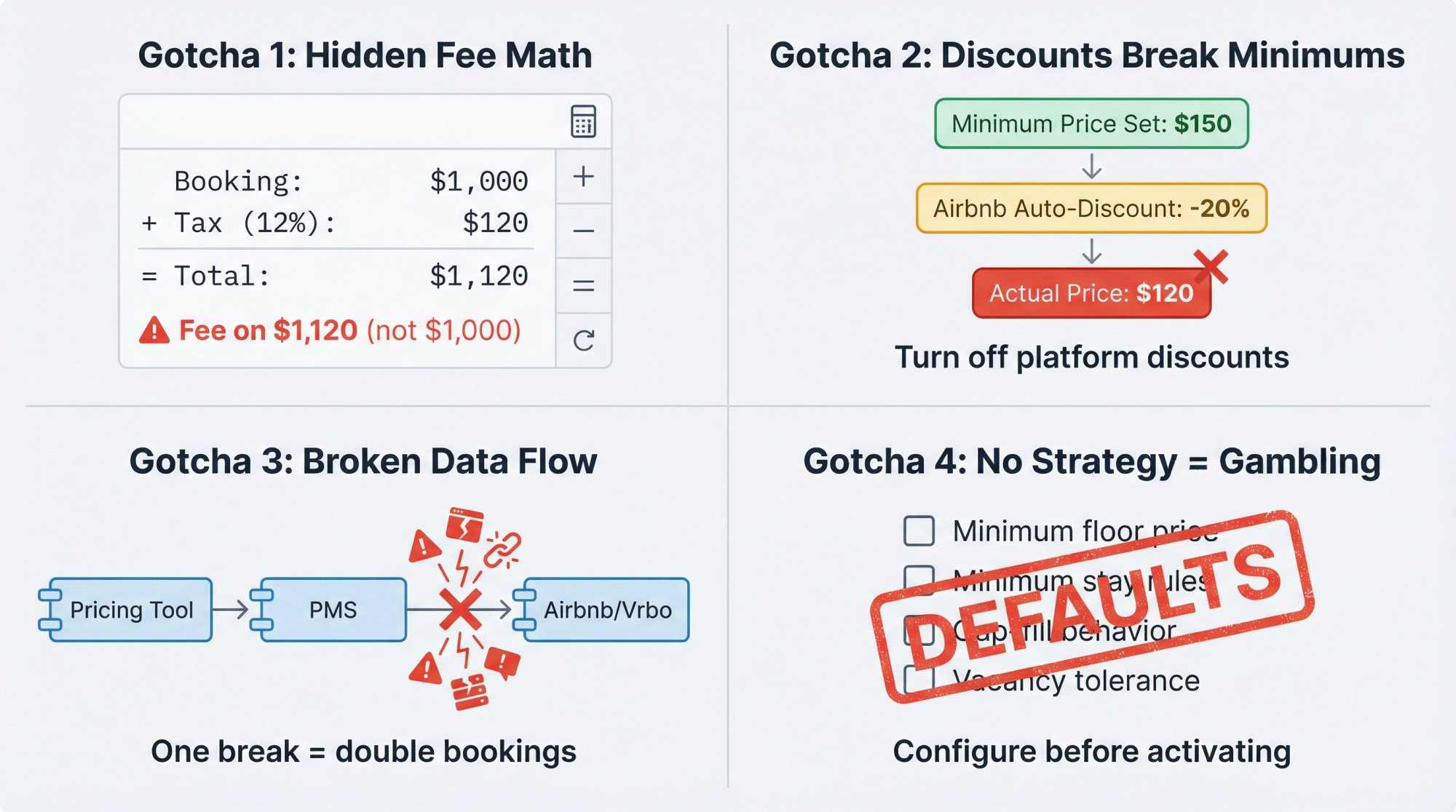
Gotcha 1: Percent-based fees often apply to more than you expect
Even if another vendor doesn't do this, you should always confirm what "bookings" or "revenue" means in your contract.
If you're in a market with 12% combined taxes and the fee applies to the tax-inclusive total, your effective cost just jumped. A $1,000 booking becomes $1,120 after taxes. A 1% fee on $1,120 is $11.20, not $10. At scale, this adds up.
Gotcha 2: Discounts can override your minimum
Airbnb warns that discounts and promotions can push guest prices below the minimum you set in Smart Pricing. If you rely on minimum floors for profitability, you must understand discount interactions.
Turn off Airbnb's automatic discounts (weekly, monthly, early bird, last-minute) or set them conservatively. Your pricing tool should be handling dynamic discounting, not Airbnb's blunt instruments.
Gotcha 3: Multi-channel pricing without proper syncing creates operational risk
Many pricing tools push rates, but availability syncing and channel conflict handling is a separate problem (often solved by your property management system or channel manager).
Make sure you understand the full data flow:
Pricing tool → PMS/Channel Manager → Airbnb/Vrbo/Booking.com
If any link in that chain is broken or misconfigured, you risk double bookings, pricing errors, or manual corrections.
Gotcha 4: The tool optimizes for what you tell it, not what you "mean"
If you never define:
-
Minimum floor
-
Minimum stay strategy
-
Gap-fill behavior
-
Your tolerance for vacancy vs. discounting
…then you're not "using dynamic pricing." You're gambling that the default settings match your business.
Most hosts who hate their pricing tools never actually configured them properly. They turned it on, let it run with defaults, and blamed the software when results were bad.
This isn't the tool's fault. It's a configuration problem. Many of these issues stem from common mistakes that plague both pricing strategy and broader STR investment decisions.
Spend the 30-60 minutes upfront to set your floors, stays, and overrides. Your future self will thank you.
Frequently Asked Questions
Do I need pricing software if I only have one Airbnb?
Not automatically. If you're still learning the basics of short-term rentals, Airbnb Smart Pricing is a free baseline. But if you want better control over minimum stays, gap nights, event premiums, and comp-based pricing, dedicated tools exist for a reason.
Even for a single property, dynamic pricing can generate an extra $2,000-$8,000 annually depending on your market. For most hosts, that ROI easily justifies $20-$60/month in software costs.
Use Chalet's free market analytics to see what similar properties in your area are earning. If there's a meaningful revenue gap between manual pricing and optimized dynamic pricing, the tool pays for itself quickly.
Can I use two pricing tools at the same time?
You can, but you probably shouldn't. Two engines fighting over the same calendar leads to unpredictable outcomes and messy auditing.
If you want to A/B test tools, do it sequentially (60 days with Tool A, 60 days with Tool B) on the same property, or run them on different properties in your portfolio.
If a tool is "more expensive," is it worse?
Not necessarily. A more expensive tool can be cheaper in practice if it:
-
Reduces turnovers (cleaning cost savings)
-
Avoids one-night stays you dislike (operational efficiency)
-
Captures high-demand event premiums you would miss manually (revenue upside)
The right metric is not "software cost." It's net profit after all operating costs and labor.
A $60/month tool that generates an extra $400/month in revenue beats a $20/month tool that generates $200/month in extra revenue. Do the math on total economics, not just the subscription price.
How long should I test before deciding?
A minimum of one demand cycle in your market is ideal. Practically, 60-90 days is usually enough to spot obvious mispricing patterns.
Seasonal markets require longer. If you're in a ski town or beach market with extreme seasonality, you need to see at least one full high season and one shoulder/low season before you can fairly evaluate performance.
Most tools offer 30-day free trials. Use the trial to validate the basics (integration works, interface makes sense, prices are reasonable). Then commit to 3-6 months of real usage before making a final call.
Will dynamic pricing ever set my price unreasonably low?
Yes, dynamic pricing tools are safe, as long as you configure them properly. You should always set a minimum nightly rate that covers your costs and meets your profit goals. All reputable pricing tools allow this. With a floor in place, the software won't drop your price below that threshold.
The failure mode isn't the tool going rogue. It's hosts not setting a floor at all (or setting it too low) and then being surprised when the algorithm discounts aggressively during low demand.
Go back to Step 1 in the setup playbook. Calculate your cost-based minimum. Configure it. Problem solved.
How often do pricing tools update rates?
Most tools push updates daily by default. Every day, your prices may adjust slightly based on new data. Some tools (like Wheelhouse and Beyond) can update multiple times per day if there are rapid market changes (think: breaking news about a major event, sudden weather shifts, competitor rate changes).
You can usually see the update log in the tool's dashboard. If you're paranoid, check it. Most hosts set it and forget it once they trust the system.
Can I override the tool's recommendations?
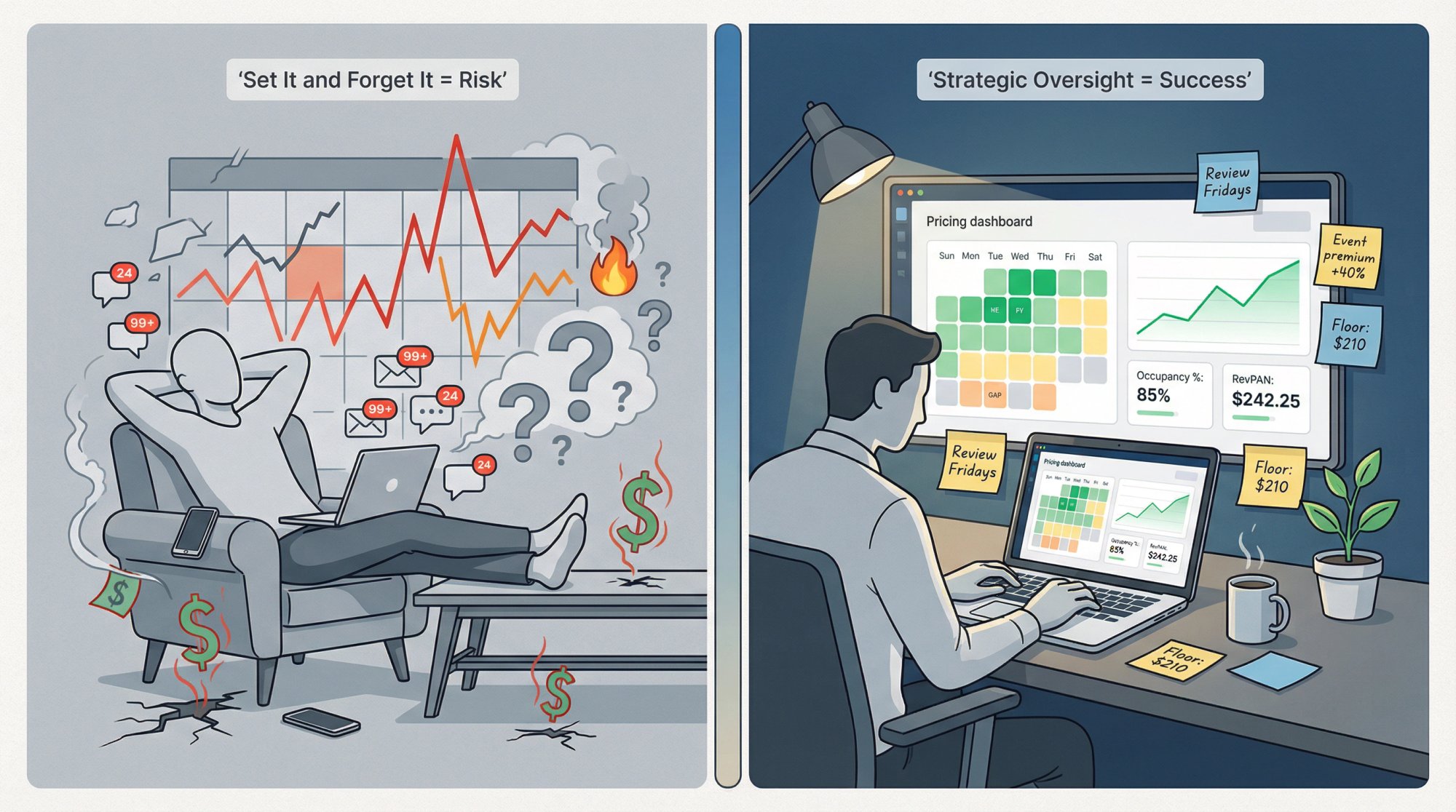
Absolutely. You maintain full control. All these platforms let you manually set a specific price on any date you choose.
Manual overrides are useful for:
-
Major local events where you have insider knowledge
-
Personal blocks (you're using the property yourself)
-
Strategic experiments (testing a new price point)
The tools are assistants, not dictators. Use them to handle the 95% of routine pricing decisions, and override the 5% where you have specific knowledge or preferences.
Why isn't Airbnb's free Smart Pricing enough?
Smart Pricing can help, but it has notable limitations that lead many hosts to seek third-party solutions.
Limited control. You can't fine-tune the algorithm or set nuanced strategies. You get min/max prices and that's about it.
Conflict of interest. Smart Pricing tends to price more toward filling the calendar (which benefits Airbnb by generating fees) rather than maximizing your revenue. Airbnb makes money on every booking, so high occupancy serves them even if it's not optimal for you.
No multi-channel support. Smart Pricing only works on Airbnb. If you list on Vrbo, Booking.com, or direct channels, you need a separate pricing strategy.
No advanced features. Orphan day pricing, comp set analysis, custom day-of-week rules, occupancy-based adjustments? None of that exists in Smart Pricing.
For single-property, Airbnb-only hosts who want "good enough" automation at zero cost, it's fine. For everyone else, third-party tools provide vastly more control and revenue upside.
How does pricing software integrate with Chalet's analytics?
Great question. Chalet's free market dashboards are upstream of your pricing tool. You use Chalet to:
→ Validate market potential before you buy.
Are the revenue numbers realistic? What do comps actually earn? This informs whether dynamic pricing is even worth the effort.
→ Set your base price.
Most pricing tools ask for a "base price" as your starting point. Use Chalet's data to see what similar properties charge on average. That becomes your anchor.
→ Benchmark performance over time.
Once your pricing tool is live, compare your results against market trends in Chalet's dashboards. Are you beating the market? Lagging? This tells you whether your strategy is working.
Think of it this way:
-
Chalet = market intelligence and deal evaluation
-
Pricing tool = daily rate optimization execution
They're complementary, not competitive.
What pricing strategy works best for 1031 exchange investors?
1031 investors have unique constraints. You're racing a 45-day identification deadline and a 180-day closing deadline. Speed matters more than perfection.
Pricing strategy for 1031 investors:
① Prioritize cash flow stability over revenue maximization.
If you're financing with a DSCR loan, you need predictable cash flow to cover debt service. Set your minimum floor conservatively. Use Chalet's DSCR calculator to model your minimum revenue threshold.
② Avoid aggressive discounting during the transition period.
The first 30-60 days after closing are operational chaos (permits, furnishing, photos, listing optimization). Don't let your pricing tool race to fill the calendar with low-quality bookings. Set a higher floor temporarily.
③ Focus on multi-channel presence fast.
Don't rely on Airbnb alone. Get on Vrbo and Booking.com immediately. This diversifies demand and reduces platform risk. Use a pricing tool (like PriceLabs or Wheelhouse) that supports multi-channel syncing from day one.
④ Lean on property managers early.
If you're juggling a 1031 timeline, you don't have time to micromanage pricing. Connect with vetted property managers through Chalet who can handle dynamic pricing setup, calendar optimization, and guest communication. Deciding between self-management and professional property management early in your 1031 process can save critical time.
Chalet specializes in 1031 exchange investors. We connect you with exchange-savvy agents, DSCR lenders, and 1031-friendly markets with fast permit processes. If you're racing a deadline, every day counts. Start here.
Should I set up pricing before or after buying my STR?
Ideally, you're thinking about pricing during the underwriting phase, not after you close.
Before you buy:
Use Chalet's ROI calculator to model revenue scenarios. Test both manual pricing (conservative estimate) and dynamic pricing (optimistic estimate). See what the ROI difference looks like.
Check Chalet's market dashboards for historical ADR and occupancy trends. If the market is declining or heavily regulated, dynamic pricing won't save a bad deal.
After you buy (but before you list):
Sign up for a pricing tool's free trial. Set your base price, minimum/maximum rates, and strategy. Get it configured while you're furnishing and getting photos done.
Launch your listing with dynamic pricing enabled from day one. You want data flowing immediately so the tool can start learning your booking patterns.
Never: Buy a property, list it manually for 6 months, then turn on dynamic pricing and wonder why it's not working. The tool needs time to learn your market, your comp set, and your booking velocity. Start early.
How do I know if my pricing tool is actually working?
Track these three metrics monthly:
① Revenue per available night (RevPAN).
Total monthly revenue / days in month. This accounts for both occupancy and rate.
② Revenue vs. market benchmark.
Compare your revenue against similar listings in Chalet's market dashboards. Are you beating the market average? By how much?
③ High-demand date capture rate.
Did you get premium rates on the 10-15 most valuable nights of the month (holidays, events, peak weekends)? Or did you underprice them?
If RevPAN is up, you're beating market benchmarks, and you're capturing event premiums, the tool is working. If any of those are declining, audit your settings (especially your floor, maximums, and strategy mode).
Most pricing tools also have built-in performance dashboards. Use them. But cross-reference against independent data (like Chalet) to avoid confirmation bias.
What happens if I want to switch pricing tools later?
Switching is relatively painless as long as you're not locked into a long-term contract. Most tools offer month-to-month billing or annual plans with clear cancellation policies.
Process:
① Turn off the old tool. Disable automatic pricing updates in your current tool's settings.
② Export your data. Download historical pricing data and performance reports if the tool allows it. This is useful for benchmarking.
③ Set up the new tool. Configure base price, floors, ceilings, minimum stays, and strategy settings.
④ Run the new tool in "recommendation mode" for a week (if possible) before enabling automatic updates. This lets you audit its suggestions before going live.
⑤ Enable automatic pricing. Once you're confident, flip the switch.
⑥ Monitor closely for 2-4 weeks. Make sure the new tool is behaving as expected.
Pro tip: Don't switch tools during your high season unless absolutely necessary. Make the change during a shoulder or low season when the stakes are lower.
Can pricing software help with direct bookings (not just Airbnb and Vrbo)?
Yes, but it depends on your setup. Most pricing tools can push rates to property management systems and channel managers, which then distribute those rates to your direct booking website.
If you're using a direct booking platform (like Beyond's Signal website builder, or services like Guesty, Hospitable, or Lodgify), the pricing tool can feed rates there.
If you're just using a basic website with a contact form, you'll need to manually update your rates based on the tool's recommendations. At that point, the automation benefit is limited.
For serious direct booking operations, invest in a proper channel manager or property management system that integrates with your pricing tool. The extra $20-$50/month in software is worth it to keep rates synchronized across all channels.
What if my market has strict STR regulations that limit occupancy?
Pricing tools don't care about regulations directly, but you should configure them to respect regulatory constraints.
Example: If your city limits STRs to 90 nights per year, you should set an extremely high minimum price floor for dates outside your strategic windows. This prevents the tool from filling your calendar with low-value bookings that eat up your limited nights.
Better yet, use manual overrides to block dates entirely when you're approaching your cap.
Before you buy in a regulated market, check Chalet's regulation library to understand the rules. Some markets have permit caps, occupancy limits, or zoning restrictions that make STRs unviable. Know this before you close, not after.
Do I still need to check my calendar if I'm using dynamic pricing?
Yes, but far less often. Instead of daily manual pricing updates, you're doing weekly strategic reviews (refer to Step 7 in the setup playbook).
Think of it this way:
Manual pricing: 30-60 minutes per day checking comps, events, weather, updating rates.
Dynamic pricing with proper setup: 15 minutes per week reviewing pacing, high-demand dates, and strategy tweaks.
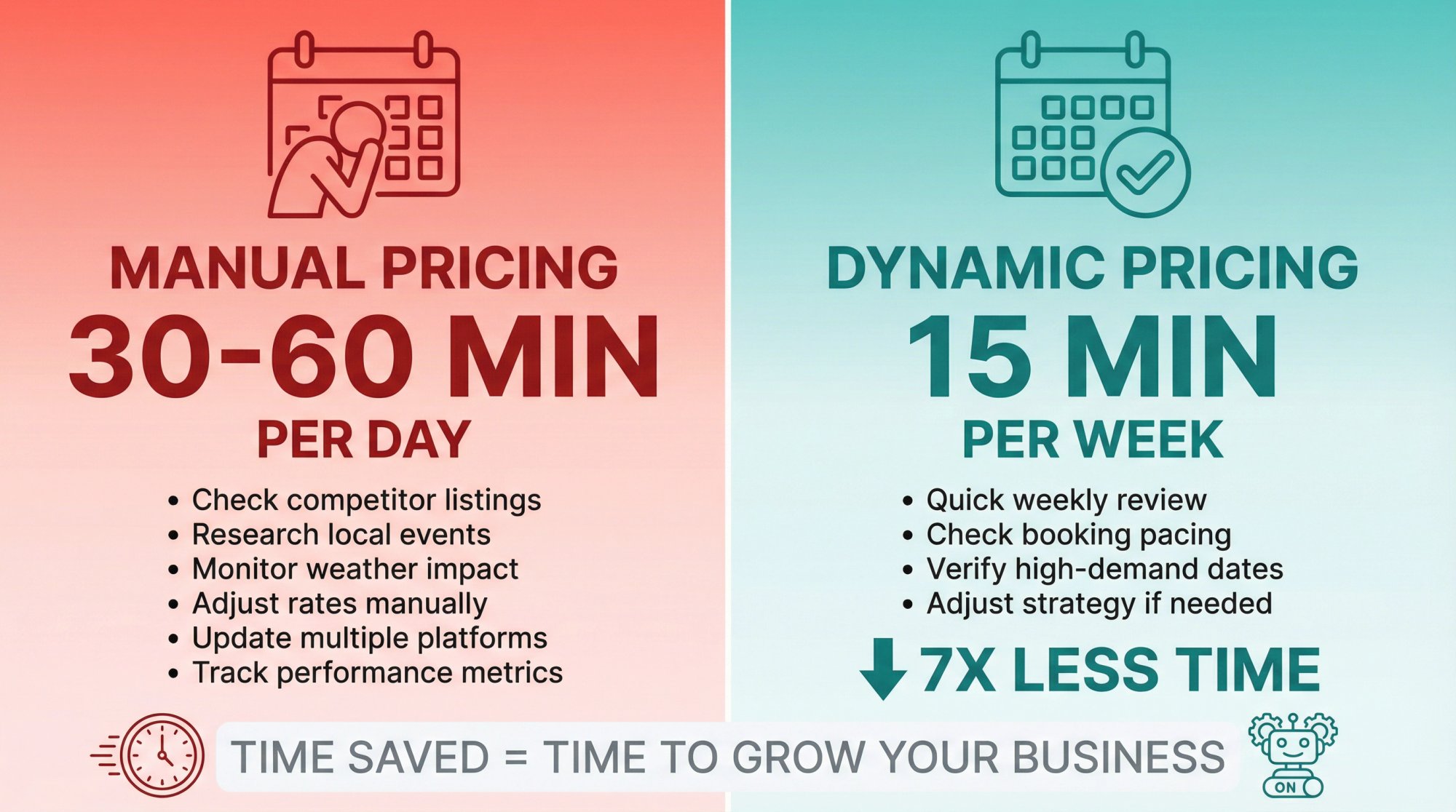
The time savings are massive. Use that reclaimed time to improve your listing (better photos, upgraded amenities, guest communication) or scale to additional properties.
Final Thoughts
Dynamic pricing for Airbnb and short-term rentals isn't magic. It's math, automation, and strategy. The tools we've covered (PriceLabs, Wheelhouse, Beyond, DPGO, and others) all do fundamentally similar things. They analyze demand signals and adjust your rates to maximize revenue.
The differences come down to:
Control vs. simplicity. Do you want lots of knobs to turn, or do you want to set it and forget it?
Pricing model. Does flat-fee or percent-of-revenue make more sense for your revenue profile?
Integration ecosystem. Does the tool play well with your property management system and booking channels?
Strategic alignment. Does the tool optimize for what you actually care about (profit, occupancy, cash flow stability)?
Here's the bigger truth: pricing is just one piece of a successful STR investment.
Even the best pricing tool can't save a property bought in the wrong market, financed at the wrong rate, or managed by unreliable vendors.
That's why Chalet exists.
We help you make smarter decisions at every stage:
Research: Free market dashboards showing ADR, occupancy, and revenue trends across markets.
Underwriting: ROI and DSCR calculators so you can model deals with real numbers.
Compliance: Regulation library breaking down local STR laws by market.
Acquisition: Airbnb-friendly real estate agents and turnkey STR listings.
Financing: Connections to DSCR lenders who understand short-term rentals.
Operations: Vetted property managers, cleaners, furnishing services, insurance providers, and more.
Start with the free tools. Explore the data. Run scenarios. Check regulations. When you're ready to buy, finance, and operate, we'll connect you with the pros who can make it happen.