


If you're running an Airbnb rental (also called a short-term rental, or STR), a welcome book might be the highest-ROI operational asset you haven't built yet.
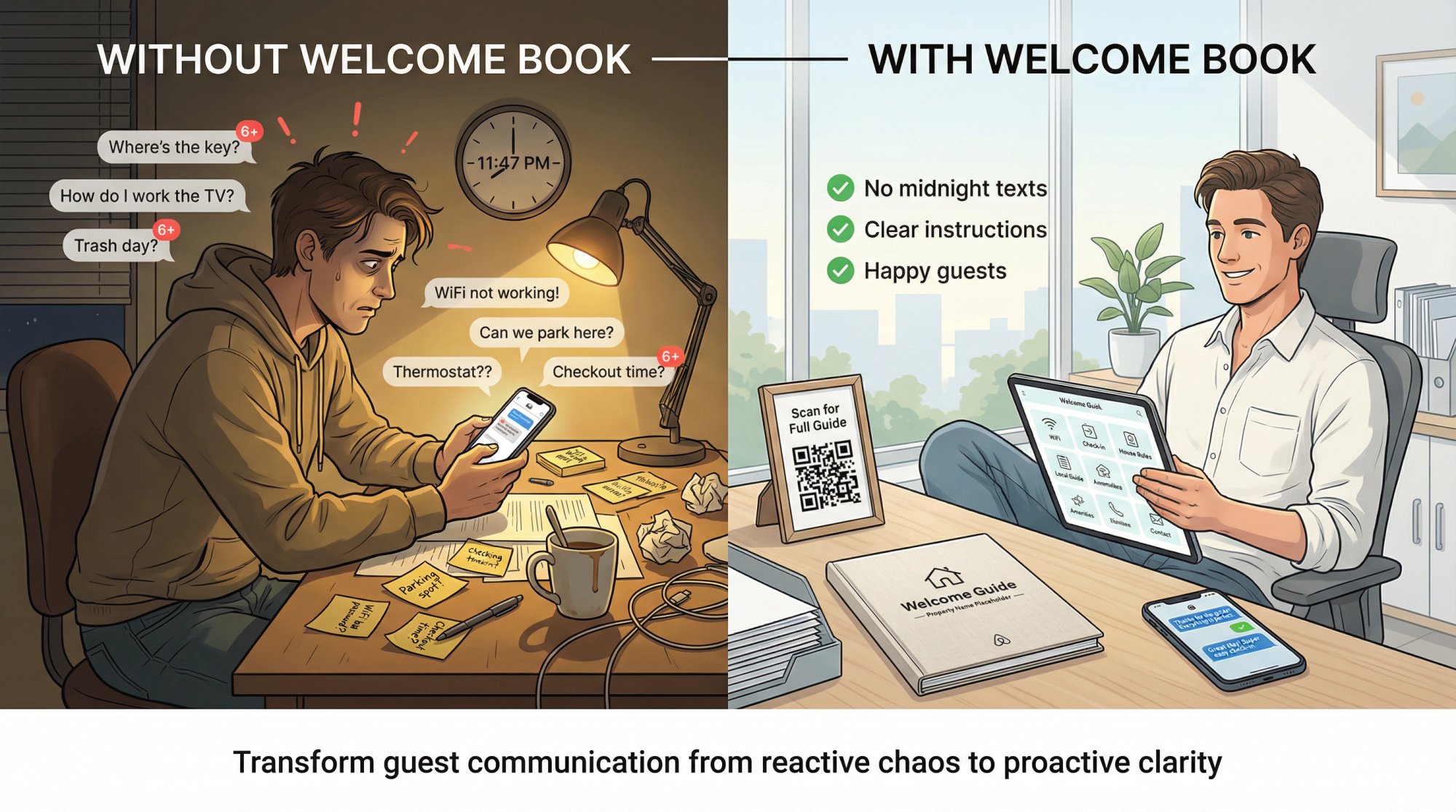
Think about it. Every guest arrives tired, juggling luggage, hunting for Wi-Fi, and trying to figure out your home's quirks. Without a guide, you get the same questions on repeat. With one, you get better reviews and fewer 11pm panic texts.
This guide gives you everything you need:
• A full copy-paste welcome book template you can use today
• The condensed version that fits Airbnb's actual interface
• A one-page quick-start sheet (perfect for printing or QR codes)
• The two-layer system that prevents guests from missing critical info
• Smart ways to make guests actually read it
No fluff. You should be able to copy this into Google Docs and have a solid first draft ready in under an hour.
What Is an Airbnb Welcome Book and Why Do You Need One?
People aren't looking for cute design templates. They're trying to solve these specific problems:
Stop repeating yourself. Wi-Fi password, parking rules, thermostat instructions, checkout tasks. You're typing the same messages to every single guest.
Prevent guest mistakes. Stains on the couch, broken appliances, neighbor complaints, locked-out guests at midnight. Most of these are preventable with clear instructions.
Set expectations without sounding harsh. You need boundaries (quiet hours, no parties, proper trash disposal), but you don't want guests feeling like they're walking on eggshells.
Make check-in effortless. Guests should be able to arrive, get inside, connect to Wi-Fi, and relax without messaging you for help.
Get better reviews. When guests have the info they need at their fingertips, they feel confident and comfortable. That translates directly into positive ratings and reviews.
Success looks simple: guests arrive and don't message you in a panic. They use your home correctly. Checkout happens cleanly. Your house rules get followed. You spend less time in support mode.
Airbnb House Manual vs Welcome Book: What's the Difference?
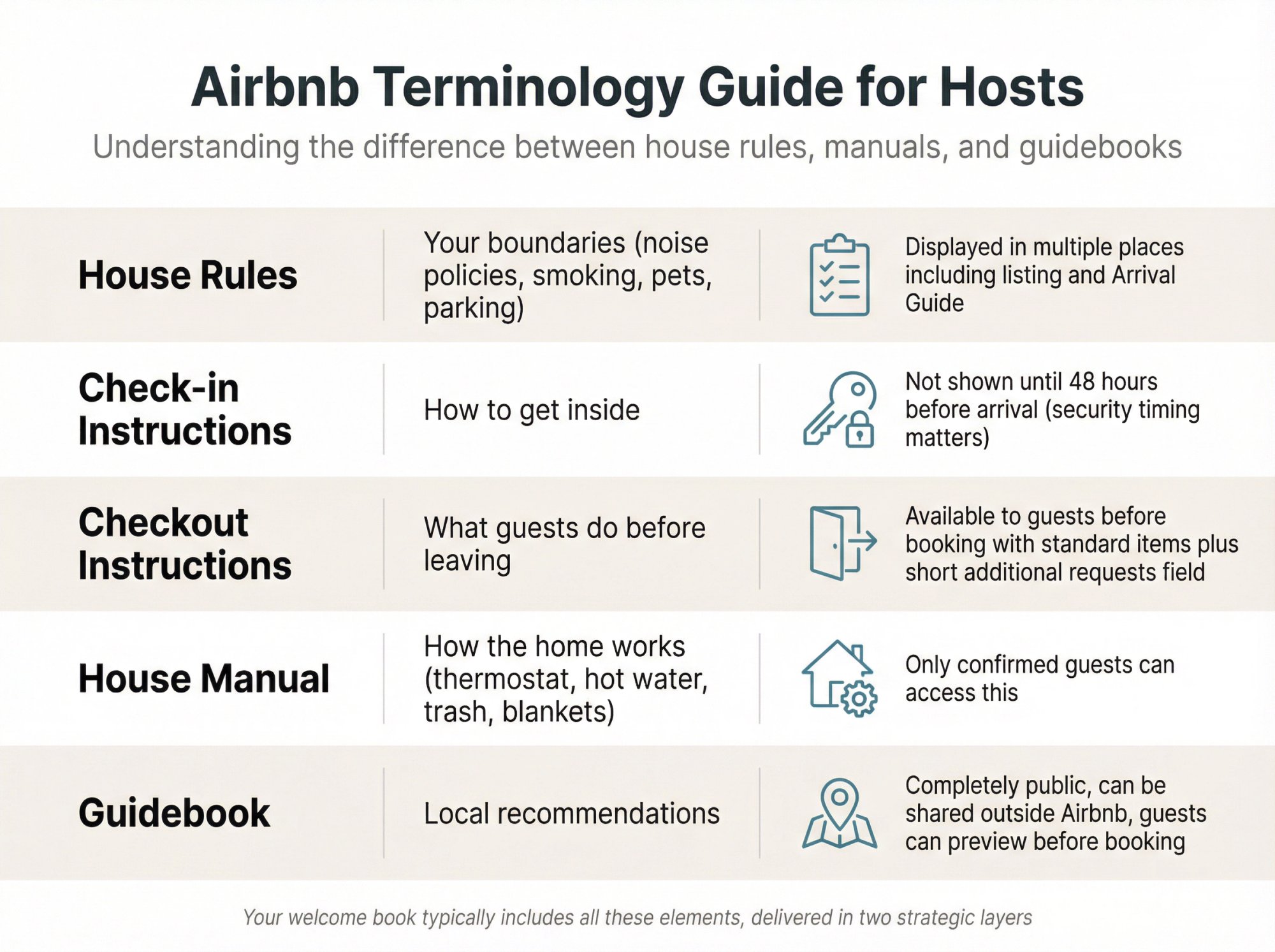
Airbnb uses overlapping terms that can confuse hosts. Here's what each one actually means:
| Term | What It Means | Key Detail |
|---|---|---|
| House rules | Your boundaries (noise policies, smoking, pets, parking) | Airbnb displays these in multiple places including the listing and Arrival Guide |
| Check-in instructions | How to get inside | Airbnb doesn't show detailed instructions until 48 hours before arrival (timing matters for security) |
| Checkout instructions | What guests do before leaving | Available to guests before booking with standard items plus short "additional requests" field |
| House manual | How the home works (thermostat, hot water, trash, blankets) | Only confirmed guests can access this |
| Guidebook | Local recommendations | Host guidebooks are completely public, can be shared outside Airbnb, guests can preview before booking |
Your "welcome book" typically includes all of these elements, but you'll deliver them in two distinct layers (explained next).
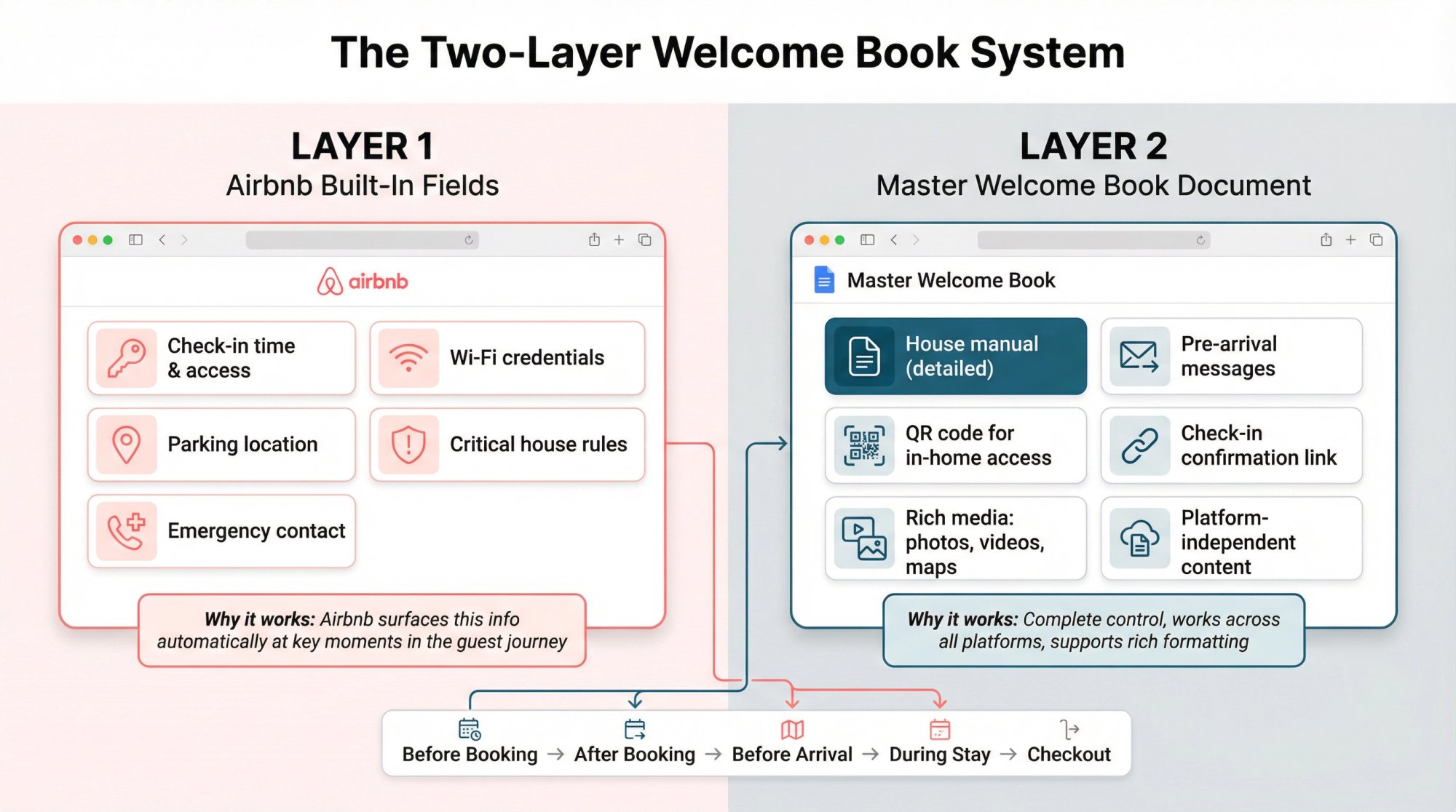
How to Structure Your Welcome Book: The Two-Layer System
Most hosts pick exactly one place to put information:
• Everything in a physical binder (guests don't open it until day two)
• Everything in Airbnb messages (guests can't find it later when they need it)
• Everything in Airbnb's built-in fields (too limited and fragmented across the interface)
None of these work well on their own. A better approach uses both layers strategically.
Layer 1: What to Put in Airbnb's Built-In Fields
Airbnb's Listings tab includes an Arrival guide section designed specifically for check-in details and essential info. Put the basics here because Airbnb surfaces them at the right times in the guest journey.
Use these fields for:
• Check-in time and access instructions
• Wi-Fi credentials
• Parking location and restrictions
• Critical house rules
• Emergency contact info
Why it works: Airbnb puts this information in front of guests automatically at key moments (after booking, before arrival, during their stay).
Layer 2: Creating Your Master Welcome Book Document
This is the comprehensive version you control completely. Create it in Google Docs, Notion, or Canva. Then link to it from:
• Your house manual (short version with link to full guide)
• Scheduled pre-arrival messages
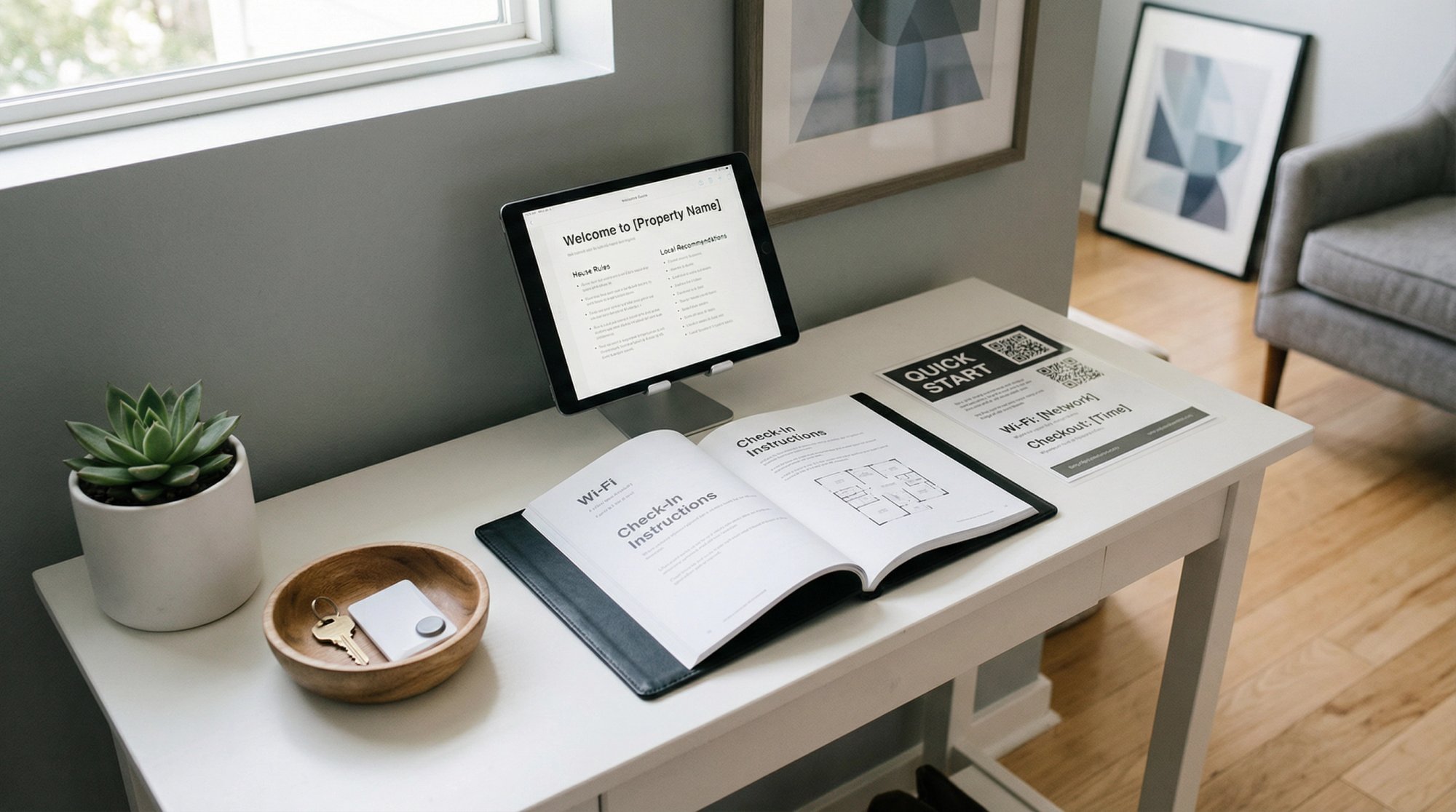
• A QR code displayed prominently in the home
• Your check-in confirmation
Why maintain a separate master version? Because it works across all platforms. If you expand to Vrbo, Booking.com, direct bookings, or bring on a property manager, this guide comes with you. You're not locked into Airbnb's interface limitations.
Plus, you can include rich formatting, photos, videos, clickable maps, and detailed troubleshooting that Airbnb's text fields can't accommodate.
Welcome Book Content Guidelines: First-Principles Rule
Guests arrive with low context and high cognitive load.
They're tired. They're managing luggage. They're trying to connect to Wi-Fi. They don't know where anything is or how anything works in your home. Your welcome book must accommodate this reality.
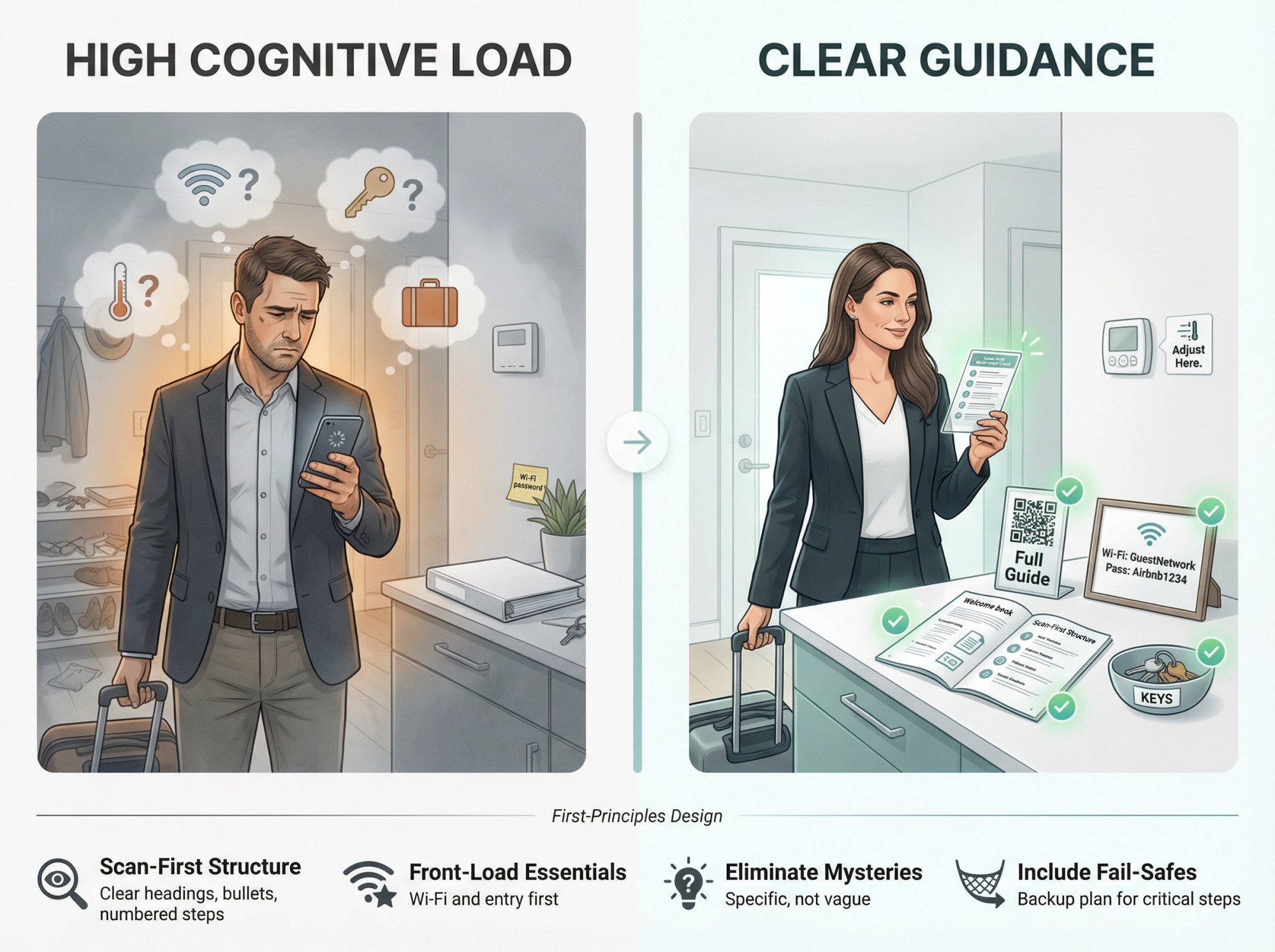
Design for these principles:
Scan-first structure. Use clear headings, bullet points, and short numbered steps. Guests need to find answers fast, not read paragraphs.
Front-load the essentials. Wi-Fi and entry instructions go at the very top. Airbnb even recommends starting with the Wi-Fi password because that's what every guest looks for first.
Eliminate mysteries. "The key is in the drawer" creates confusion. "The spare key is in the kitchen drawer next to the refrigerator, left side" prevents problems.
Include fail-safes. For every critical instruction, add a backup plan. "If the smart lock code doesn't work, try re-entering it slowly. If it still fails, message us immediately at [phone number]."
This isn't about branding or aesthetics. It's operational design that prevents the small failures that turn into bad reviews.
Free Airbnb Welcome Book Template: Copy and Paste
Copy everything below into your document editor. Replace all bracketed placeholders like [THIS] with your actual details.
[AIRBNB WELCOME BOOK]

Property name: [PROPERTY NAME]
Address: [FULL ADDRESS + UNIT NUMBER]
Host/Support: Message us in the Airbnb app for fastest response
Emergency: Call local emergency services first, then message us

────────────────────────────────────────────────────
1) WELCOME
────────────────────────────────────────────────────

Hi [GUEST FIRST NAME],

Welcome to [PROPERTY NAME]. Thanks for staying with us.

This guide answers the common questions that come up during your stay:

• How to get in and park

• Wi-Fi credentials

• How to use the home (thermostat, TV, appliances)

• House rules

• Local recommendations

• Checkout instructions

If anything looks off when you arrive (missing item, cleanliness issue, something not working), message us right away so we can fix it quickly.

────────────────────────────────────────────────────
2) QUICK FACTS (Save This Section)
────────────────────────────────────────────────────

CHECK-IN: [TIME]
CHECKOUT: [TIME]

WI-FI
Network: [NETWORK NAME]
Password: [PASSWORD]
Speed: [Optional note like "Great for video calls and streaming"]

PARKING
Location: [CLEAR INSTRUCTIONS]
Number of vehicles allowed: [#]
Do not park: [NO-PARKING ZONES]

ENTRY
Type: [SMART LOCK / KEYPAD / LOCKBOX / KEY / IN-PERSON]
Primary access:
1. [Step 1]
2. [Step 2]
3. [Step 3]

Backup access if primary doesn't work:
• [Backup step]
• Message us in Airbnb app

QUIET HOURS
[Example: 10pm to 8am]
(Please be extra mindful outdoors and on decks/balconies)

TRASH & RECYCLING
Location: [WHERE]
Pickup day: [DAY, if relevant to guests]
Recycling rules: [SIMPLE INSTRUCTIONS]

CLIMATE CONTROL
Thermostat location: [WHERE]
Recommended settings: [Example: "Heat 68-72°F, Cool 72-76°F"]
Do not: [Example: "Don't set below 65°F or open windows while AC runs"]

SAFETY
First aid kit: [WHERE]
Fire extinguisher: [WHERE]
Emergency exits: [WHERE]
Water shutoff (optional): [WHERE]
Breaker panel (optional): [WHERE]

────────────────────────────────────────────────────
3) ARRIVAL GUIDE
────────────────────────────────────────────────────

A) Getting to the Property

Best GPS address: [ADDRESS OR SPECIFIC NOTES]
Gate/complex access: [DETAILS IF APPLICABLE]
Arriving at night: [LIGHTING OR SIGNAGE TIPS]

B) Parking (Critical Details Repeated)

Park here: [SPECIFIC LOCATION]
Avoid: [RESTRICTED AREAS]
If you have more than [#] vehicles: [WHAT TO DO]

C) Entry Steps (Make It Impossible to Mess Up)

1. [Detailed step 1]
2. [Detailed step 2]
3. [Detailed step 3]

If it doesn't work:
• [Backup option]
• Message us immediately in the Airbnb app

────────────────────────────────────────────────────
4) HOUSE RULES
────────────────────────────────────────────────────

These rules protect the home, our neighbors, and your experience.

• Registered guests only: [YOUR POLICY]
• No parties or events
• Quiet hours: [HOURS]
• Smoking/vaping: [POLICY + where allowed if applicable]
• Pets: [POLICY + fees, restrictions, cleanup expectations]
• Parking: [POLICY]
• Trash: [POLICY]
• Fireplace/hot tub/grill rules: [POLICY IF APPLICABLE]
• Outdoor fires/firepit: [POLICY IF APPLICABLE]
• Report accidents: Tell us about breaks or spills quickly so we can fix them

────────────────────────────────────────────────────
5) HOUSE MANUAL (How Everything Works)
────────────────────────────────────────────────────

A) Wi-Fi

Network: [NAME]
Password: [PASSWORD]
Router location: [WHERE]
If connection drops: [RESET INSTRUCTIONS OR CONTACT]

B) Thermostat / HVAC

Location: [WHERE]
How to use:
1. [Step 1]
2. [Step 2]
3. [Step 3]

Do not: [Examples: "Don't open windows with AC running" or "Don't set extreme temperatures"]

C) Hot Water

Type: [Tank / Tankless]
Wait time: [If tankless: "May take 30-60 seconds to get hot"]
If no hot water: [CHECK BREAKER / SWITCH / CONTACT]

D) TV & Streaming

Remote location: [WHERE]
How to switch inputs: [SIMPLE INSTRUCTIONS]
Available streaming apps: [LIST]
If signed out: [WHAT TO DO]

E) Kitchen

Coffee maker: [TYPE AND LOCATION OF SUPPLIES]
Dishwasher: [DETERGENT LOCATION + SIMPLE INSTRUCTIONS]
Stove/oven: [ANY SAFETY NOTES]
Garbage disposal: [YES/NO + WHAT NOT TO PUT IN]

F) Laundry

Washer/dryer location: [WHERE]
Detergent: [WHERE]
Any restrictions: [Example: "No extremely muddy items"]

G) Fireplace / Grill / Firepit (If Applicable)

How to use: [SIMPLE STEPS]
Safety rules: [CRITICAL INFO]
Fuel location: [WHERE]
Turn-off procedure: [STEPS]

H) Water & Septic (If Applicable)

If on septic:
• Flush only toilet paper
• No wipes (even "flushable"), feminine products, or paper towels

If on well water:
• [Notes about minerals, odor, or pressure]

I) Noise & Neighborhood

• Quiet hours reminder: [HOURS]
• Sound carries outdoors (if true)
• HOA or building rules guests must follow: [ANY SPECIFIC RULES]

────────────────────────────────────────────────────
6) LOCAL GUIDE
────────────────────────────────────────────────────

We recommend these because they're reliable and we genuinely like them.

GROCERIES
• [Name] – [distance] – [why we recommend]
• [Name]

COFFEE
• [Name] – [why we recommend]

FAMILY-FRIENDLY
• [Place/activity] – [brief description]

BREAKFAST
• [Name] – [what to try]

DINNER
• [Name] – [what to try or why we like it]

DELIVERY / TAKEOUT
• [Options + any delivery tips for your address]

PHARMACY / URGENT CARE
• Nearest pharmacy: [Name and address]
• Urgent care: [Name and address]
• For emergencies: Call local emergency services

OUTDOOR ACTIVITIES (Tailor to Your Location)
• [Trail/spot/beach/ski area] – [parking tip] – [difficulty level]
• [Another option]

TRANSPORTATION
• Closest airport/train station: [NAME AND DISTANCE]
• Ride share notes: [Uber/Lyft availability]
• Downtown parking tips: [IF RELEVANT]

────────────────────────────────────────────────────
7) CHECKOUT
────────────────────────────────────────────────────

Checkout time: [TIME]

Before you leave:

• Load and start dishwasher: [YES/NO + which cycle]
• Used towels: [WHERE TO PUT THEM]
• Trash: [TAKE TO SPECIFIC LOCATION]
• Lock all doors and windows: [YES/NO]
• Set thermostat to: [TEMPERATURE]
• Return keys / secure lockbox: [INSTRUCTIONS]
• Quick look around for chargers, kids' items, personal belongings

That's it. No long chore list.

────────────────────────────────────────────────────
8) TROUBLESHOOTING
────────────────────────────────────────────────────

Can't find something?
• Re-check the Quick Facts section
• Message us in the Airbnb app

Wi-Fi down?
• [Reset procedure]
• If still down after reset, message us

Locked out?
• [Backup entry instructions]
• Message us immediately

Something breaks or spills?
• Message us right away
• Accidents happen. Faster notice means easier fix.
How to Add Your Welcome Book to Airbnb (Platform-Specific Instructions)
Airbnb breaks guest information into separate sections across the platform. Use this strategic approach:
Security-sensitive details (like entry codes) go into Airbnb's check-in instructions field, since those aren't visible until 48 hours before arrival.
Longer how-to content goes into your master welcome book, with a link to it from your house manual.
Here's exactly what to paste into each Airbnb field:
1) What to Put in Airbnb Check-In Instructions
Airbnb supports multiple check-in methods including smart locks, keypads, lockboxes, building staff, or in-person greetings.
CHECK-IN TIME: [TIME]

PARKING:
• Park at: [SPECIFIC LOCATION]
• Do not park: [RESTRICTED AREAS]

ENTRY:
1. Go to: [DOOR/GATE WITH CLEAR DESCRIPTION]
2. Use: [KEYPAD/LOCKBOX/ETC.]
3. Enter code: [CODE or "Code appears in Airbnb 48 hours before arrival"]
4. Lock the door when you enter

If you have trouble:
• Re-try the code slowly
• Confirm you're at the correct door
• Message us in Airbnb app for fastest help
2) What to Put in Airbnb Checkout Instructions
Airbnb has structured checkout options plus an "additional requests" area. Keep this ultra short.
CHECKOUT: [TIME]

Before leaving:
• Take trash to: [LOCATION]
• Put used towels: [LOCATION]
• Lock all doors and windows
• Set thermostat to: [TEMPERATURE]

Thank you and safe travels.
3) What to Put in Airbnb House Rules
House rules appear across the listing and in the Arrival Guide.
• No parties or events
• Quiet hours: [SPECIFIC HOURS]
• Registered guests only: [YOUR POLICY]
• Smoking/vaping: [POLICY]
• Pets: [POLICY]
• Parking: [POLICY]
• Please report spills or damage promptly so we can fix them
4) What to Put in Airbnb House Manual
Only confirmed guests can access the house manual. Use it to provide essentials and link to your comprehensive guide.
HOME BASICS

Wi-Fi: [NETWORK] / [PASSWORD]
Thermostat: [LOCATION] (keep windows closed when AC is on)
Trash: [LOCATION]
First aid kit: [LOCATION]
Fire extinguisher: [LOCATION]

FULL WELCOME BOOK

For detailed appliance instructions, local recommendations, and troubleshooting:
[PASTE LINK TO YOUR MASTER WELCOME BOOK]
5) What to Put in Airbnb Guidebook
Airbnb guidebooks are public and shareable. Focus on what guests will actually use:
• 2-3 grocery options
• 2-3 coffee shops
• Nearest pharmacy and urgent care
• 3-5 must-do activities
• Parking tips for main attractions
Don't overwhelm with 50 options. Curate your genuine favorites with brief notes about why you recommend them.
Where to Find These Sections in Your Airbnb Dashboard
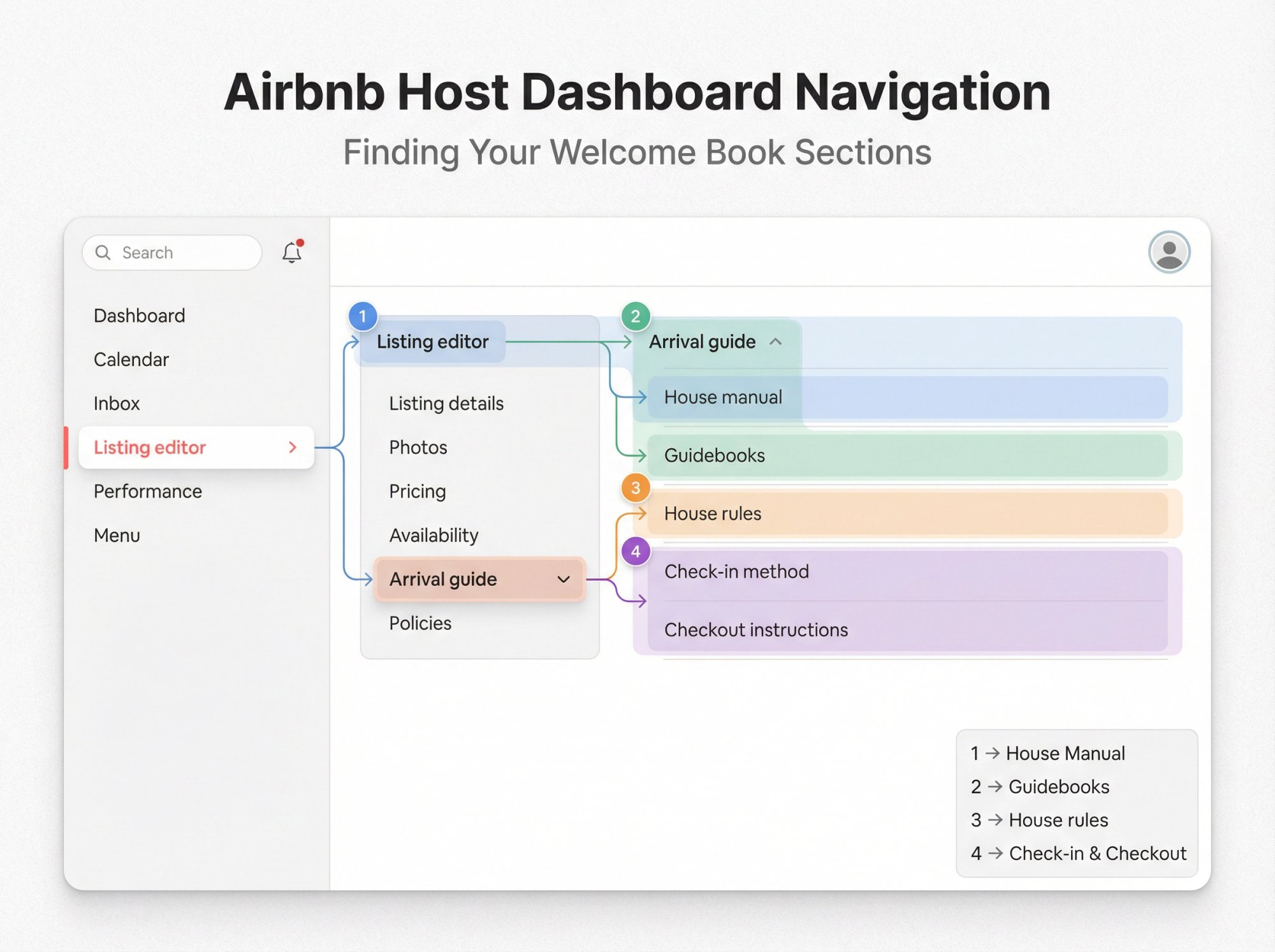
Here's the official path to each section:
| Section | Navigation Path |
|---|---|
| House manual | Listing editor → Arrival guide → House manual (Airbnb Help) |
| Guidebook | Listing editor → Arrival guide → Guidebooks (Airbnb Help) |
| House rules | Listing editor → Arrival guide → House rules (Airbnb Help) |
| Check-in and checkout instructions | Listing editor → Arrival guide → Check-in method and Checkout instructions (Airbnb Help) |
Airbnb describes the Arrival guide as the central place for details guests need after booking and before arrival.
Printable Welcome Book Quick Reference Sheet
Print this and put it on your fridge or by the entry door. Or create a QR code that links to your digital guide.
WELCOME TO [PROPERTY NAME]

Wi-Fi
Network: [NAME]
Password: [PASSWORD]

Checkout: [TIME]
• Trash: [WHERE]
• Towels: [WHERE]
• Thermostat: Set to [TEMP]

Need Help?
Message us in Airbnb app (fastest)

Emergency
Call local services first, then message us
• First aid kit: [LOCATION]
• Fire extinguisher: [LOCATION]

Full Welcome Book
Scan: [QR CODE]
Or visit: [SHORT LINK]
How to Make Guests Actually Read Your Welcome Book
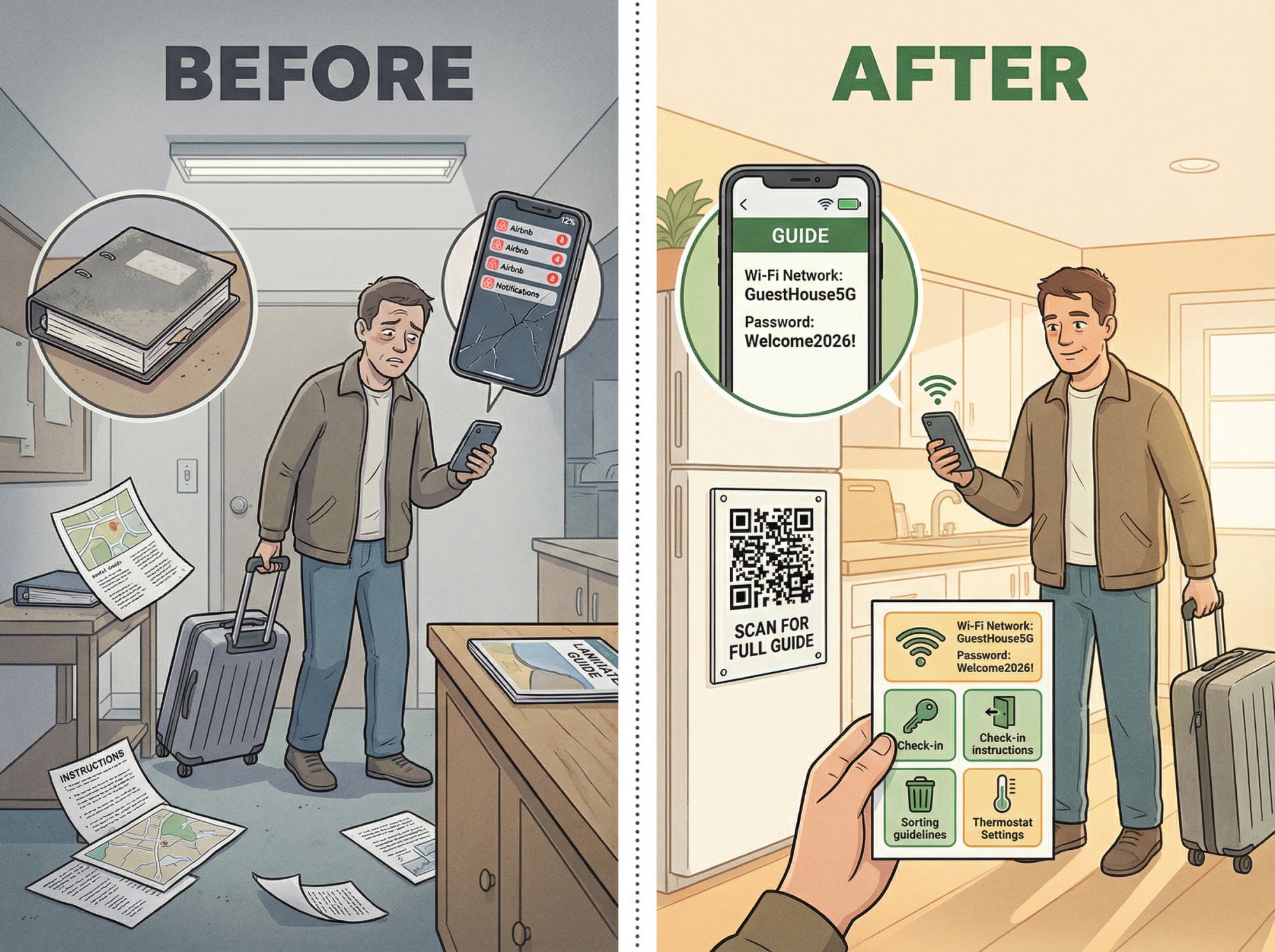
Creating a welcome book is pointless if guests never look at it. Use these five levers that actually work:
1) Put Wi-Fi at the Top
Airbnb specifically recommends this for house manuals. Guests need Wi-Fi immediately, so they'll open your guide to find it. Once they're reading, they'll scan the rest.
2) Use Airbnb's Arrival Guide for Arrival Only
Don't dump your entire welcome book into one field. Airbnb designed the Arrival guide for pre-arrival essentials like check-in time and directions. Keep it focused on what guests need before they get inside.
Everything else goes in your house manual or master guide.
3) Add Photos to Reduce Check-In Failures
Airbnb suggests adding photos or videos to help guests check in smoothly. Take a photo of your front door, the keypad close-up, the parking spot from street view.
Visual references prevent "I'm at the wrong door" messages.
4) Repeat Only What's Critical
Parking and entry instructions belong in three places:
• Airbnb check-in instructions field
• Master welcome book
• Quick-start card in the home
Don't worry about slight redundancy for essential information. Guests access these at different times and might miss one location.
5) Don't Hide the Guide
Guests find reservation details in their Trips section, and check-in info appears 48 hours before arrival. Make your master guide easy to find by:
• Including the link in your house manual
• Sending it in a pre-arrival message 2-3 days before check-in
• Displaying a QR code prominently in the home
• Mentioning it verbally if you greet guests in person
The easier you make it to access, the more likely guests will use it.
Wi-Fi Password Security and Entry Code Safety Tips
If your welcome book is printed or easily photographed, assume it could be shared publicly. Take these precautions:
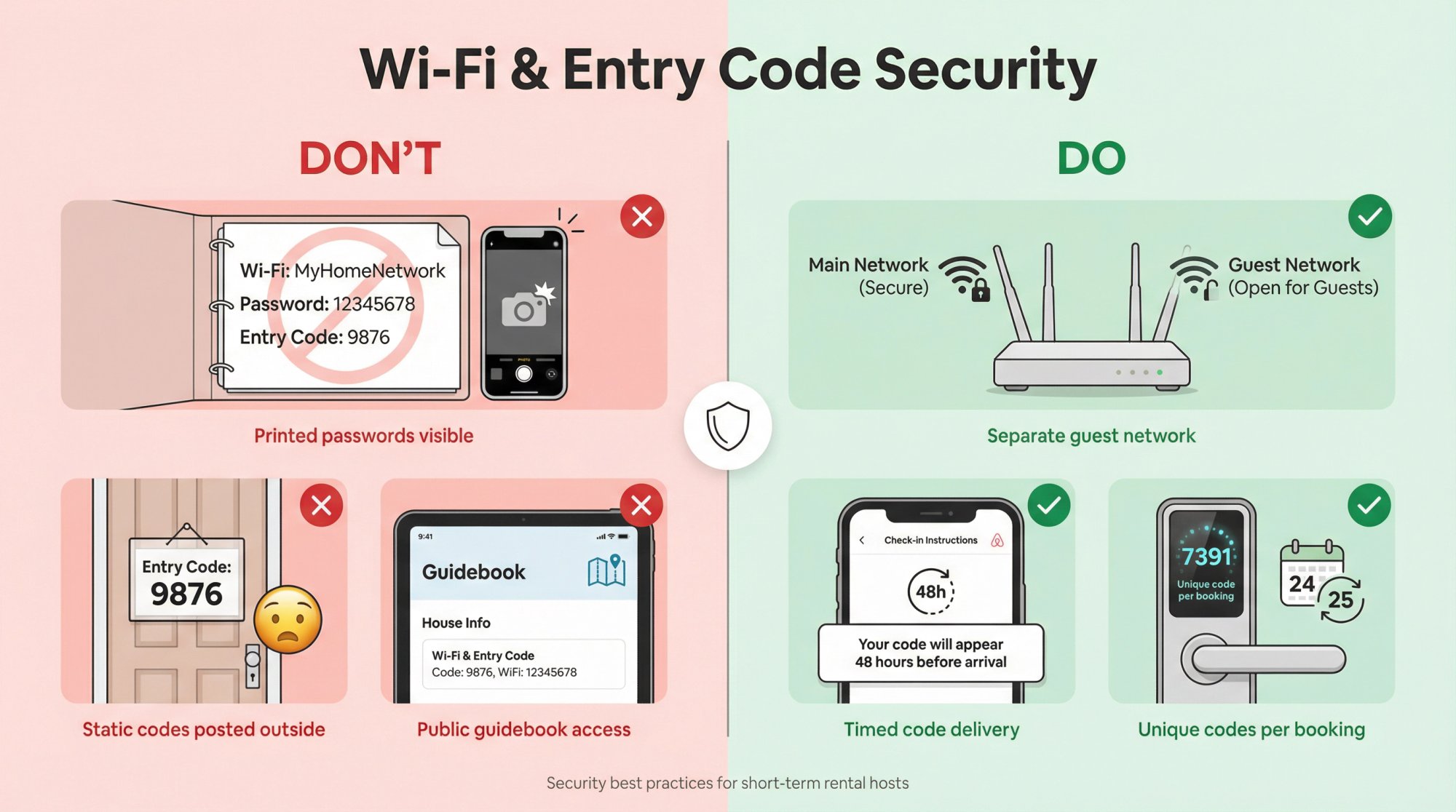
Create a guest Wi-Fi network separate from your personal devices. Airbnb recommends using an encrypted guest network and only sharing the password after reservations are confirmed.
Share entry codes strategically. Use Airbnb's check-in instructions field (which appears 48 hours before arrival) or send codes via scheduled messages. Never post static codes on signs outside your property.
Critical security practice: If you use a smart lock with unique codes per booking, mention that in your welcome book: "A unique entry code for your dates was sent in your check-in instructions."
Welcome Book Mistakes That Create Guest Problems
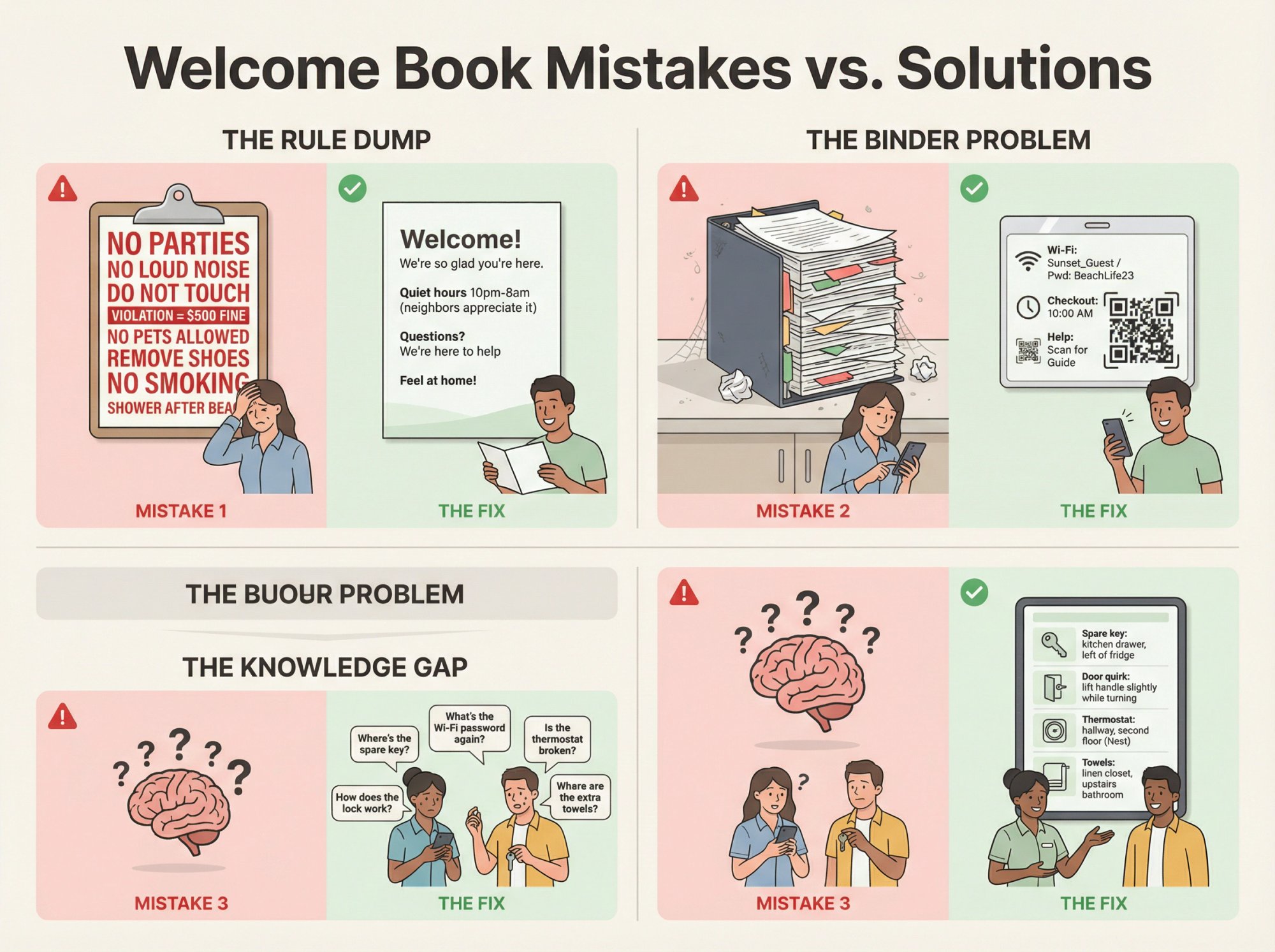
Mistake 1: A Rule Dump That Sounds Hostile
The problem: Fifteen bullet points of "DON'T do this" makes good guests feel unwelcome. They become hypersensitive to any tiny imperfection in your home.
The fix: Keep rules short. Explain the "why" once, then stop. Use positive framing when possible. "Please keep noise low after 10pm so our neighbors can sleep" works better than "NO LOUD NOISE AFTER 10PM."
As Airbnb notes, you don't want guests feeling like they're walking through a minefield. Balance protection with hospitality.
Mistake 2: A Long Binder with No Quick Reference
The problem: Guests don't open a 20-page binder until after they've already messaged you asking where things are.
The fix: Create a one-page quick-start card with Wi-Fi, parking, checkout, and emergency info. Put it where guests can't miss it (kitchen counter, taped to the entry door). Include a QR code linking to your full guide for details.
Mistake 3: Information That Lives Only in Your Head
The problem: Your cleaner or co-host can't help guests because they don't know the quirks you know. "Just jiggle the door handle" isn't written anywhere.
The fix: Your master welcome book becomes your single source of truth. Write down every weird workaround, every non-obvious location, every little thing that makes your home work. Update it when things change. Share it with your entire team.
This also helps when you're unavailable. Guests (and staff) can reference the guide instead of waiting for you to respond.
Why Welcome Books Matter for STR Investors
If you're treating your property as an investment (not just casual hosting), a welcome book isn't a nice-to-have. It's part of making your property operationally underwritable.
First-time STR buyers: This is your playbook so guest messaging doesn't crush you. Every question answered in the guide is one you don't have to field personally. If you're investing in your first Airbnb rental, starting with a solid welcome book sets the operational foundation for success.
1031 and LTR-to-STR investors: You're racing tight exchange timelines. A welcome book reduces your time-to-stabilize because it standardizes operations immediately. Your property runs more smoothly from day one. Learn more about using a 1031 exchange to purchase short-term rental properties.
Portfolio builders: This is how you maintain consistent guest experience across multiple properties while reducing operational variance. Create one strong template, then customize per property. Wondering whether to self-manage or use a property manager? A thorough welcome book makes both approaches more efficient.
Think bigger than "a binder for guests." You're building documentation that makes your operation scalable and reduces your direct involvement.
Using Chalet to Research STR Markets Before Creating Your Welcome Book
Before you stress about coffee filters and thermostat instructions, make sure you're buying the right property in the right market.
Chalet provides the free tools you need to avoid bigger mistakes:
Market analytics that show STR demand, competition, and revenue potential at the market level. Compare cities and neighborhoods before you commit.
Deal-level calculators that run ROI and DSCR-style underwriting for specific addresses. Know if the numbers actually work before you buy. Understand comprehensive Airbnb income analysis before making investment decisions.
Local regulation research so your house rules align with what your city actually enforces. Don't write "maximum 30-day stays" when local law requires 180-day minimum occupancy. Learn about navigating rental regulations for short-term and mid-term rentals.
Get the fundamentals right first. The welcome book comes after you've bought the right property.
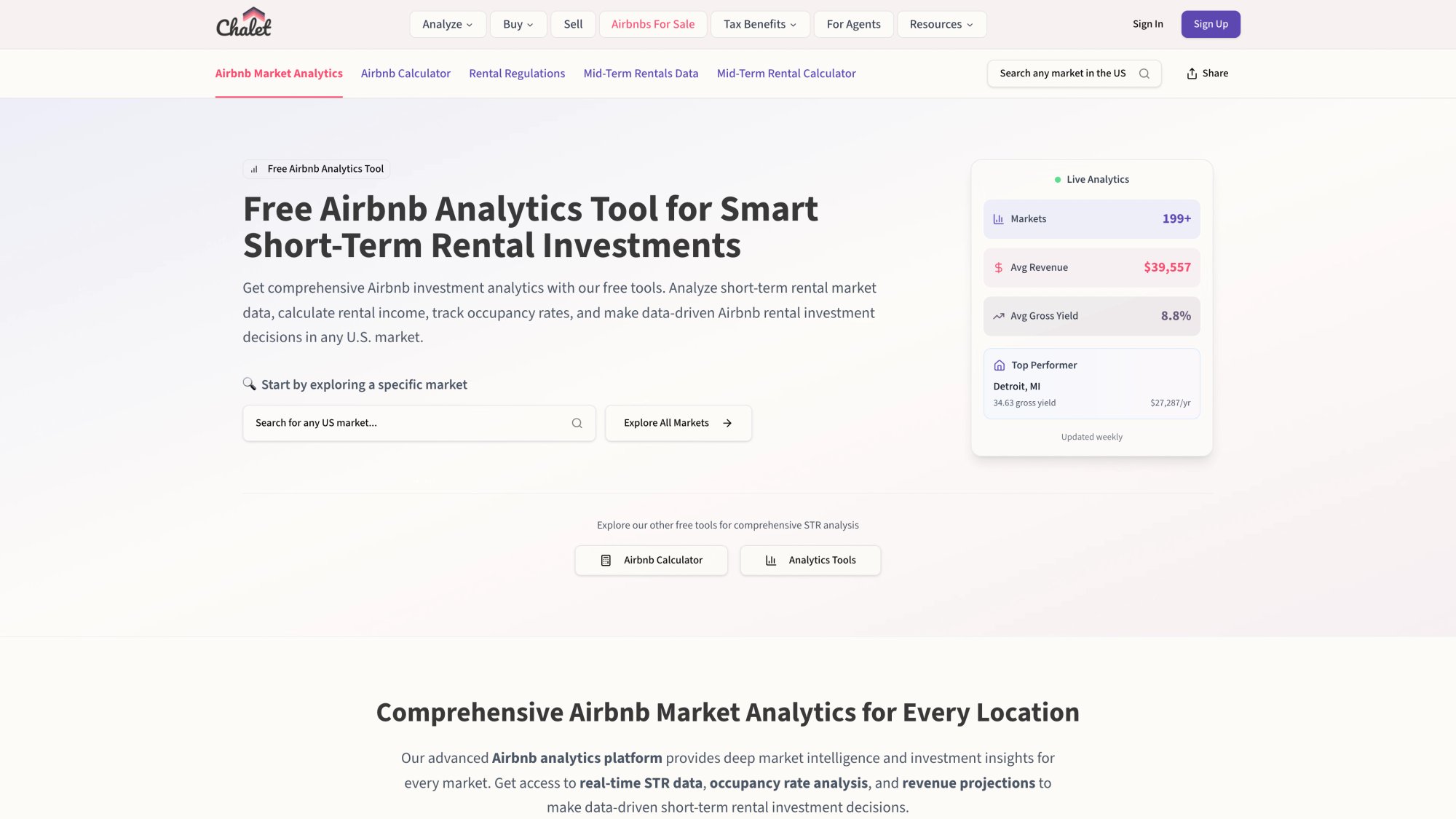
The platform breaks down revenue potential, occupancy trends, and competitive dynamics at both the market and neighborhood level. You can compare multiple cities side-by-side before narrowing your search, then drill into specific zip codes to understand local supply and demand patterns.
Digital vs Printed Welcome Books: What Works Best in 2026?
You need to decide whether to provide a traditional printed binder, a digital guide, or both. Each format has tradeoffs.
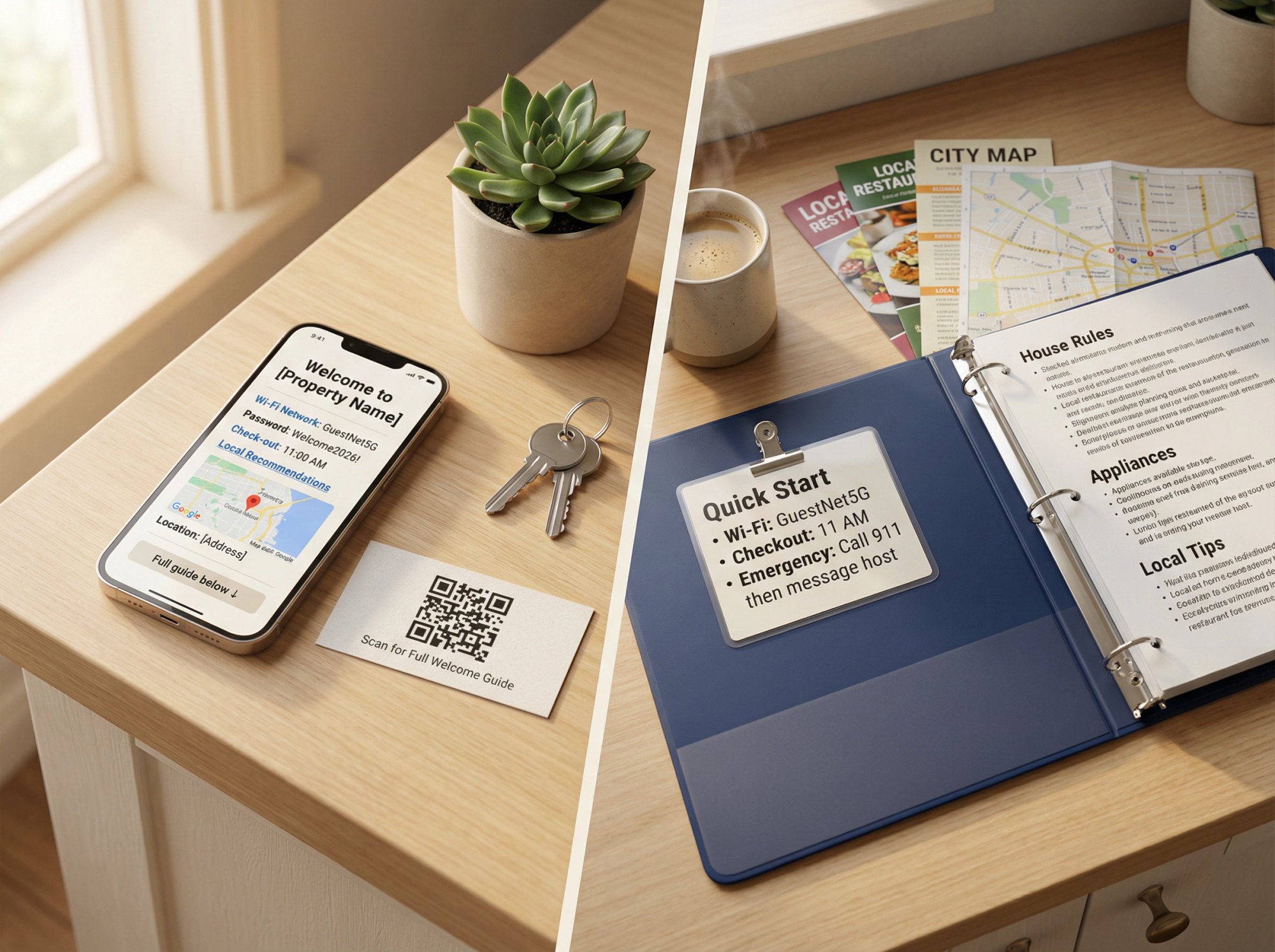
Comparison Overview
| Aspect | Printed Welcome Books | Digital Welcome Books |
|---|---|---|
| Accessibility | Tangible and immediate (no device/internet needed) | Accessible before arrival, on any device |
| Updates | Gets outdated quickly (manual reprinting required) | Easy to update (change in one place, instant) |
| Tech barrier | No tech needed (works for everyone) | Requires device (smartphone/laptop) |
| Interactive features | No links, videos, or clickable maps | Rich media: maps, videos, clickable phone numbers |
| Physical presence | Adds homey, personal touch | No physical clutter in home |
| Durability | Vulnerable to wear, spills, walking off | No physical degradation |
| Extras | Can include local brochures and paper maps | Some systems provide analytics on guest viewing |
Pro tip for printed: If you use print, add a laminated quick-reference card with Wi-Fi, key rules, and emergency contacts. Put it somewhere impossible to miss (fridge magnet, entry table).
Pro tip for digital: Use QR codes as a bridge between physical and digital. Frame a QR code in the rental that opens your digital guide when scanned. Guests see it immediately when they walk in.
What's Trending?
Digital solutions are increasingly popular because of their flexibility and ease of updating. But many hosts still provide a small printed reference as backup or for that personal touch.
Our recommendation: Use both. Maintain a detailed digital guide (easy to keep current) and have a concise printed quick-start sheet at the property. The printed version could just include vital info with a note that the full digital guide was sent via email, plus a QR code.
This hybrid approach gives you convenience without sacrificing thoroughness.
Choose what fits your style and guests. A luxury vacation home might warrant a professionally bound book. A city apartment might lean fully digital with QR codes.
Building Your Complete STR Operations Stack
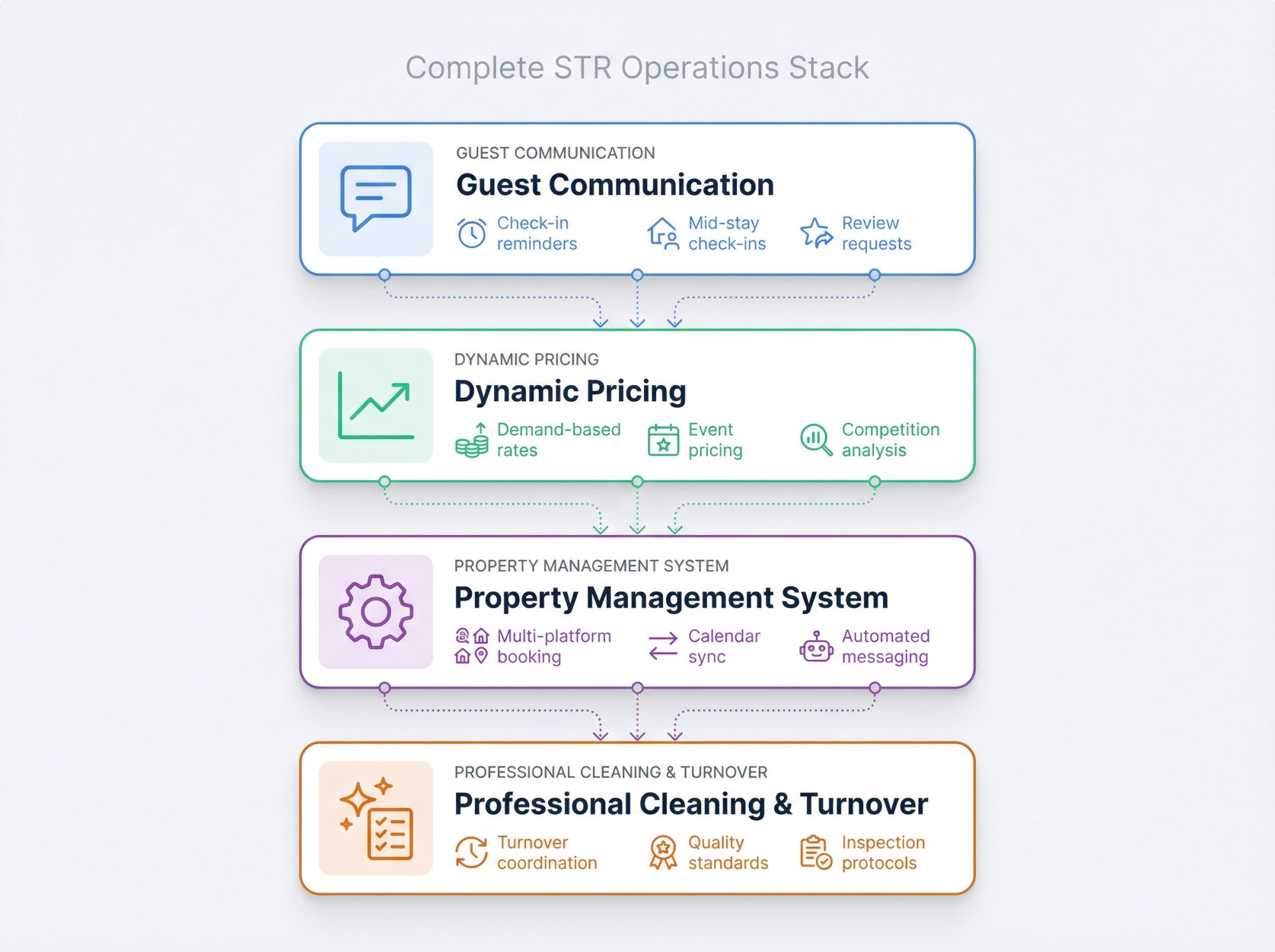
Welcome books are just one piece of running a smooth short-term rental. If you need help with the rest of your operations:
Professional cleaning and turnover: STR-focused cleaners who understand standards and tight turnaround times.
Property management systems: Software that automates messaging, pricing, and booking across multiple platforms. Explore different property management styles.
Dynamic pricing: Tools that adjust your nightly rate based on demand, events, and local competition.
Guest communication: Automated message templates and scheduling for check-in reminders, mid-stay check-ins, and review requests.
The Chalet STR Tools and Partner Directory connects you with vetted providers across all these categories. Whether you're self-managing your first property or scaling a portfolio, having the right operational partners makes the difference between chaos and smooth execution.
Frequently Asked Questions
Should I use a printed welcome book or a digital one?
Use both. Digital for searchability, instant updates, rich media, and pre-arrival access. Printed quick-start for arrival friction (Wi-Fi, checkout, emergency info).
The combo ensures guests can always find critical information regardless of their tech comfort level or whether they saw your email.
Where should the master welcome book actually live?
In a place you can update in 60 seconds. Google Docs and Notion work great because they're easy to edit and share. A dedicated guidebook system can provide better guest UX with formatting and media, but it's optional.
The key criterion: can you make a quick change (like updating a phone number) without needing design skills or software licenses?
Should I put my door code in the welcome book?
If it's a static code that never changes, avoid putting it in anything shareable or printed. Airbnb's check-in instructions field is safer because it's only visible 48 hours before arrival and only to confirmed guests.
If you use unique codes per booking (smart locks with temporary access), you can mention the system in your welcome book: "You received a unique entry code in your check-in instructions that works only during your stay."
Are Airbnb guidebooks actually public?
Yes. Airbnb explicitly states that host guidebooks are public, can be shared outside Airbnb, and guests can preview and print them.
This means: don't put anything private or security-sensitive in your Airbnb guidebook. Save that for your house manual or check-in instructions.
How detailed should checkout instructions be?
Keep them short and reasonable. Guests paid a cleaning fee. They shouldn't be doing deep cleaning.
Typical reasonable requests:
• Load and start the dishwasher
• Put used towels in a specific location
• Take trash to the bins
• Lock doors and windows
• Set thermostat to a specific temperature
Don't ask guests to strip beds, mop floors, clean bathrooms, or do laundry. That's why they paid a cleaning fee.
What if I host in multiple languages?
Digital guides make multilingual hosting much easier. You can maintain versions in different languages and send guests the appropriate one based on their profile.
For printed guides, consider including a translated one-page quick-start sheet for common languages in your area. Or use visual aids (icons, photos, diagrams) that transcend language barriers.
Chalet can help you build these multilingual systems as part of a comprehensive operations strategy.
Next Steps: Beyond the Welcome Book
You've now got a complete template and the knowledge to use it. But a great guest experience goes beyond documentation.
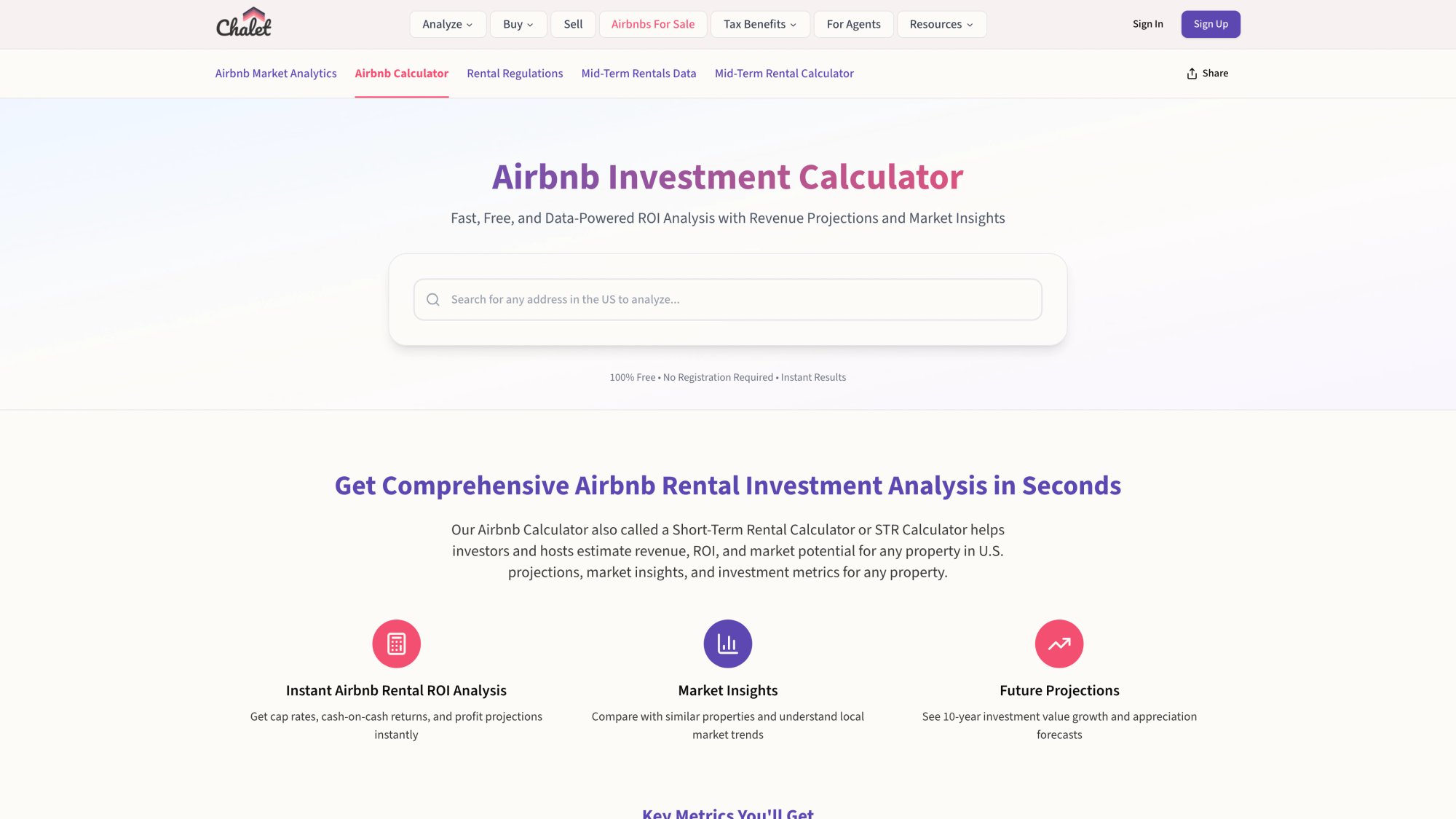
The calculator shown above lets you model purchase scenarios with actual revenue data. Input a property address, adjust your assumptions (purchase price, down payment, renovation costs), and see projected cash flow, cap rate, and debt service coverage ratio. The tool pulls market-level STR performance to ground your projections in reality.
Optimize your entire operation. From cleaning protocols to pricing strategy to guest communication workflows, every operational piece affects your bottom line and review scores. Wondering if short-term rental hosting is worth it? Understand the 2025 market trends and real costs.
Check local regulations before you finalize house rules. Research your market's STR requirements so your welcome book aligns with what you're actually allowed to enforce.
Connect with vetted service providers. The Chalet Partner Directory includes STR-specialist agents, lenders, insurance providers, property managers, and operational tools. If you're setting up your first property or scaling a portfolio, working with people who understand short-term rentals saves you time and mistakes.
Consider the full investment picture. If you're still researching where to buy, explore Chalet's market analytics to identify high-potential areas, then run deal-level numbers on specific addresses before you commit. Compare markets and understand furnishing budgets by bedroom count and startup costs.
The welcome book is your operations playbook. Get it right, and you'll spend less time answering questions and more time collecting those five-star reviews that drive your business forward.