



If you run an Airbnb rental (or any short-term rental, often called an STR), your checkout instructions aren't "just a note." They're an operating system.
Done well, they accomplish three things at once:
• Guests leave on time with zero confusion.
• Your cleaner can turn the place faster with fewer surprises.
• You avoid the single biggest checkout mistake: asking for so many "chores" that guests get annoyed and review you poorly.
Airbnb checkout instructions are the step-by-step guidelines you give guests for what to do as they depart your rental property. These instructions cover crucial details like checkout time, key return, basic cleanup, and securing the home. Providing clear checkout directions isn't just a courtesy. It's essential for a smooth turnover between guests and can prevent confusion, protect your property, and even lead to better reviews.
The goal of this guide is simple: by the end, you'll have copy-paste checkout templates for your listing, your messages, and your in-home signage, plus a step-by-step setup inside Airbnb.
Everything here is aligned with what Airbnb's Help Center and Resource Center explain about where checkout instructions show up, how reminders work, and why "excessive checkout tasks" are risky.
Why Do Airbnb Hosts Need Checkout Instructions?
Even if you operate a short-term rental on platforms like Chalet, you might wonder if formal checkout instructions are necessary. In reality, they can make a world of difference for both you and your guests.
Smoother turnovers: When guests know what's expected at checkout, they're more likely to do their part and leave on time. This keeps your cleaning crew on schedule and helps prepare the property for the next arrival. Guests are more likely to take care of all their responsibilities and leave on time when they have great instructions.
Avoiding confusion: Guests want to know what they should or shouldn't do before leaving. Without clear instructions, you can expect last-minute messages or calls with questions. A simple checkout checklist spares your guests the stress of guessing, so they can depart confidently (and you won't find trash left behind or keys in the wrong place).
Better guest experience: Thoughtful, easy-to-follow instructions show your commitment to great hospitality. Guests feel taken care of right up to departure, which leaves a positive final impression. A calm, well-organized checkout helps guests leave on a high note instead of feeling rushed or unsure.
5-star reviews: A smooth checkout is the last memory of their stay, so it can heavily influence your reviews. By making the process easy and pleasant, you boost the chances of a glowing review. (You can even include a polite reminder to review in your instructions.)
Protecting your property: Checkout rules also reduce the risk of damage or lost items. Reminding guests to lock up and do a final sweep for belongings means fewer forgotten chargers and a secure home. Some hosts even encourage guests to report any accidental damage during checkout. Addressing issues upfront can make resolution easier and build trust.
In short, clear checkout instructions benefit everyone involved. They help guests depart smoothly without feeling inconvenienced, and they help hosts turn over the property efficiently without unpleasant surprises.
Where Do Guests See Airbnb Checkout Instructions?
The key constraint most hosts miss
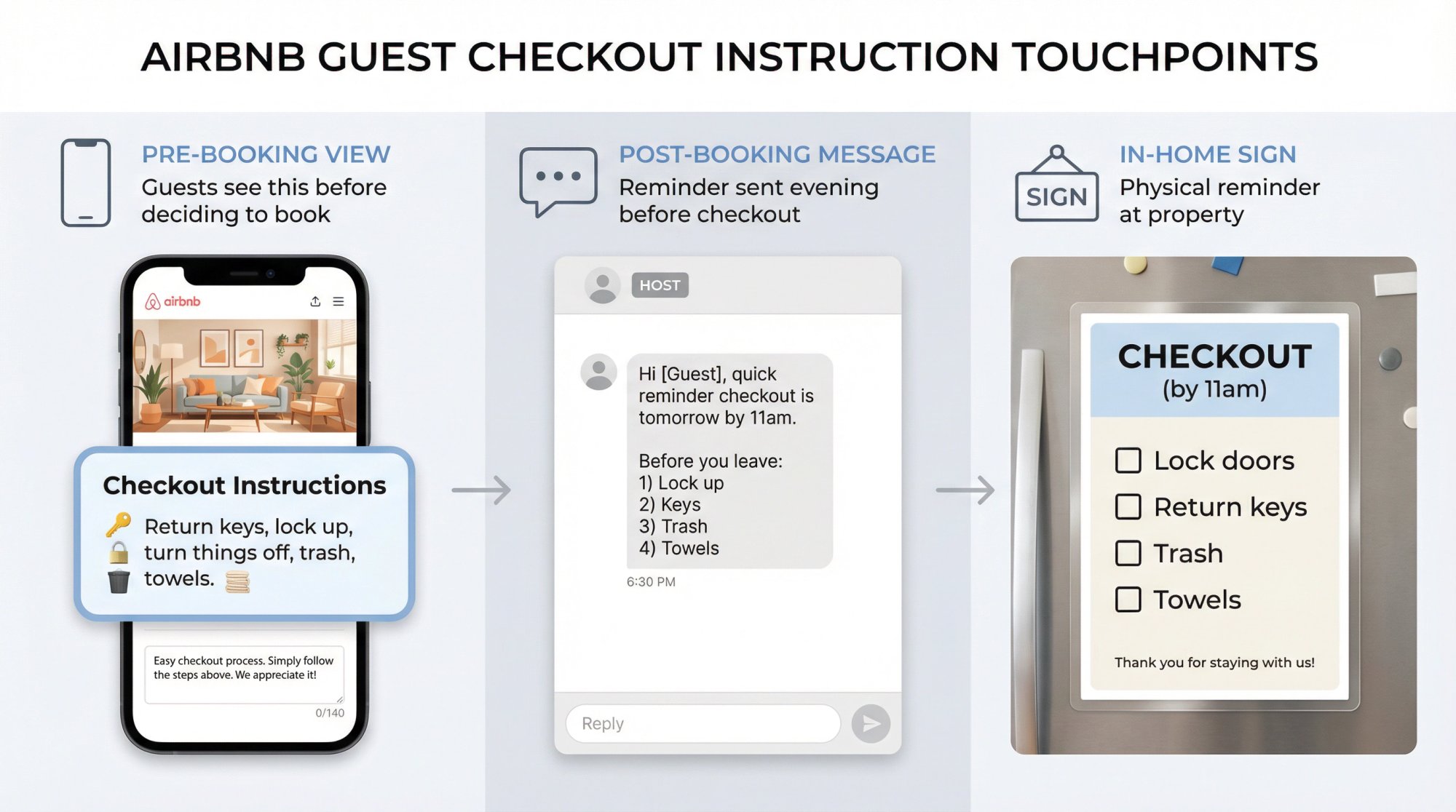
Airbnb says checkout instructions are available to guests prior to booking. That means what you write here can impact whether someone books at all, not just how they leave.
Airbnb also says guests can find checkout instructions in their reservation flow (for example, on desktop: Trips → Things to know → Before you leave).
Another constraint that affects what you include
Airbnb's checkout instructions aren't a free-form page. Hosts select from common tasks (return keys, lock up, turn things off, trash, towels, additional requests) and can add up to 140 characters of optional details.
So the winning approach is:
• Short version in Airbnb's structured checkout instructions (what guests see pre-booking).
• Full version sent via message and stored in your house manual (what guests see after booking).
What Should You Ask Airbnb Guests to Do at Checkout?
Let's reason from first principles.
First principles: what you're optimizing for
At checkout, guests are:
• mentally "already gone"
• managing luggage, kids, work, travel timing
• trying not to miss flights
• not motivated to do unpaid labor
So every extra task you add has a cost: more confusion, more non-compliance, more resentment, more message volume, more late checkouts.
And crucially, Airbnb's guest ground rules state:
Critical policy: Cleaning fees are meant to cover standard cleaning. Hosts may not charge guest fees for failing to perform specific cleaning or checkout tasks. Guests should not leave the home in a state that requires excessive or deep cleaning.
So you can ask for simple "reset" behaviors, but you should avoid turning checkout into a cleaning shift.
As one Airbnb Superhost put it:
"Nothing frustrates me more as a guest than paying a cleaning fee and still being asked to strip beds, start laundry, and mop the floor."
If you're charging a substantial cleaning fee, guests will reasonably expect that your cleaning crew handles the heavy cleaning. Airbnb has even warned hosts that high cleaning fees can backfire. Guests might assume they can walk away as they would a hotel room if they paid for cleaning.

A practical "green / yellow / red" list
| Category | Examples | Why it's in this bucket |
|---|---|---|
| Green (almost always fine) | Lock doors, close windows, return keys, trash into the right bin, used towels in one spot | Low effort, prevents real operational problems (security, odors, pests, lost keys). Airbnb also calls out trash receptacles and reasonable cleanliness expectations. |
| Yellow (only if it truly helps and you phrase it gently) | Start dishwasher if it's full, quick check for personal items, set thermostat to "Eco" | Some guests will comply, but it can feel like chores. Keep it optional and brief. |
| Red (avoid asking guests to do this) | Vacuuming, laundry cycles, cleaning bathrooms, mopping, stripping multiple beds, "return the checklist or pay a fee" | This is where guests feel nickel-and-dimed, especially when a cleaning fee is visible. Airbnb also notes guests can flag "excessive checkout tasks." |
Property management software platforms can help automate these processes and ensure your turnover operations run smoothly.
Why guest sensitivity is higher now than it used to be
As of April 21, 2025, Airbnb says total price display is now standard globally, meaning guests see the total price including fees (like cleaning) earlier in search. In plain English: guests are more fee-aware, and they'll react faster to "pay a cleaning fee + do cleaning chores."
In fact, asking guests to essentially clean the whole house after charging a hefty cleaning fee is a surefire way to come across as greedy. Airbnb's own stance now encourages only the minimal, reasonable tasks (trash, lights, lock up) and discourages long chore lists. If you follow that guidance, you'll likely stay on the right side of guest sentiment.
When Should You Send Airbnb Checkout Instructions?
Don't wait until the last minute to communicate checkout steps. It's best practice to share these instructions multiple times and in multiple places so guests truly see them:
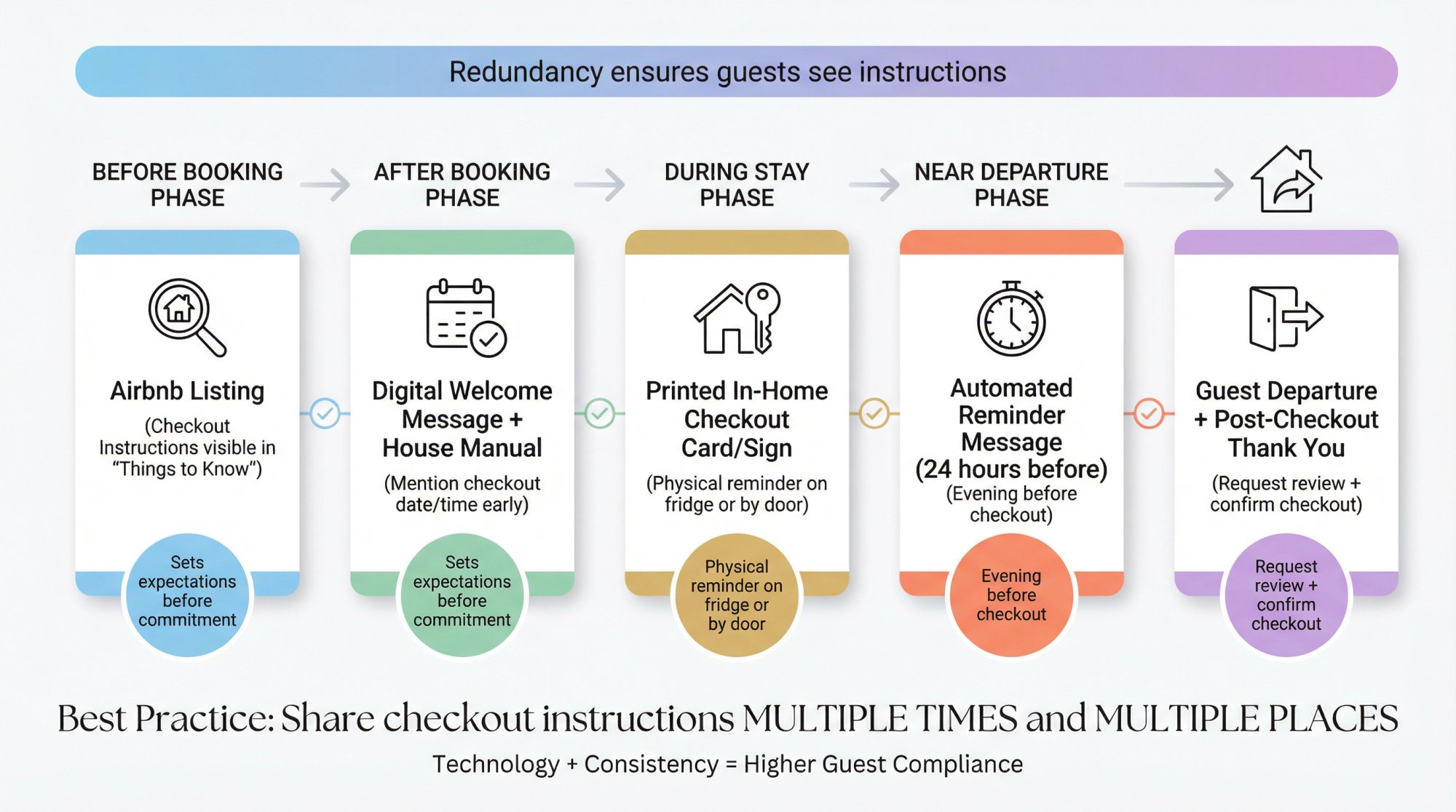
In your Airbnb listing: Airbnb now provides a dedicated section for "Checkout instructions" that guests can view even before booking. Make sure to fill this out in your listing settings (under the "Arrival guide" or "Guest resources" section). By displaying your basic checkout tasks upfront, you set clear expectations from the start. (In fact, Airbnb's platform will automatically show these instructions to guests under their reservation info, and even send a push notification reminder if they use the app.)
At check-in/welcome time: It may sound early, but consider providing a brief heads-up about critical checkout details when guests arrive. For instance, include the checkout date and time in your digital welcome message or house manual. You might say, "Checkout is 11am on Friday; see the house manual or Airbnb app for full checkout instructions." Repeating the key info early helps ensure it isn't overlooked.
In a printed home guide: If you have a house manual or a welcome binder at the property, include a one-page checkout checklist there as well. A laminated sheet on the fridge or a card in each bedroom can gently remind guests of checkout procedures throughout their stay. Many successful hosts put a friendly sign in the kitchen or near the exit with the top 3-5 checkout to-dos.
Reminder message near departure: Plan to send a short reminder as the checkout time approaches. A common approach is an automated message 24 hours before checkout (or the evening before) summarizing the instructions. For longer stays, a reminder 1-2 days before departure gives guests time to prepare; for short two-night stays, a message the night before works well.
Tip: Use technology to automate these reminders. Airbnb will automatically notify app users at 5 p.m. the day before checkout (as long as you've added instructions to your listing). For guests not using the app, or if you list on multiple platforms, you can use property management software to send scheduled checkout emails across the board. The key is to be consistent. Make sure every guest sees the same instructions, well ahead of time and again just before departure.
By sharing your checkout instructions in multiple formats (listing page, welcome book, messages), you create redundancy that virtually guarantees your guests won't miss it. You'll avoid day-of misunderstandings like "Oh, were we supposed to strip the beds?" and spare everyone any last-minute panic.
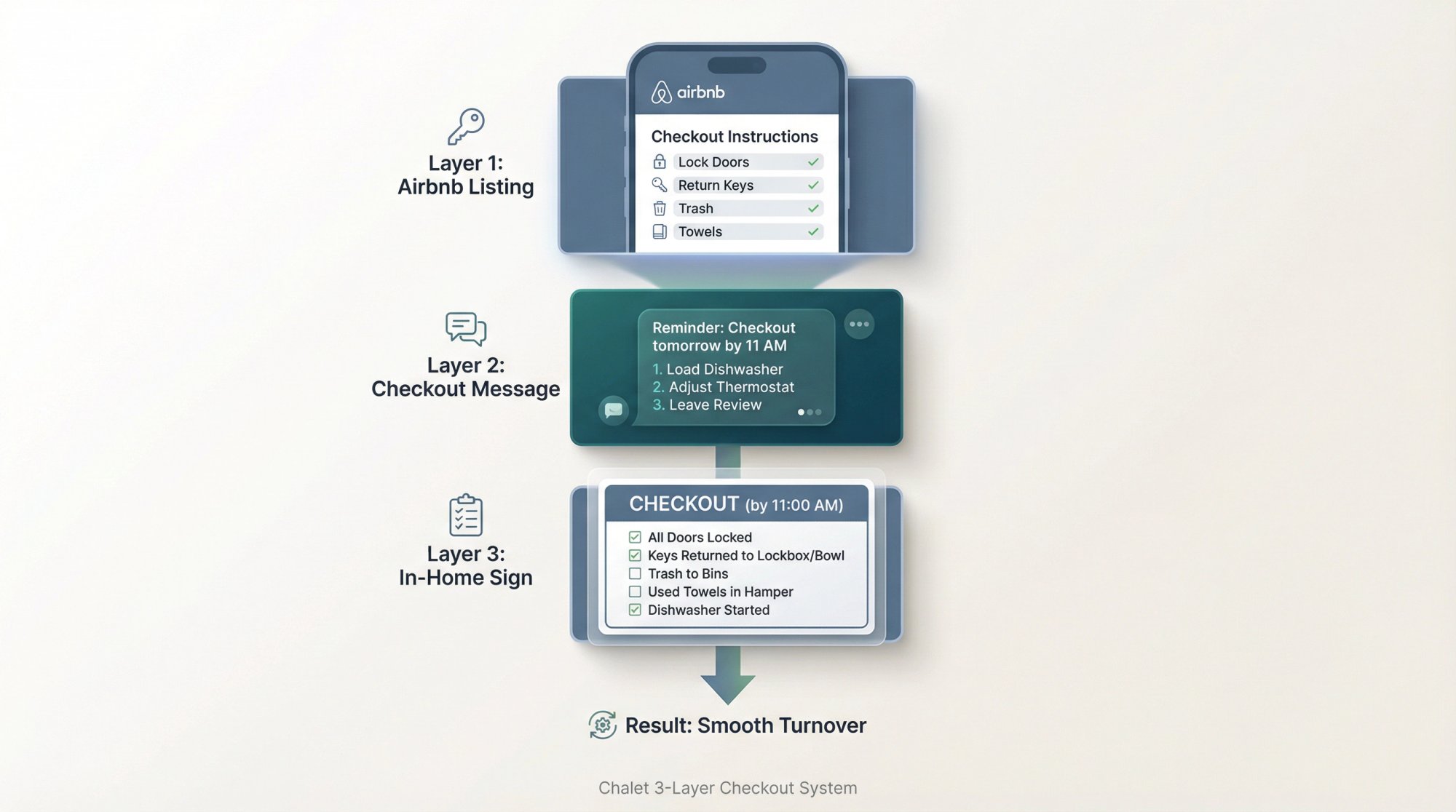
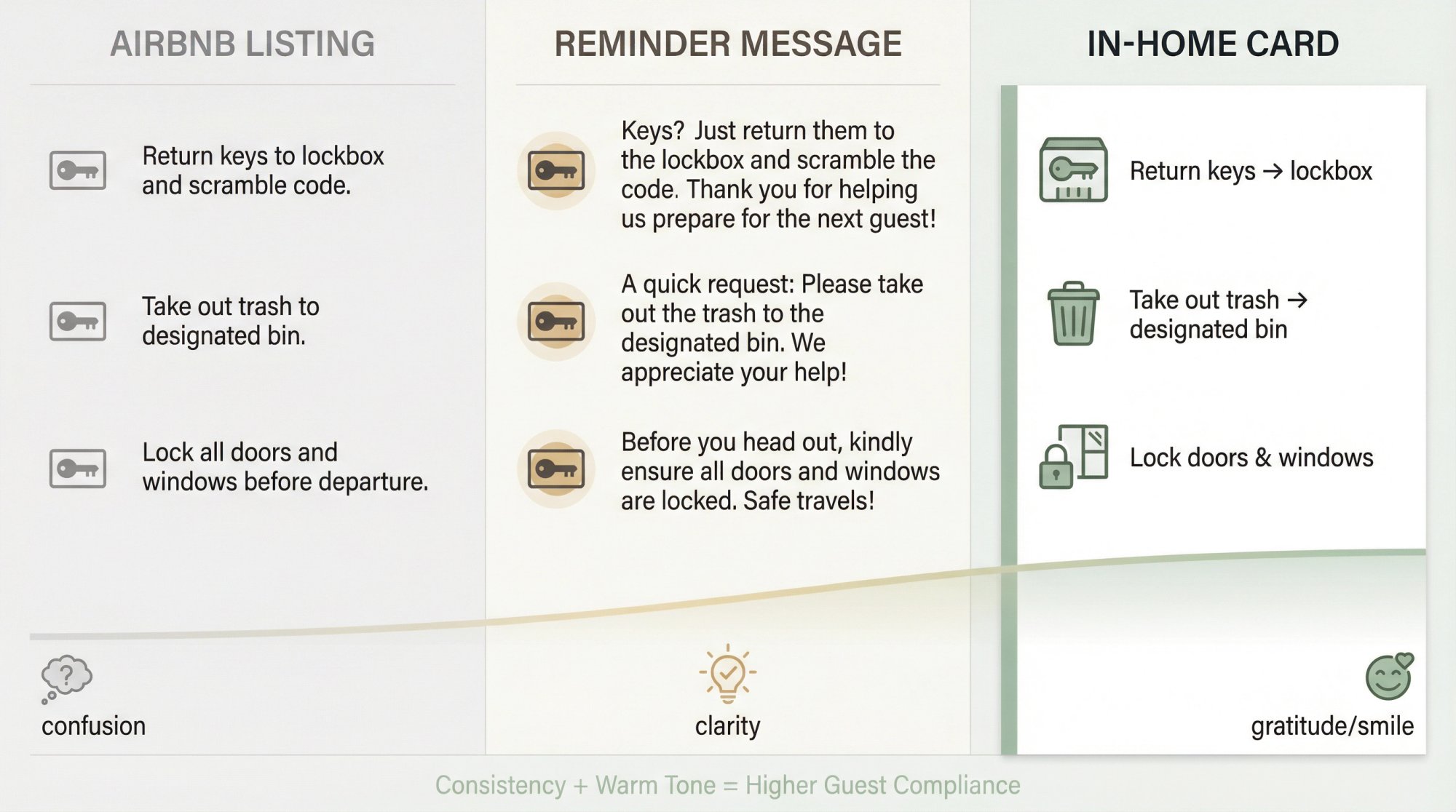
The Chalet 3-Layer Checkout System
This is the simplest way to stay compliant, reduce guest friction, and still protect your turnover. At Chalet, we help short-term rental investors operate more efficiently by pairing free market analytics with a vetted vendor network. Our approach to checkout instructions follows the same philosophy: practical, systematic, and designed to prevent problems before they start.
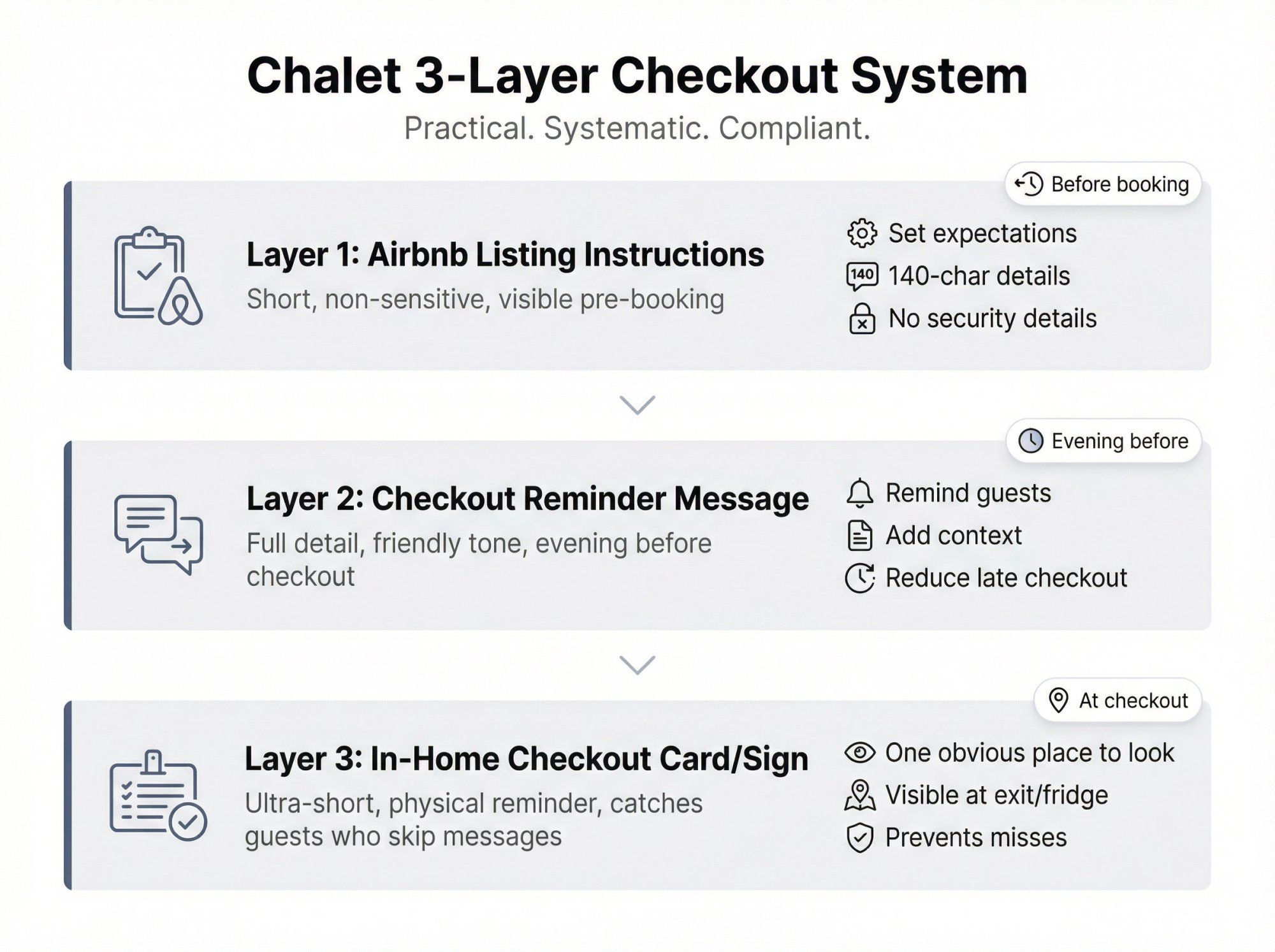
Layer 1: Airbnb listing checkout instructions (short, non-sensitive)
Purpose: Set expectations, prevent key loss, prevent trash disasters, prevent security issues.
Constraint: Structured tasks + 140-character optional details.
Rule: Because these instructions are visible pre-booking, avoid anything that gives away security details (exact lockbox location, codes, hidden keys). Airbnb notes checkout instructions are visible before booking, while detailed check-in instructions aren't visible until closer to arrival. Use that separation.
Layer 2: Checkout message (full detail, friendly tone)
Purpose: Remind guests the evening before, add context, reduce late checkout. Airbnb encourages using scheduled messages/quick replies and specifically mentions sharing checkout instructions before checkout.
Layer 3: In-home "checkout card" sign (ultra short)
Purpose: Catch the people who never read messages.
Airbnb itself has discussed "checkout cards" that link to your checkout instructions inside messages once you enter them. Features can vary, but the core idea is solid: give guests one obvious place to look.
Copy-Paste Airbnb Checkout Instructions Template (In-App)
Use these as your optional details text under each Airbnb checkout task. Each line below fits under 140 characters.
Recommended "minimal and guest-friendly" set (works for most homes)
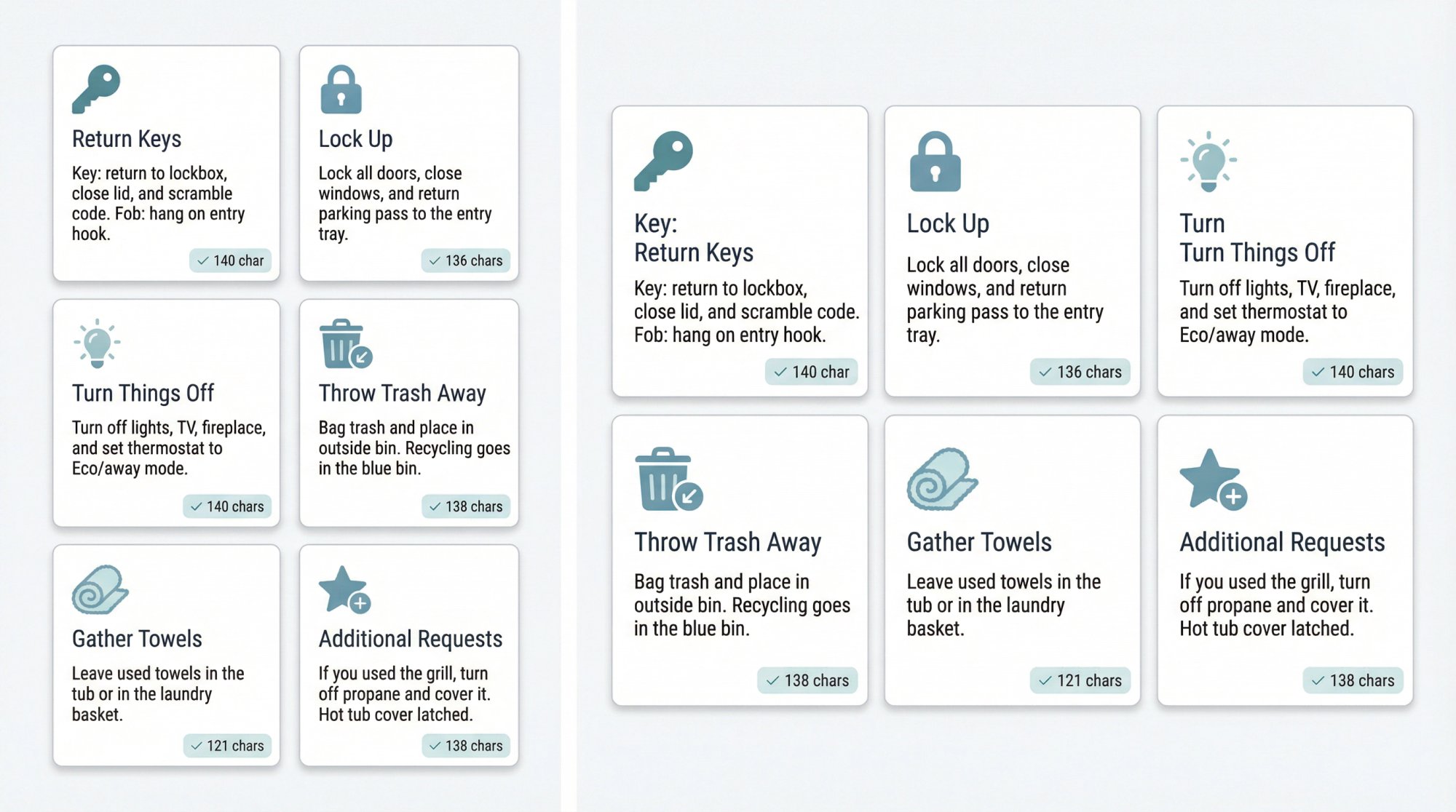
Return keys (optional detail):
Key: return to lockbox, close lid, and scramble code. Fob: hang on entry hook.
Lock up (optional detail):
Lock all doors, close windows, and return parking pass to the entry tray.
Turn things off (optional detail):
Turn off lights, TV, fireplace, and set thermostat to Eco/away mode.
Throw trash away (optional detail):
Bag trash and place in outside bin. Recycling goes in the blue bin.
Gather used towels (optional detail):
Leave used towels in the tub or in the laundry basket.
Additional request (only if needed):
If you used the grill, turn off propane and cover it. Hot tub cover latched.
Why this works:
• It's short enough to be read.
• It doesn't ask for "cleaning."
• It prevents the real killers: lost keys, trash smell, unlocked doors.
And it aligns with Airbnb's stated preference for an easy checkout and guest expectations around not doing cleaning tasks.
Airbnb Checkout Message Template (Copy-Paste)
This is the message you schedule for the evening before checkout. Airbnb's Resource Center explicitly recommends sharing checkout time and instructions before checkout, and Airbnb's Help Center describes scheduling messages around checkout.
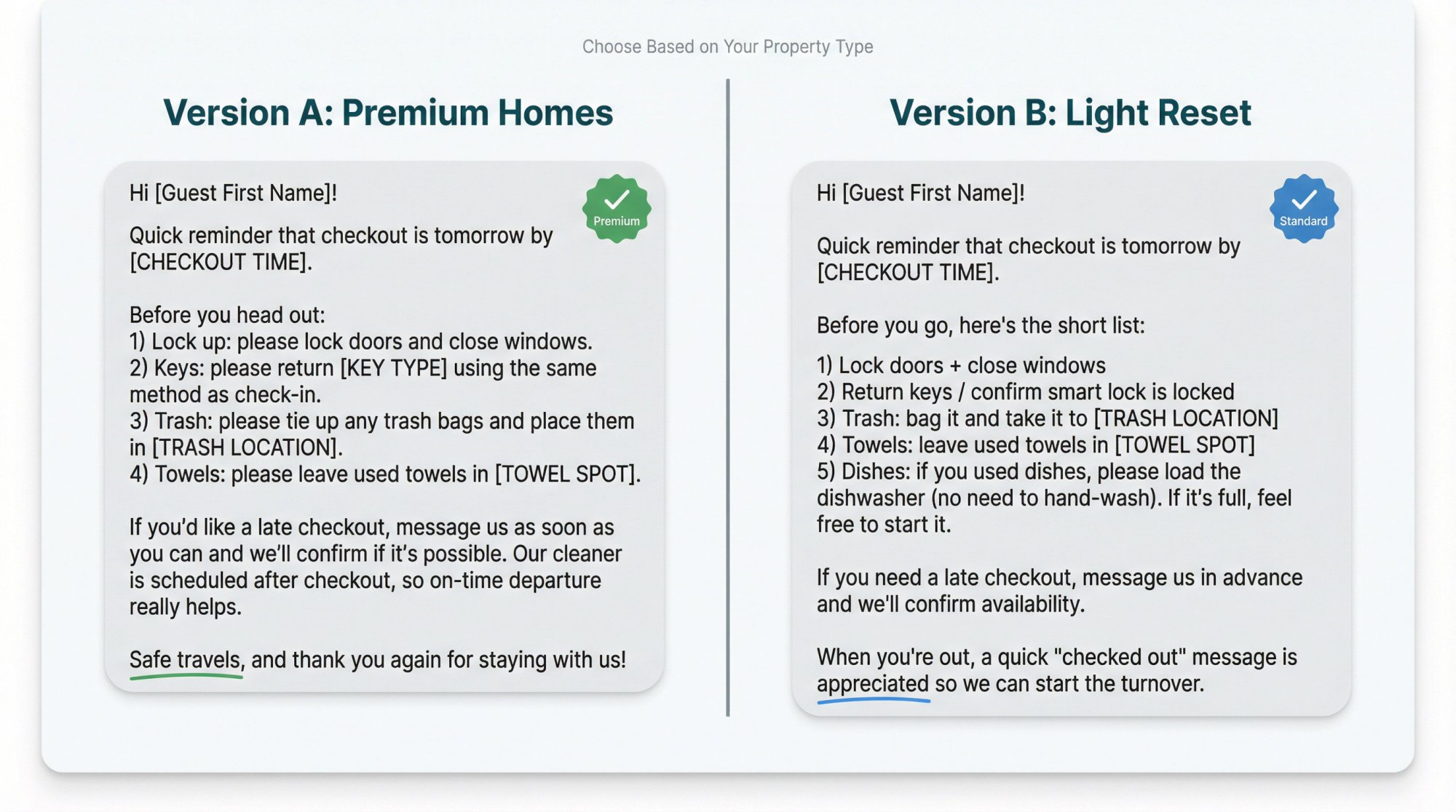
Version A: "No chores" vibe (best for premium homes, higher cleaning fee optics)
Hi [Guest First Name]!

Quick reminder that checkout is tomorrow by [CHECKOUT TIME].

Before you head out:
1) Lock up: please lock doors and close windows.
2) Keys: please return [KEY TYPE] using the same method as check-in.
3) Trash: please tie up any trash bags and place them in [TRASH LOCATION].
4) Towels: please leave used towels in [TOWEL SPOT].

If you'd like a late checkout, message us as soon as you can and we'll confirm if it's possible. Our cleaner is scheduled after checkout, so on-time departure really helps.

Safe travels, and thank you again for staying with us!
Version B: "Light reset" (only if you truly need it)
Hi [Guest First Name]!

Quick reminder that checkout is tomorrow by [CHECKOUT TIME].

Before you go, here's the short list:
1) Lock doors + close windows
2) Return keys / confirm smart lock is locked
3) Trash: bag it and take it to [TRASH LOCATION]
4) Towels: leave used towels in [TOWEL SPOT]
5) Dishes: if you used dishes, please load the dishwasher (no need to hand-wash). If it's full, feel free to start it.

If you need a late checkout, message us in advance and we'll confirm availability.

When you're out, a quick "checked out" message is appreciated so we can start the turnover.
That last line is supported by Airbnb's guest guidance that it's a good idea to message your host once you've checked out.
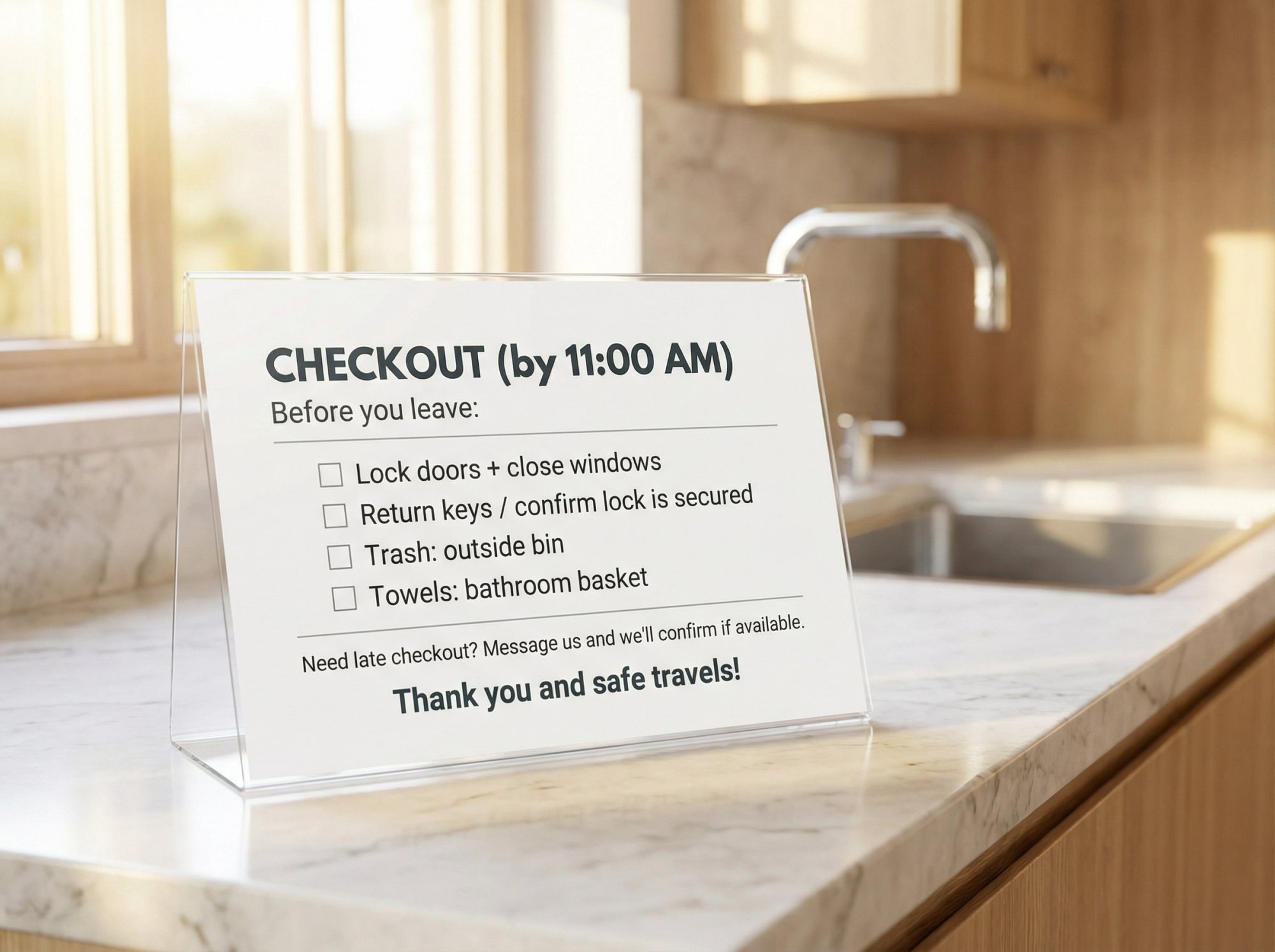
Printable Airbnb Checkout Sign Template (One-Page)
Put this somewhere unavoidable: by the door, on the fridge, or on top of the welcome book.
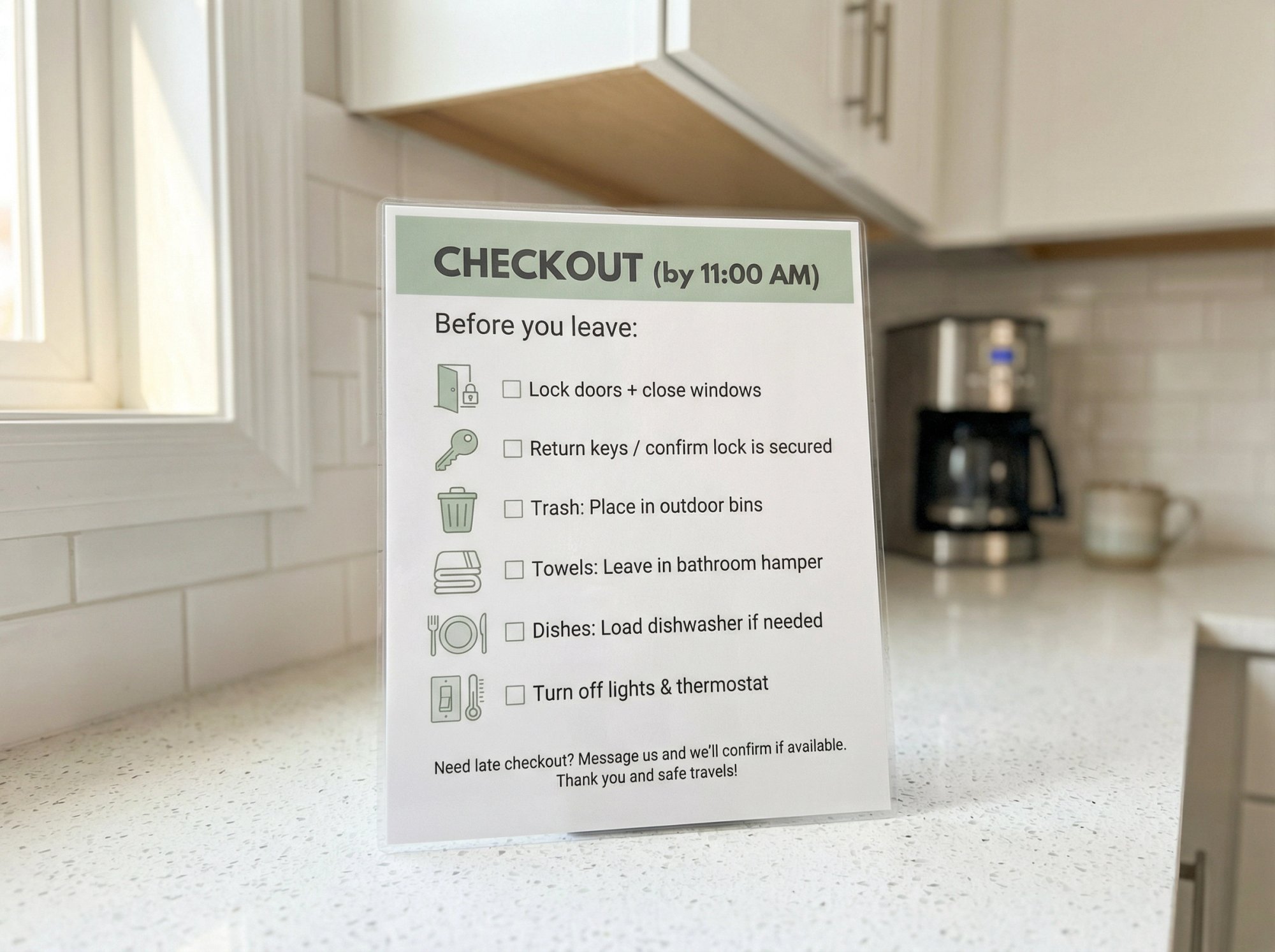
CHECKOUT (by [TIME])

Before you leave:
☐ Lock doors + close windows
☐ Return keys / confirm lock is secured
☐ Trash: [WHERE IT GOES]
☐ Towels: [WHERE TO LEAVE THEM]

Need late checkout? Message us and we'll confirm if available.
Thank you and safe travels!
Pro tip: keep this sign to 4-6 bullets max. If it becomes a wall of text, it stops working.
Property-Specific Checkout Instructions (Add-Ons)
Think of these as modules. Add only the modules you truly need.
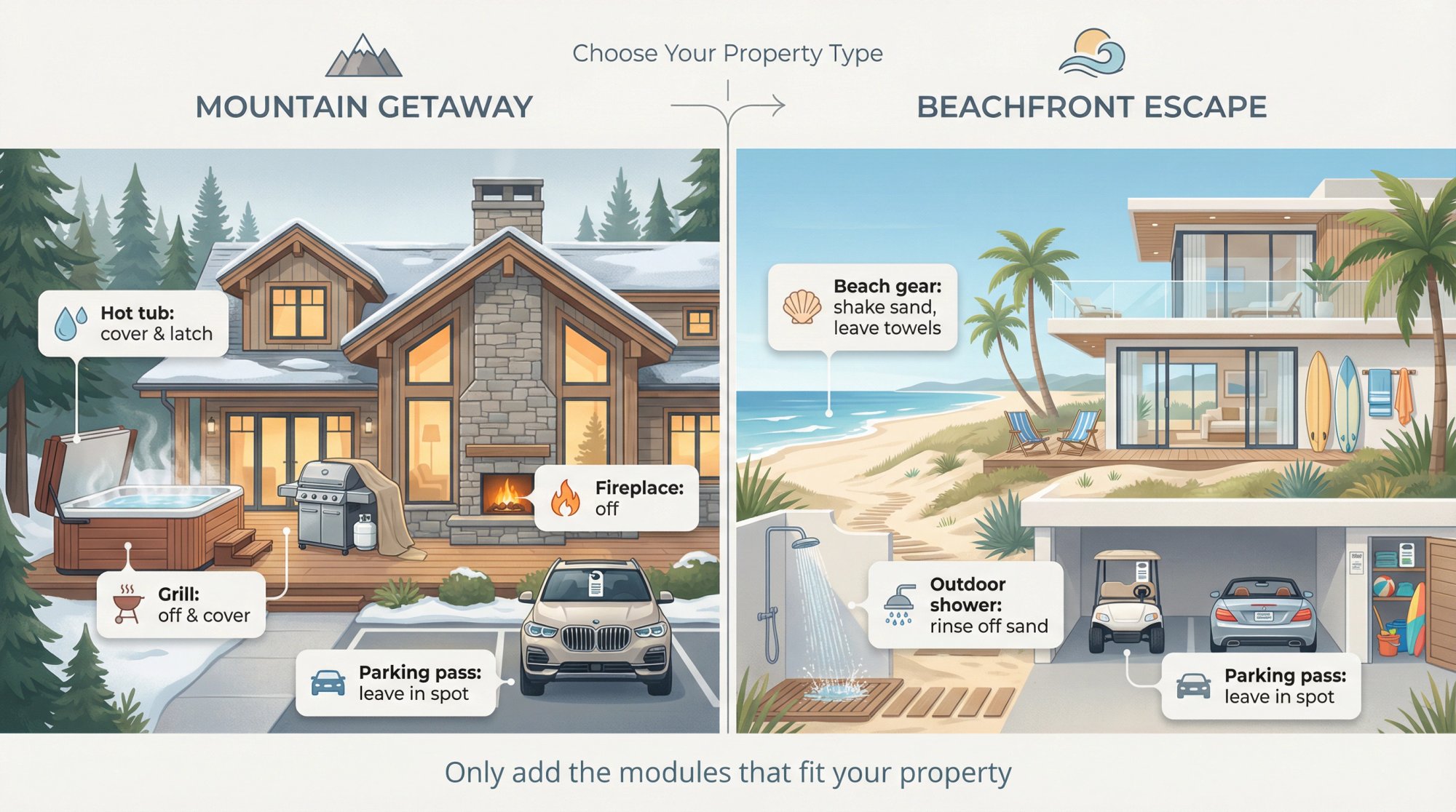
→ Hot tub module:
Hot tub: please put the cover back on and latch the straps after last use.
→ Grill module:
Grill: please turn off burners and propane, and cover the grill once it's cool.
→ Fireplace module:
Fireplace: please turn it off before checkout.
→ Parking pass module:
Parking pass: please leave it in [SPOT] to avoid replacement fees from the building.
→ Beach/sand module:
Beach gear: please shake off sand outside and leave towels in [SPOT].
If you notice you're stacking 6+ modules, that's your signal to move complexity into your house manual and keep the checkout list minimal.
How to Add Checkout Instructions in Airbnb (Step-by-Step)
Airbnb's Help Center (host side) describes this path:
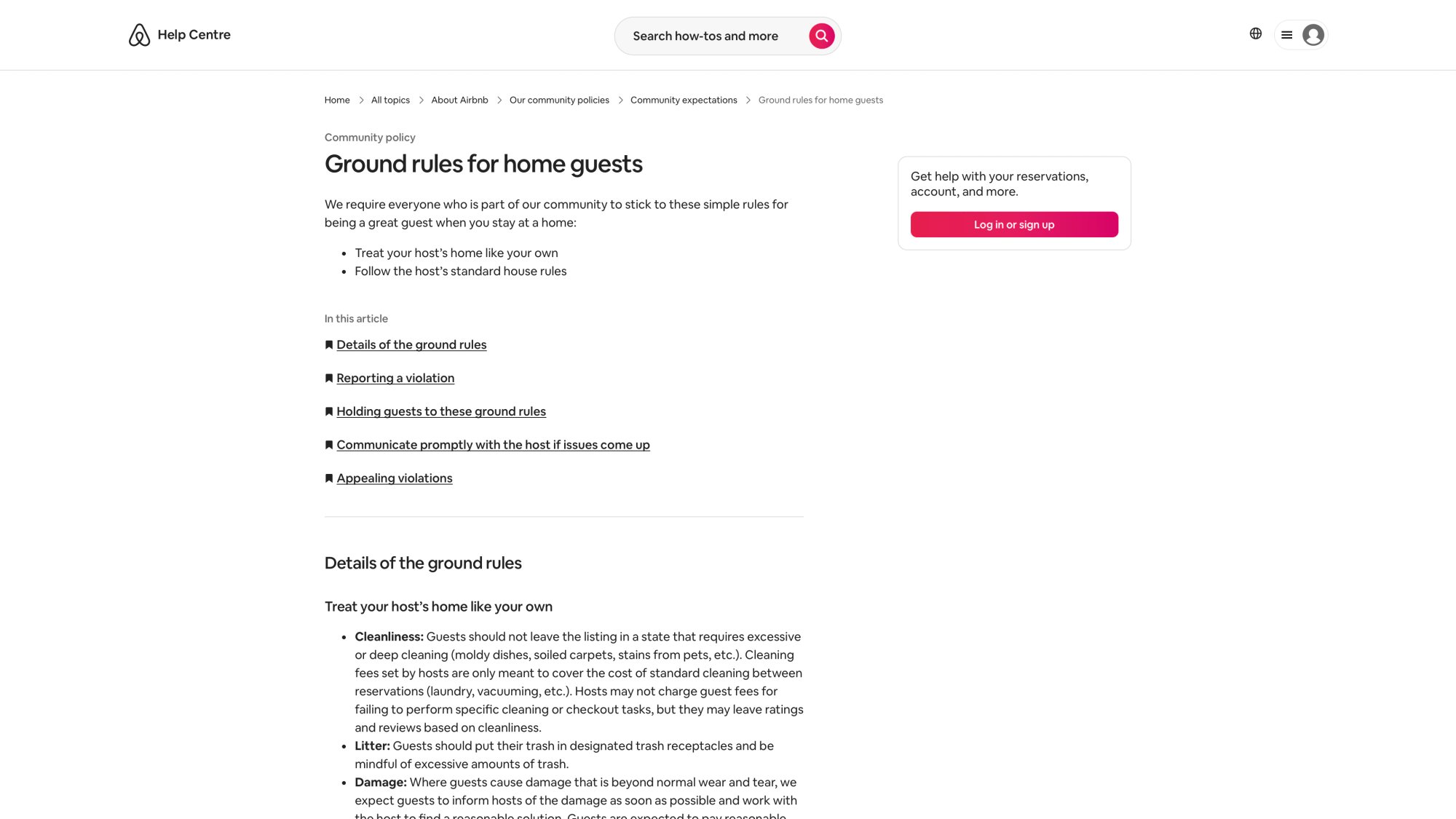
Airbnb Host Dashboard – Listings Page
URL: https://www.airbnb.com/hosting/listings
Location: This section (How to Add Checkout Instructions)
Note: Login required – The Airbnb host dashboard listings page shows where hosts manage their properties and access the listing editor. This screenshot requires authentication and cannot be captured automatically. See web-screenshots/captures/SC-06-airbnb-listings.md for manual capture instructions.
Airbnb Checkout Instructions Editor
URL: https://www.airbnb.com/hosting/listings/[LISTING_ID]/details
Location: This section (How to Add Checkout Instructions)
Note: Login required – The actual Airbnb checkout instructions editor interface showing task checkboxes, optional detail fields (140 character limit), and save functionality. This screenshot requires authentication and a specific listing ID. See web-screenshots/captures/SC-07-airbnb-checkout-editor.md for manual capture instructions.
① Go to Listings
② Select your listing
③ Under Listing editor, choose Arrival guide
④ Click Checkout instructions → Add instructions
⑤ Select tasks and add optional details
⑥ Save
Important: Airbnb notes checkout instructions are visible before booking, so review them like you're a guest deciding between 10 listings.
How to Automate Airbnb Checkout Reminder Messages
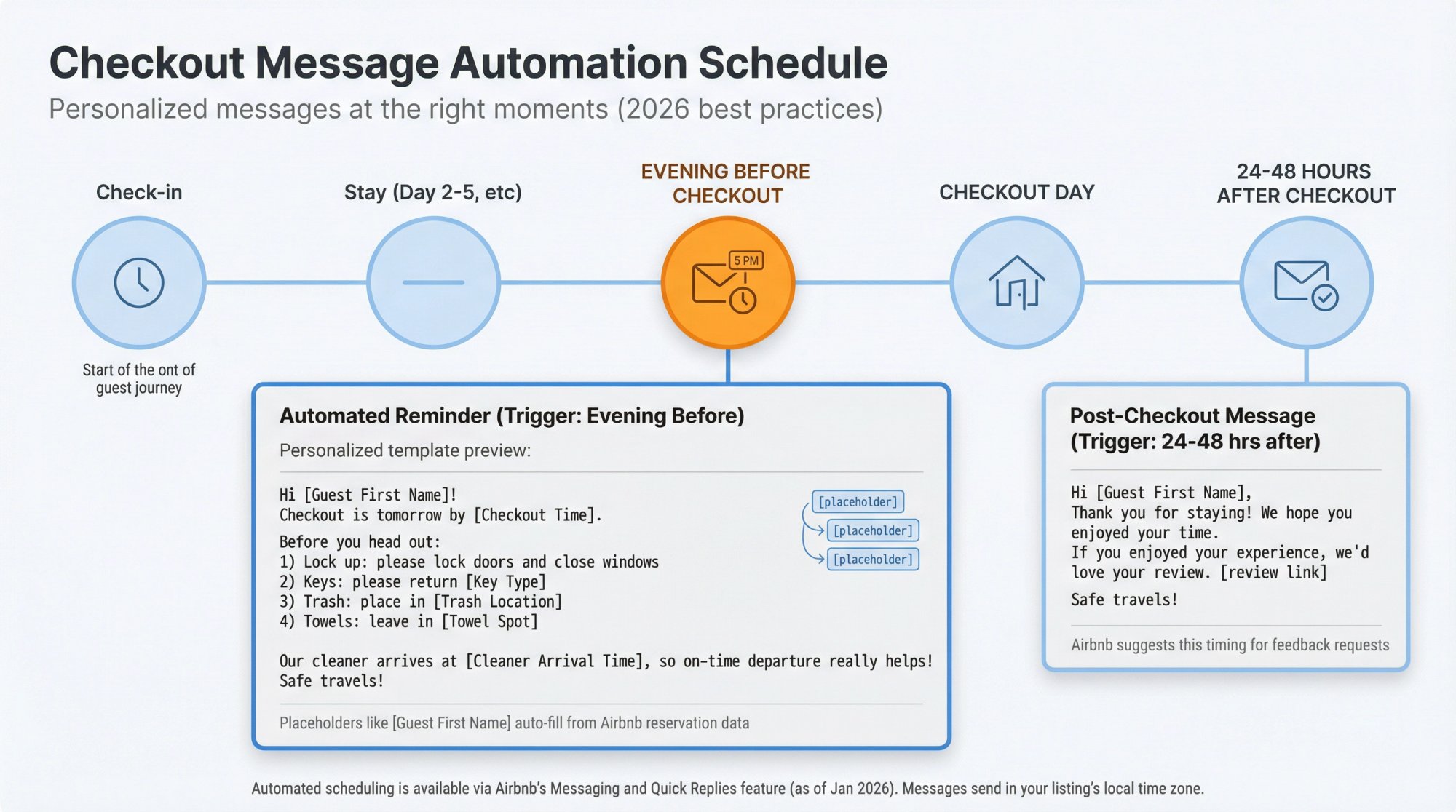
Airbnb supports scheduled quick replies that trigger around events like checkout, and it explains you can personalize templates using "details" placeholders (like guest name, dates) and that scheduled messages are sent in the listing's time zone.
Airbnb Host Inbox – Scheduled Messages Interface
URL: https://www.airbnb.com/hosting/inbox
Location: This section (How to Automate Airbnb Checkout Reminder Messages)
Note: Login required – The Airbnb messaging interface showing scheduled message setup, quick replies templates, and automation settings for checkout reminders. This screenshot requires authentication and cannot be captured automatically. See web-screenshots/captures/SC-09-airbnb-inbox.md for manual capture instructions.
A simple automation schedule (low spam, high compliance):
• Evening before checkout: send Version A or B above (your reminder).
• 24 to 48 hours after checkout: send a thank-you and request feedback (Airbnb suggests this timing).
If you prefer Airbnb-native phrasing: Airbnb's Resource Center recommends sharing checkout instructions the evening before guests are scheduled to leave.
Can I Just Rely on Airbnb's Automatic Reminder?
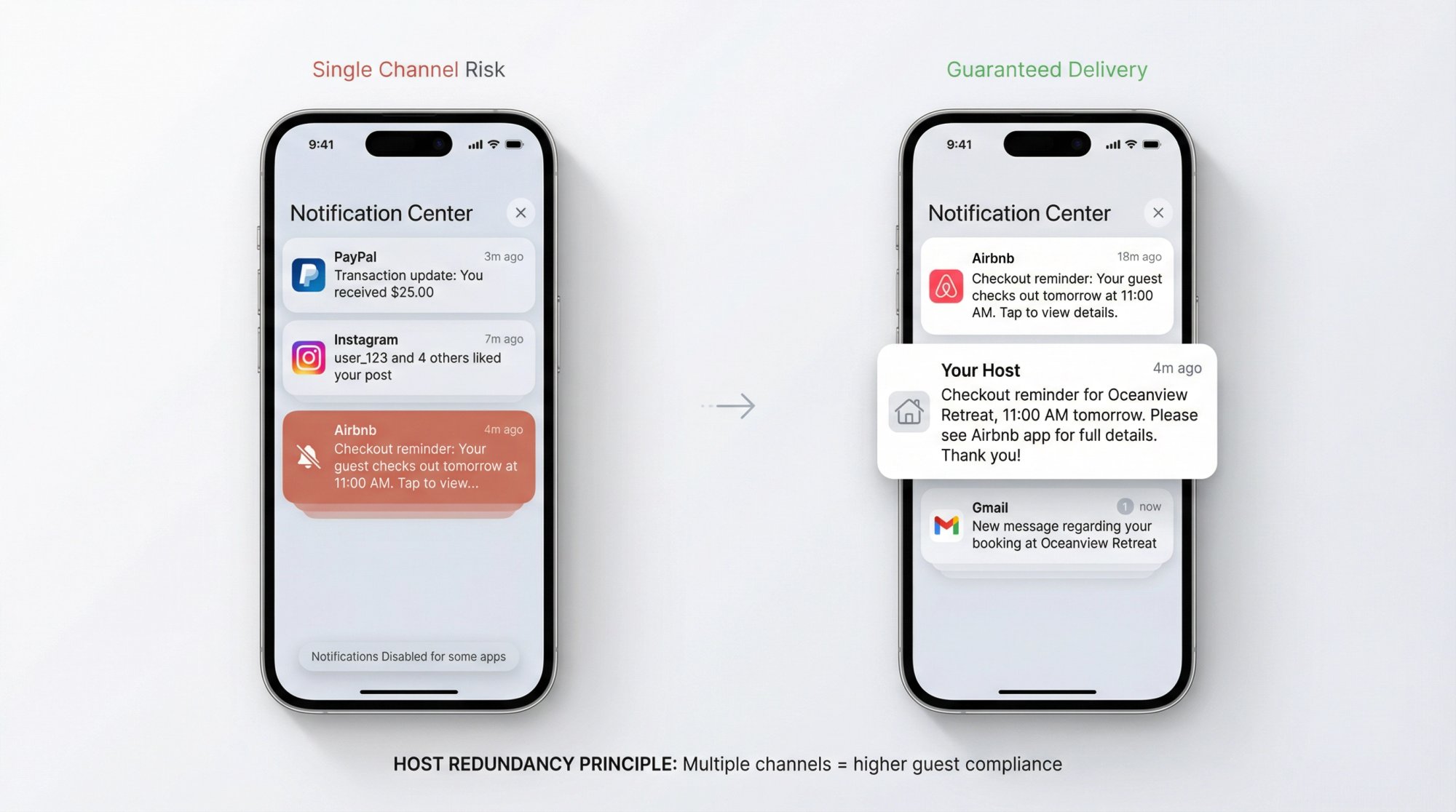
Airbnb has stated that it sends guests an automatic reminder with checkout time and instructions, described as a push notification the day before checkout (and notes guests need the Airbnb app and push notifications enabled).
Why you should still send your own message:
• Not every guest has notifications enabled.
• Your message can include your "why" (cleaner arrival time), which improves compliance.
• Your tone can reduce friction.
Airbnb even suggests you may want to set up a scheduled message as backup.
7 Checkout Instruction Mistakes Airbnb Hosts Make
Mistake 1: Hiding chores until after booking
Because checkout instructions are visible pre-booking, hiding extra tasks in a binder creates a "surprise tax." It also increases the odds a guest complains.
Fix: Put your true expectations where Airbnb surfaces them, then keep them reasonable.
Mistake 2: Threatening fees for not doing chores
Airbnb's guest ground rules are clear: hosts may not charge guest fees for failing to perform specific cleaning or checkout tasks.
Fix: Remove language like "$X fee if you don't start laundry." If you need compliance, change the system (better cleaner, better turnover window, better messaging), not the threat.
Mistake 3: Confusing "standard cleaning" with "excessive cleaning"
Airbnb distinguishes between standard turnover cleaning and excessive/deep cleaning. Guests should not leave a place requiring excessive cleaning, and reimbursement can be appropriate for unexpected cleaning beyond normal wear and tear.
Fix: Keep your checkout list light, but document and address truly abnormal mess through the appropriate channels.
Mistake 4: Putting security-sensitive info in public checkout instructions
Airbnb says checkout instructions are visible before booking.
Fix: Do not put lockbox codes, hidden key locations, or anything you wouldn't want a random internet user to see. Put sensitive access details in check-in instructions and your house manual.
Mistake 5: Asking for too much and getting flagged
Airbnb discusses guest feedback options like "excessive checkout tasks," and warns repeated low ratings for unreasonable tasks can lead to removal.
Fix: Assume your checkout list is part of your marketing, not just your operations.
Mistake 6: Turning it into a chore list
Avoid heavy cleaning tasks like scrubbing bathrooms, vacuuming floors, doing laundry, or mowing the lawn. If it's beyond a light tidy, leave it out. One experienced host suggests explicitly telling guests what they don't need to do. She reminds guests that the cleaning fee covers the cleaning and says all she asks is "take your belongings and trash." No chore list, no passive-aggressive tone. This approach often earns her great reviews because guests feel respected rather than imposed upon.
Mistake 7: Never threaten fees or punishment
You cannot charge extra fees to guests for not completing checkout tasks. Airbnb policy forbids it. So don't write anything like "failure to do X will result in a $$ fee" on your checkout sheet. Not only is this against Airbnb rules, it'll infuriate guests. Keep your tone helpful and courteous, not punitive.
What to Include in Airbnb Checkout Instructions (Complete Guide)
Every rental is unique, but most Airbnb checkout lists cover similar ground. Below are the essential elements you should include, along with guidance on keeping them reasonable. The goal is to politely ask guests for a few simple actions, not to turn their vacation into a chore day.
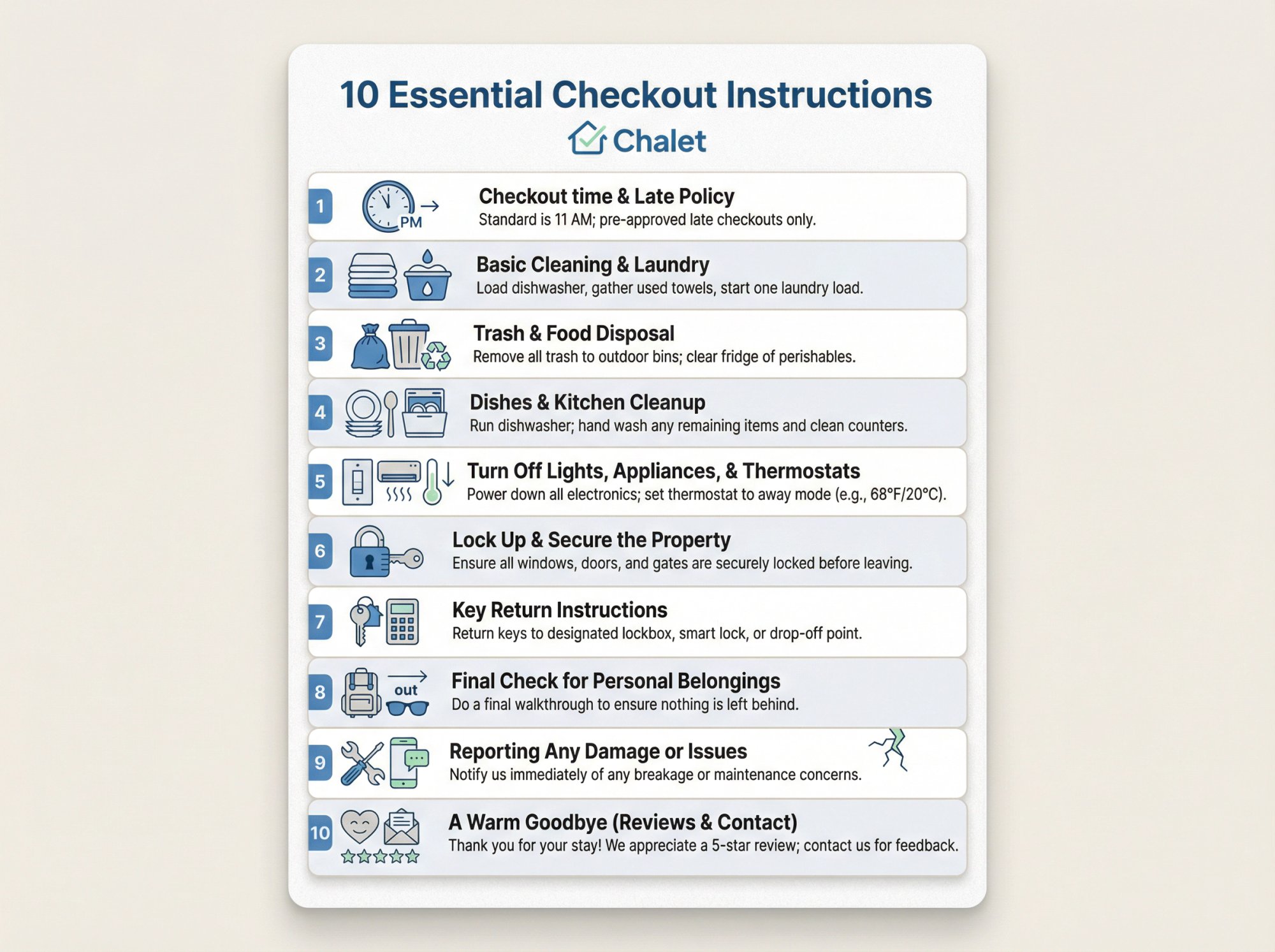
1. Checkout time (and any late checkout policy)
Always start with the checkout date and time, since this is the single most important piece of information. If guests don't know when they need to leave, nothing else on your list matters. Clearly state the exact time (and date) by which they must check out. For example: "Checkout is by 11:00 AM on Friday, June 10."
It can help to briefly explain why on-time checkout is important. For instance, "Our cleaner arrives at 12:00, so we need time to prepare for the next guest". Giving a reason adds urgency and understanding.
Also, let guests know how to request a late checkout if you offer that. For example: "Contact us at least 24 hours in advance if you need a late checkout (fee may apply)." And if there's a fee or strict policy, be upfront about it. Clarity here prevents awkward last-minute extension requests or overstays.
2. Basic cleaning & laundry ("tidy up" requests)
This is the trickiest part. Asking guests to tidy up just enough to help your turnover, without overburdening them. The golden rule: keep cleaning requests light and simple. A good guideline is to ask for surface-level tidying only, especially if you charge a cleaning fee.
Specifically, you can politely ask guests to do things like:
Gather used towels and bedsheets in one place (e.g. "Please strip beds and put all used linens and towels in the laundry hamper or bathroom").
Take out the trash (more on that below).
Wash any dirty dishes or start the dishwasher, if feasible.
Beyond those basics, avoid piling on chores. On the other hand, if you don't charge a cleaning fee (or it's very low), guests are usually more receptive to a few extra tasks. In that case, it's fine to ask for basic help like running a load of dishes or consolidating linens. But still keep it reasonable.
A good template line for this section is: "No deep cleaning needed… that's what our team is for… but we kindly ask you to [list simple tasks]." Emphasize that you're not asking them to do the cleaners' job. If your rental is a luxury property, be especially cautious here: high-end guests expect a hotel-like experience, meaning they shouldn't have to lift a finger on cleaning at checkout.
3. Trash and food disposal
Trash removal is one task nearly every host includes. Nobody wants to find overflowing garbage or smelly food remnants after checkout. Ask guests to take out the trash and put it in the designated bins or dumpster. Be sure to specify which bins and where they are (e.g. "the blue bins by the garage").
It's also wise to mention leftover food. Guests often forget groceries in the fridge or pantry. A polite request to dispose of any food they brought (or to "pack it in, pack it out," as the saying goes) will save you from discovering moldy leftovers a week later. You might add a note like: "Please check the fridge and take any personal food with you, or throw it away if opened." If you provide condiments or non-perishables for guests, clarify that those can stay.
Make it as easy as possible by ensuring trash bags and recycling bins are available. If recycling requires extra effort (like a drive to a facility), don't force guests to do that. The simpler and closer the trash disposal, the more likely guests will comply.
4. Dishes and kitchen cleanup
This goes hand-in-hand with trash, but deserves its own callout. Dirty dishes can create major turnover delays. Most hosts ask guests to deal with their used dishes in some way. The common options are: wash them and put them away, or at least load and run the dishwasher.
If you have a dishwasher, the easiest ask is: "Please load any used dishes into the dishwasher and start it before you go." This way, guests don't have to wash everything by hand, but the dishes will be clean by the time your cleaner arrives.
If you don't have a dishwasher, you can ask guests to hand-wash the dishes only if you're confident they'll do a decent job. Not all guests will wash things thoroughly, and a half-washed plate can be worse than a dirty one. An alternative is to ask them to "please rinse off any major food from dishes and leave them in the sink". That way your cleaner knows they're used, but you avoid stuck-on messes.
5. Turn off lights, appliances, and thermostats
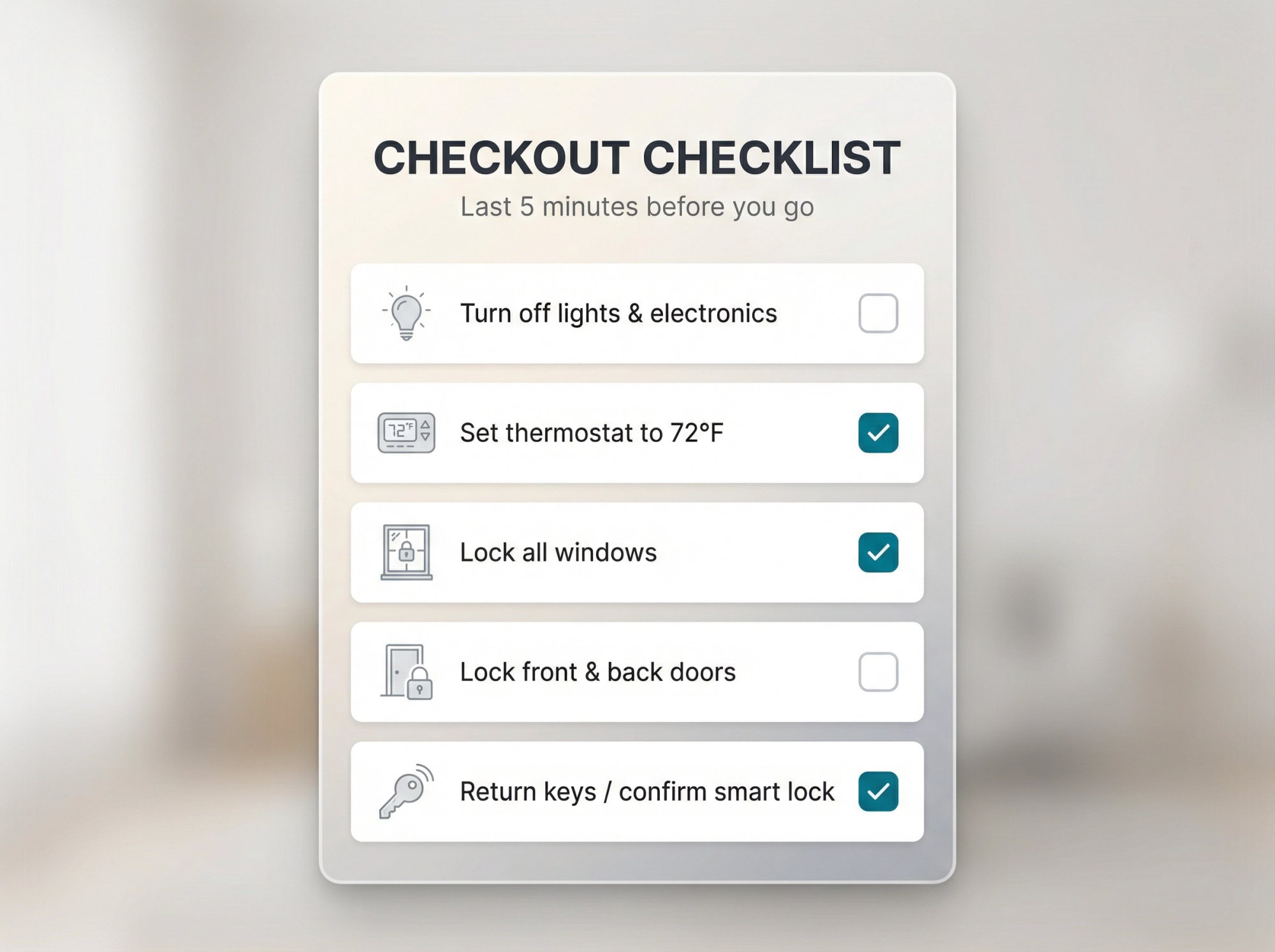
Before departing, guests should ensure they're not leaving things running that don't need to be. Include a reminder to turn off all lights and electronics to conserve energy. You can list specifics such as: lights, TV, fans, etc.
For climate control, advise guests on what to do with the thermostat or AC. Some hosts ask to turn off the air conditioning or heat, especially in extreme climates. Others prefer to have the thermostat set to a certain temperature (for example, "Please set thermostat to 75°F") rather than fully off, so that the home isn't sweltering or freezing for the cleaner or the next guests.
Don't forget kitchen appliances: ask guests to double-check that oven, stove, fireplace, and other devices are off. If you have any particularly sensitive equipment (say, an outdoor hot tub or a space heater), mention those specifically.
6. Lock up and secure the property
Security is a top priority during checkout. Always remind guests to close and lock all doors and windows on their way out. Even if it seems like common sense, don't skip it. In the rush of packing up, people might forget a window they opened. A simple line like "Please ensure all windows are closed and locked, and lock the front door when you leave" covers it.
If your property has multiple entry points (e.g. back door, garage, gate), mention those: "Lock both the front and back doors," etc.
7. Key return instructions (or smart lock guidance)
Getting the keys back (if applicable) is critical. Let guests know exactly what to do with your keys at checkout:
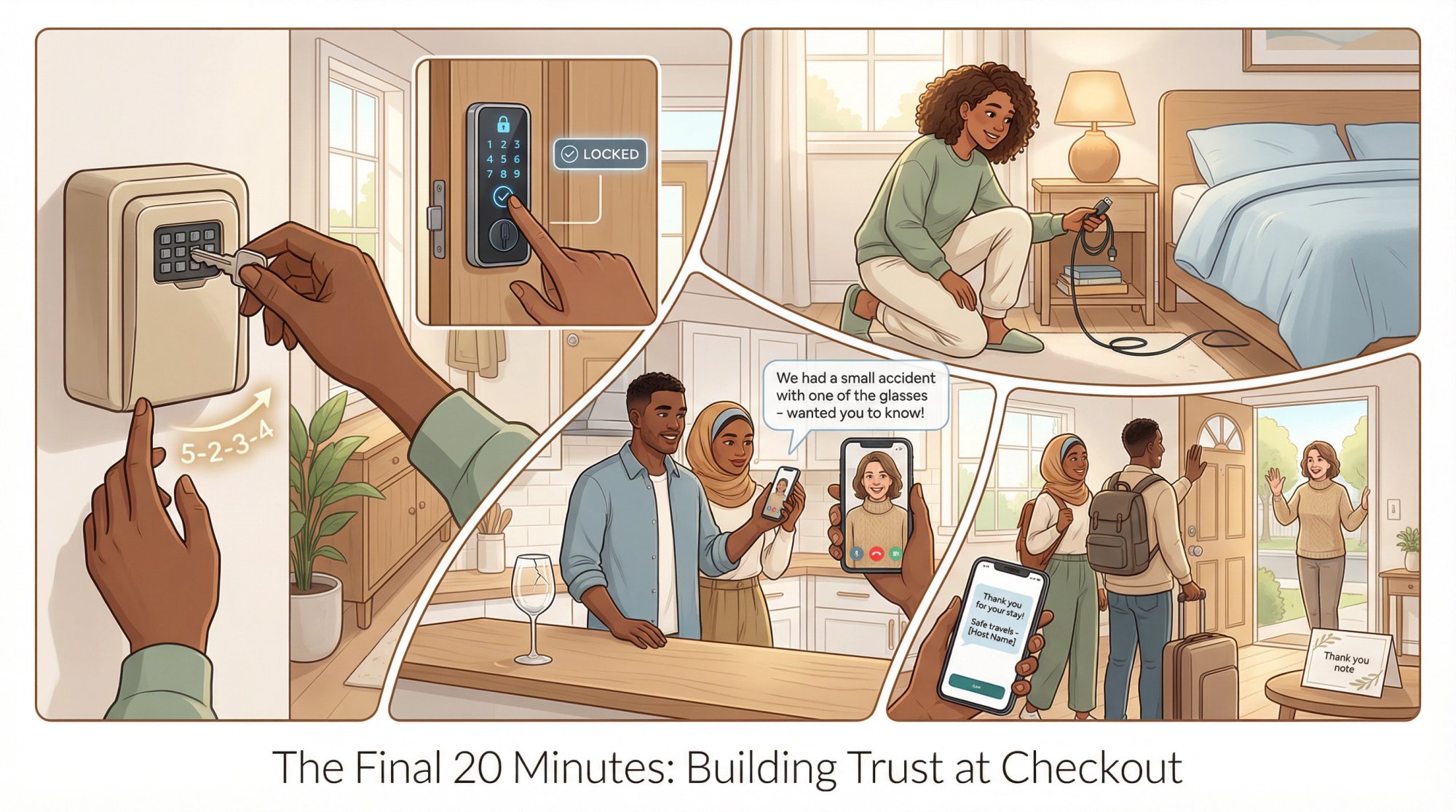
• If you use a lockbox, instruct guests how to return the key to it. e.g. "Place the house key back in the lockbox by the door and scramble the code."
• If you have them leave keys inside, be clear on where. e.g. "Leave the keys on the kitchen counter and exit through the garage door which locks behind you."
• If a person will collect the key, state the plan. e.g. "Our co-host will meet you at checkout to pick up the keys," or "Please give the keys to the building concierge."
Increasingly, hosts are switching to keyless smart locks. If you have a smart lock with a code, the "key return" might simply be instructing guests to lock the door behind them and possibly confirm via message that they've left. For example: "Press the 'Lock' button on the keypad as you leave. (The door will automatically lock.) You're all set… no physical key to return!"
8. Final check for personal belongings
Guests leaving things behind is extremely common: phone chargers, sunglasses, children's toys, passports… you name it. It's helpful to include a gentle reminder for guests to do a final walkthrough for their belongings.
Phrase it positively, like: "Before you go, please do a quick check to make sure you have all your personal items… check all rooms, drawers, and outlets." You can even inject a bit of humor or a specific example: "Don't forget your phone chargers and toiletries!"
9. Reporting any damage or issues
Accidents happen. A wine glass might break, or a small appliance might stop working during a guest's stay. Checkout time is a great moment to invite guests to report any problems. For example: "If anything was accidentally damaged or if you noticed any maintenance issues, please let us know. We really appreciate it!"
Use a friendly, understanding tone. You want to assure guests that you won't unfairly blame or gouge them for small incidents, you just need to know so you can fix it for the next guest.
10. A warm goodbye (reviews & contact info)
End your checkout instructions on a positive, appreciative note. Thank the guests for staying and then:
Invite them to leave a review: Something as simple as "We'd love to host you again… and if you enjoyed your stay, please consider leaving us a review!" can gently prompt a review without sounding pushy.
Provide your contact information for any follow-up: Make sure guests know how to reach you even after they leave, in case they have questions or realize they forgot something.
Say thank you and wish them well: End with a genuine thank-you and safe travel wishes. For example: "Thank you so much for staying at our Airbnb. We hope you had a wonderful time, and we wish you safe travels home!"
How to Write Smooth Airbnb Checkout Instructions
Be consistent: Whatever instructions you decide on, keep them updated and the same across all places the guest might see them. Your Airbnb listing's "Checkout instructions" field should match the welcome book and the reminder message.
Emphasize "thank you" over "do this": By sandwiching requests between thank-yous and kind words, the tone remains positive. Guests are more receptive to requests when they feel appreciated.
Use automation and tools: Take advantage of the tools at your disposal to streamline this process. Airbnb's automated messaging and scheduled notifications are free and effective.
Leverage partner services for turnovers: If coordinating cleaning and maintenance is challenging, consider using a service to connect with professional cleaning crews and automate turnover scheduling. Having reliable cleaners means you don't have to ask guests for as much help. That's where Chalet's vetted vendor network comes in.
Learn from guest feedback: Pay attention to how guests respond to your checkout process. If multiple guests mention that something was confusing, adjust your instructions.
With clear, reasonable checkout instructions in place, you'll set the stage for happier guests and stress-free turnovers. Your guests will appreciate the guidance. Many want to leave things in good order and just need to know how. By communicating expectations clearly (and kindly), you protect your property and your timeline without souring the guest's final impression.
How Chalet Helps You Execute STR Operations
Checkout instructions are one piece of your operations puzzle. But the bigger question is: how do you set up a short-term rental that runs smoothly from day one?
That's where Chalet comes in. We're the one-stop platform for short-term rental investors, pairing free market analytics with a vetted vendor network so you can research, buy, and operate in one place.
Free analytics that actually help
Before you even buy a property, you need data. Our platform gives you:
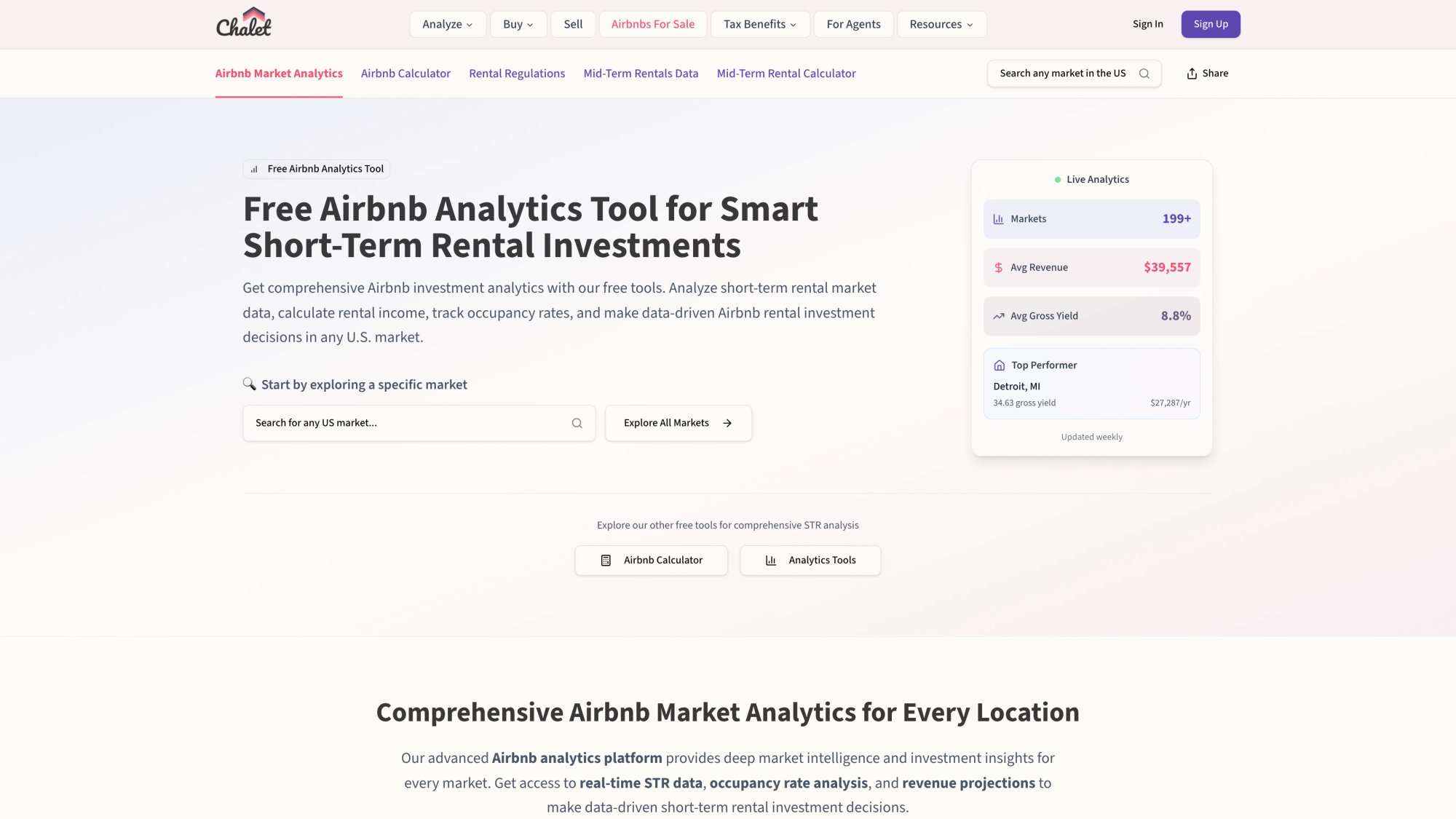
• Market dashboards showing ADR, occupancy, and revenue trends across multiple cities (100% free)
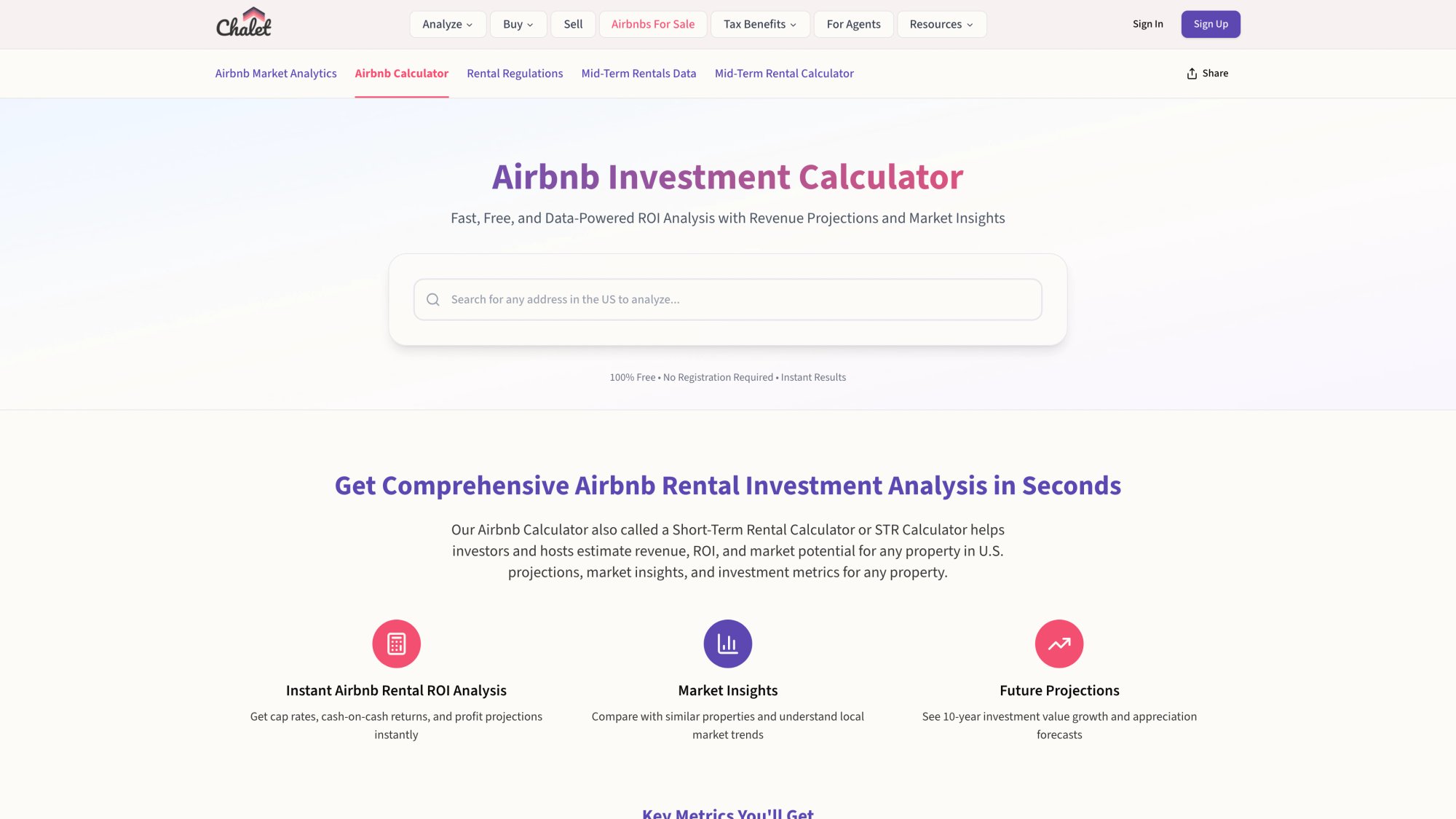
• ROI and DSCR calculators that help you model your numbers with real expense lines (including cleaning costs)
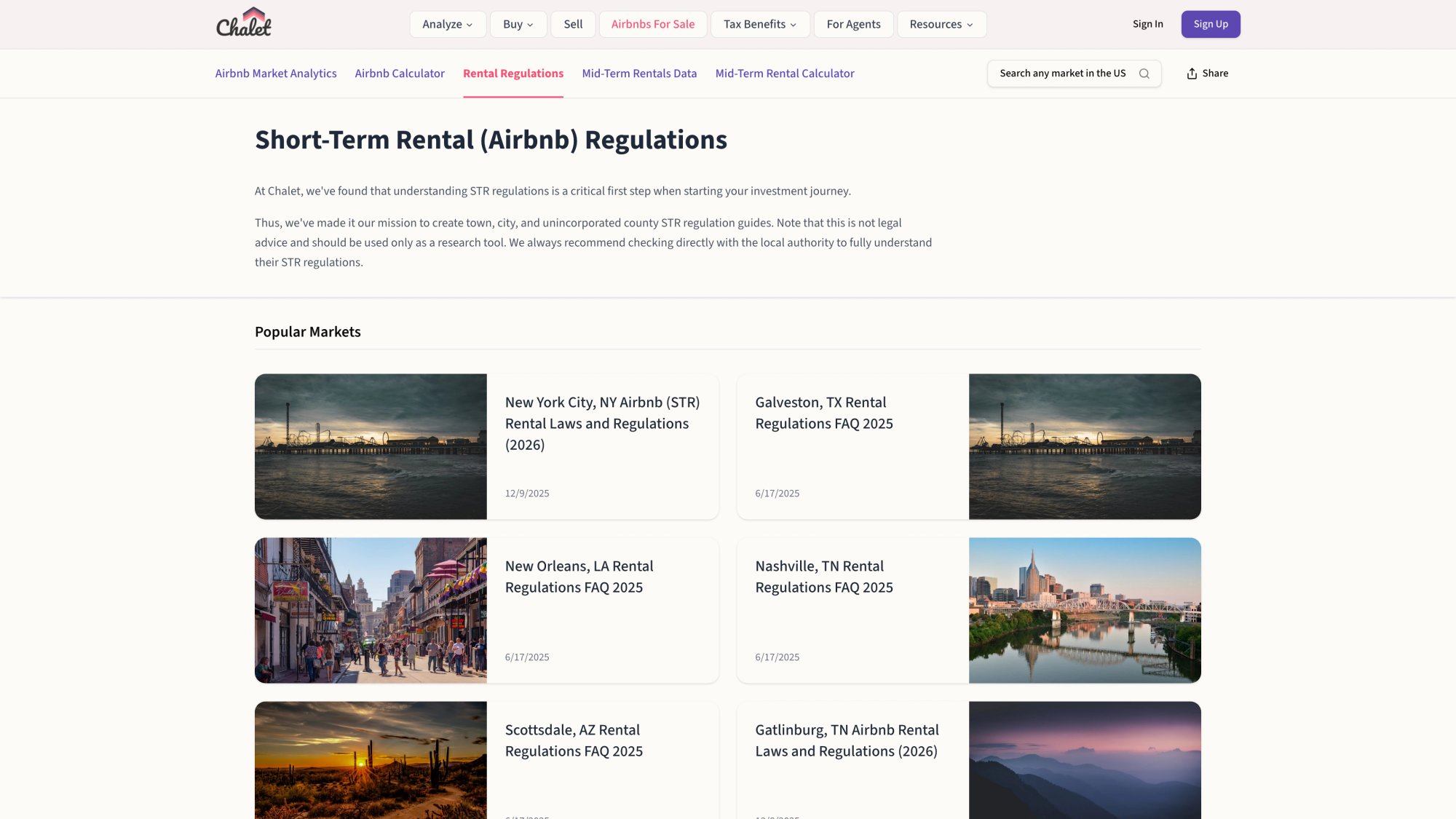
• Regulation library so you know which markets allow short-term rentals before you commit
Vetted vendor network for the operational stuff
Once you buy, you need boots on the ground. Our vendor directory connects you with:
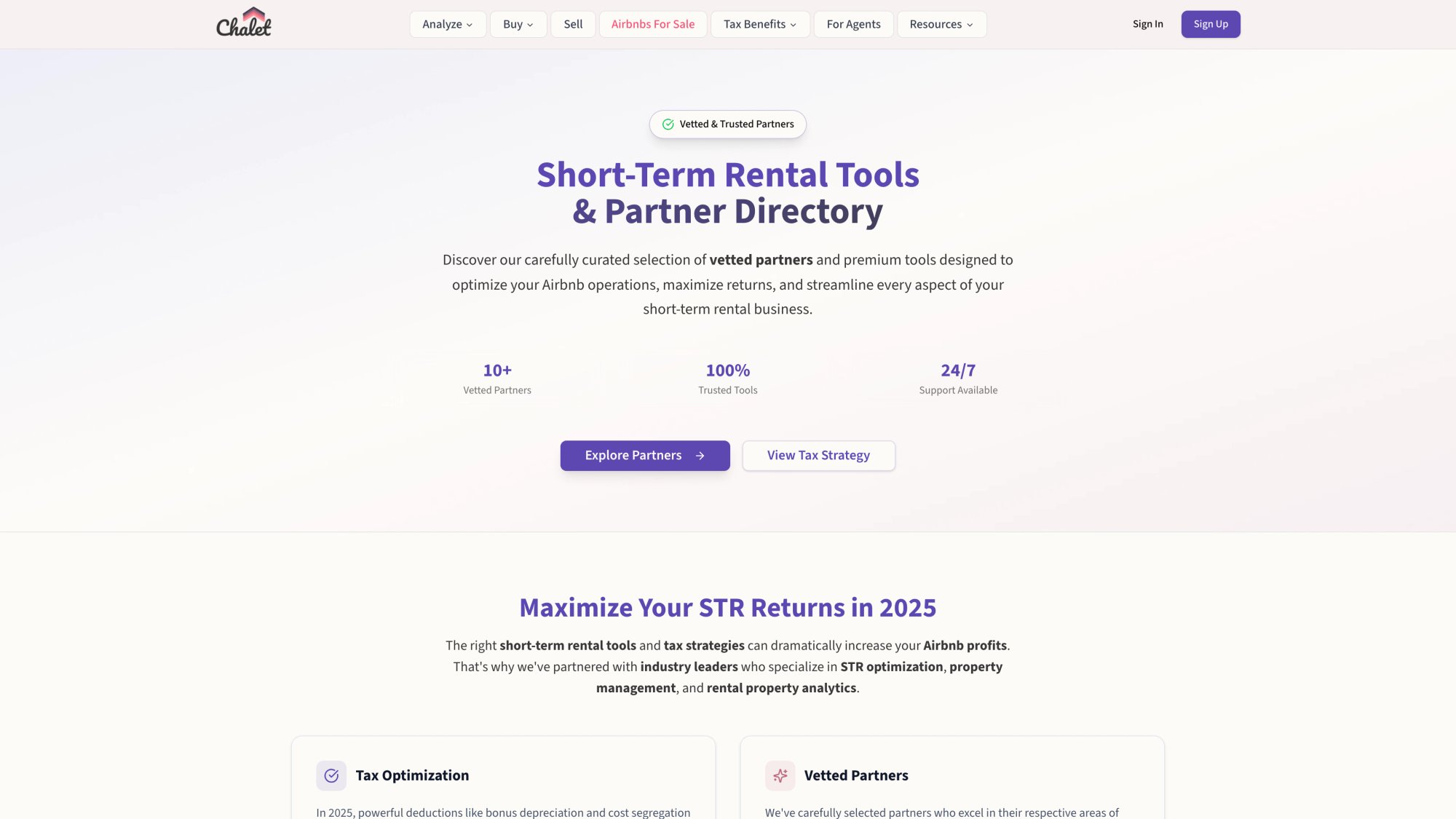
• STR-specialist cleaning crews who understand tight turnover windows
• Property managers who handle guest communication, checkout coordination, and maintenance
• Furnishing services to get your place guest-ready
• Pricing tools so you're not leaving money on the table
• Insurance providers who understand short-term rental risk
STR-specialist real estate agents and lenders
If you're still in acquisition mode, we connect you with Airbnb-friendly agents who understand revenue potential and can help you find properties that actually pencil. Plus our lender network knows DSCR and conventional products for investors.
The one-stop advantage
Instead of cobbling together 10 different platforms, bookmarks, and vendor contacts, you get everything in one place. Research your target market, run the numbers, find the property, connect with an agent, secure financing, set up cleaning, and launch operations.
All coordinated through Chalet.
And it's free to use. We only earn referral compensation when you choose to work with a featured pro. No upfront costs to you.
If you're serious about building or scaling a short-term rental business, check out these resources:
• Explore Airbnb rentals for sale in your target markets
• Run ROI projections with our free calculator
• Browse our vendor directory for cleaning, management, and operations support
• Check local STR regulations before you buy
FAQ
Where do guests find checkout instructions?
Airbnb explains guests can find them in reservation details (for example on desktop: Trips → Things to know → Before you leave).
Are checkout instructions visible before booking?
Yes, Airbnb states checkout instructions are available to guests prior to booking.
How long can my Airbnb checkout instructions be?
Airbnb's structured checkout instructions allow up to 140 characters of optional detail (in addition to selecting tasks).
Can I charge a fee if guests don't do dishes or laundry?
Airbnb's ground rules say hosts may not charge guest fees for failing to perform specific cleaning or checkout tasks. If the property is left in a state that requires excessive cleaning beyond normal, Airbnb also describes expectations around unexpected cleaning costs and damage.
When should I send checkout instructions?
Airbnb's Resource Center suggests sending checkout time and instructions the evening before guests leave, and sending a thank-you / feedback request 24-48 hours after checkout.
What's the difference between checkout instructions and house rules?
House rules are broader expectations for the entire stay (no smoking, no parties, quiet hours, pet policies). Checkout instructions are specific steps guests should take as they depart (lock doors, return keys, take out trash). Both are important, but checkout instructions are tactical and time-specific.
Should I have different instructions for different guest types?
Generally, no. Consistency is key. You might emphasize different things based on stay length. For example, longer-term guests (weekly or monthly rentals) might need more guidance on trash pickup schedules or recycling. But your core checkout list should be the same for everyone to avoid confusion.
What if a guest doesn't follow checkout instructions?
First, assess the severity. If it's minor (forgot to turn off a light), let it go. If it's moderate (left trash in the wrong spot), you can mention it in your private review feedback but not penalize them. If it's major (left the place requiring excessive cleaning or caused damage), document it with photos and contact Airbnb support about potential reimbursement through their resolution center. You can't charge fees for minor task non-compliance per Airbnb policy.
How do I handle early or late checkouts?
Build flexibility into your system. If a guest requests early checkout, it's usually easy to accommodate (just confirm they'll complete the checkout steps). For late checkout, check your cleaning schedule first. If you have same-day turnover, late checkout might not be possible. If you do have buffer time, you can offer it (sometimes for a small fee). The key is clear communication: let guests know they need to request late checkout in advance, and you'll confirm availability.
Can I automate checkout instructions across multiple platforms?
Yes. If you list on Airbnb, VRBO, Booking.com, and other platforms, property management software can sync your checkout instructions and send automated reminders across all channels. This ensures consistency and saves you from manually messaging each platform. Many of these tools integrate with Chalet's platform as well.
What's the best checkout time for Airbnb rentals?
Most hosts use 10:00 AM or 11:00 AM. This gives your cleaning crew a full window to turn the place before a typical 3:00 PM or 4:00 PM check-in. The specific time depends on your market norms and cleaning needs. If you have a large property that takes 4+ hours to clean, you might need an earlier checkout (like 10:00 AM) to be safe. If it's a studio that cleans in 90 minutes, 11:00 AM works fine.
How many tasks is too many for checkout?
A good rule of thumb: 4-6 tasks maximum. If your checkout list has 10+ items, guests will feel overwhelmed and compliance drops. Focus on the tasks that truly matter (lock up, return keys, trash, towels) and let your cleaning crew handle the rest. Guests are paying a cleaning fee for a reason.
Next Steps: Chalet Resources That Actually Help You Execute
Checkout instructions are one part of "operations." If you want the whole system to run without you babysitting it, you need cleaners, management, and tools that match your property and market.
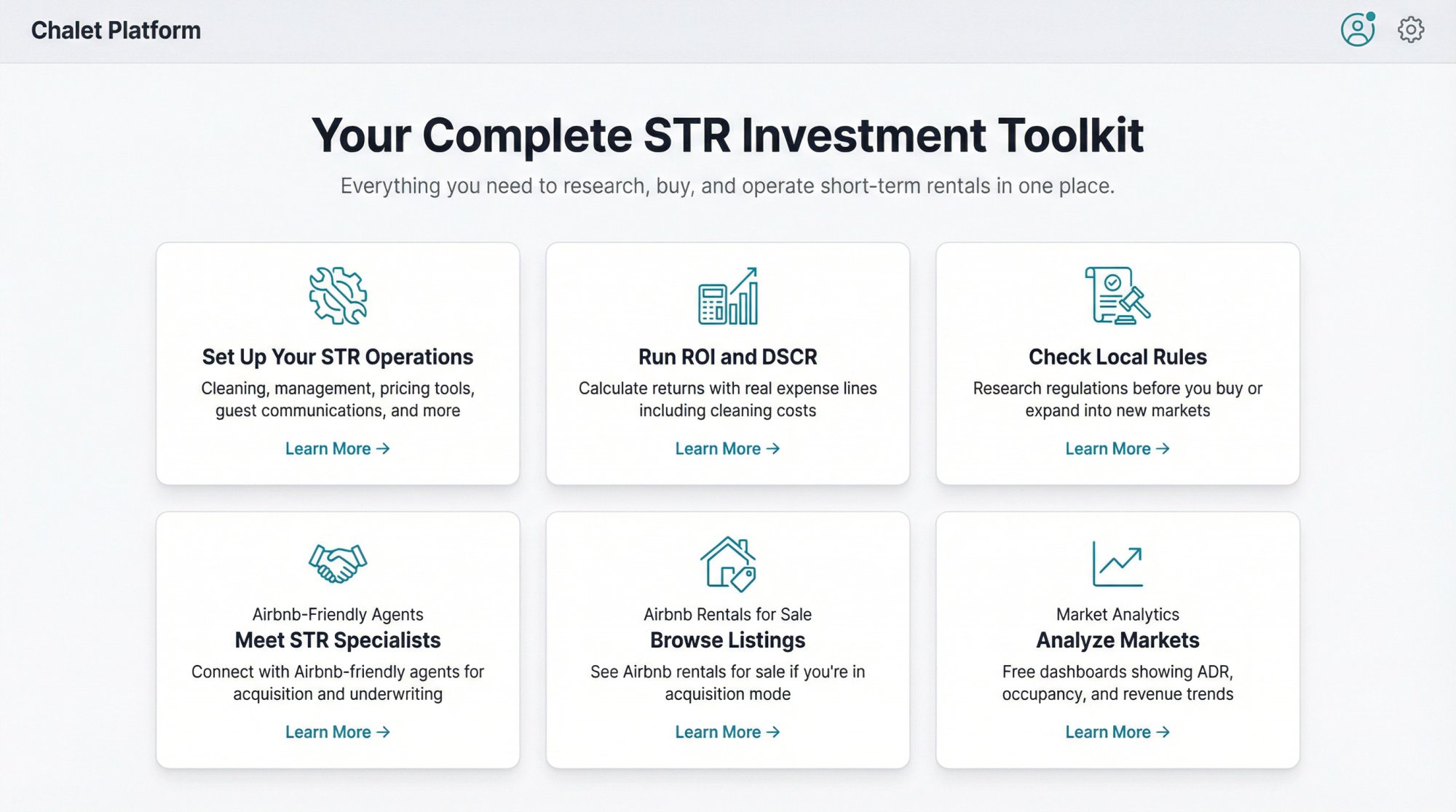
Here are the most relevant Chalet pages to connect the dots:
• Set up your STR operations: cleaning, management, pricing tools, guest comms, and more
• Run ROI and DSCR with real expense lines (including cleaning)
• Check local rules before you buy or expand
• Meet an Airbnb-friendly agent for acquisition and underwriting support
• See Airbnb rentals for sale if you're still in acquisition mode
• Analyze markets with free dashboards showing ADR, occupancy, and revenue trends