
If you host on Airbnb, messaging isn't "customer service." It's operations. It sets expectations, prevents problems, and protects your time.
The goal isn't to spam guests with canned texts. The goal is to make sure:
• Guests always get the right info at the moment they actually need it
• You reply fast without living in your phone
• You stay compliant with Airbnb's off-platform rules
• You reduce "where is the wifi?" and "how do I get in?" to basically zero
This guide shows you how to build a messaging system that's 80-95% automated while still feeling human. We'll cover Airbnb's free built-in tools, when you need paid software, specific templates you can use today, and how to stay compliant with platform policies.
By the end, you'll have a clear playbook for automating your guest communication from booking to checkout.
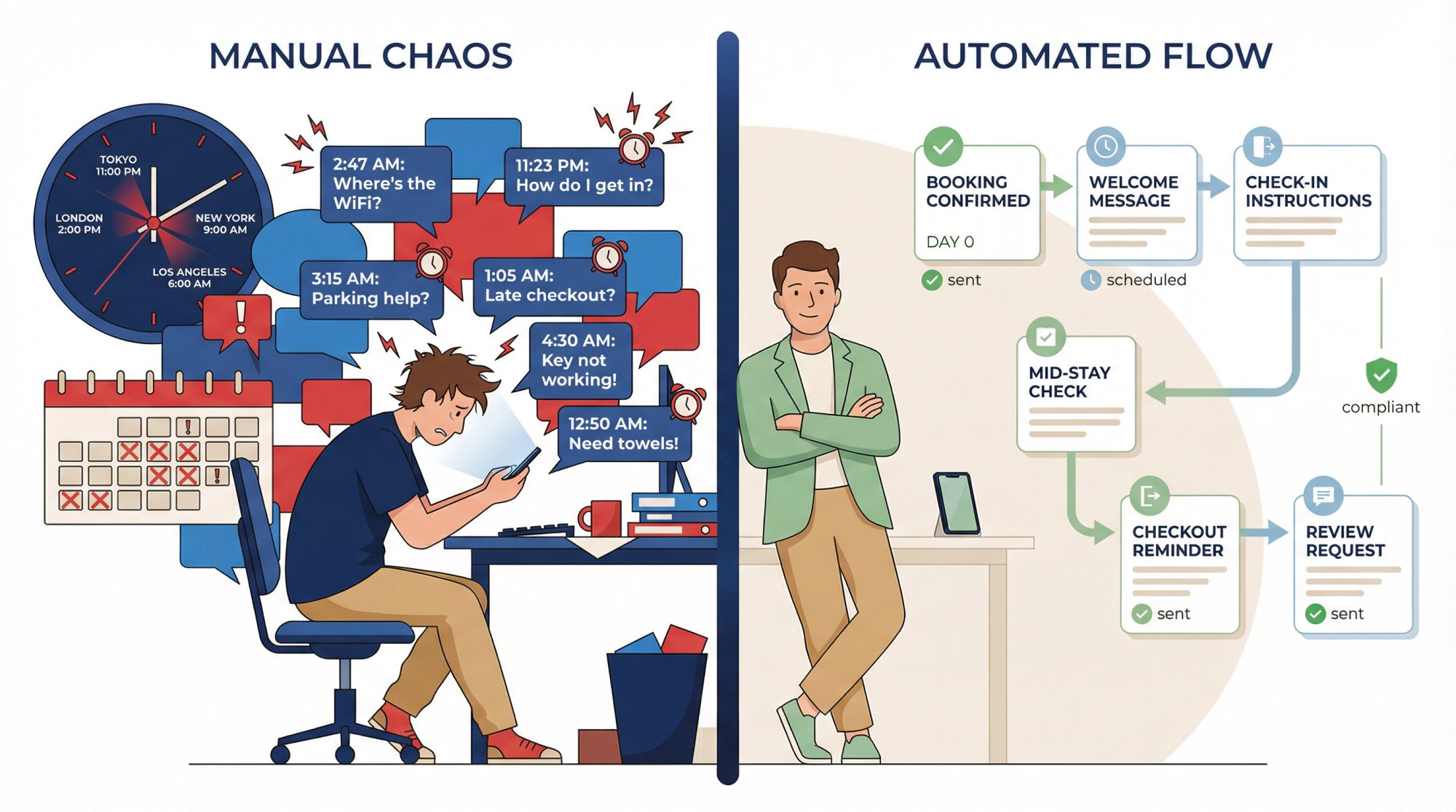
Why Hosts Search "How to Automate Airbnb Messaging"
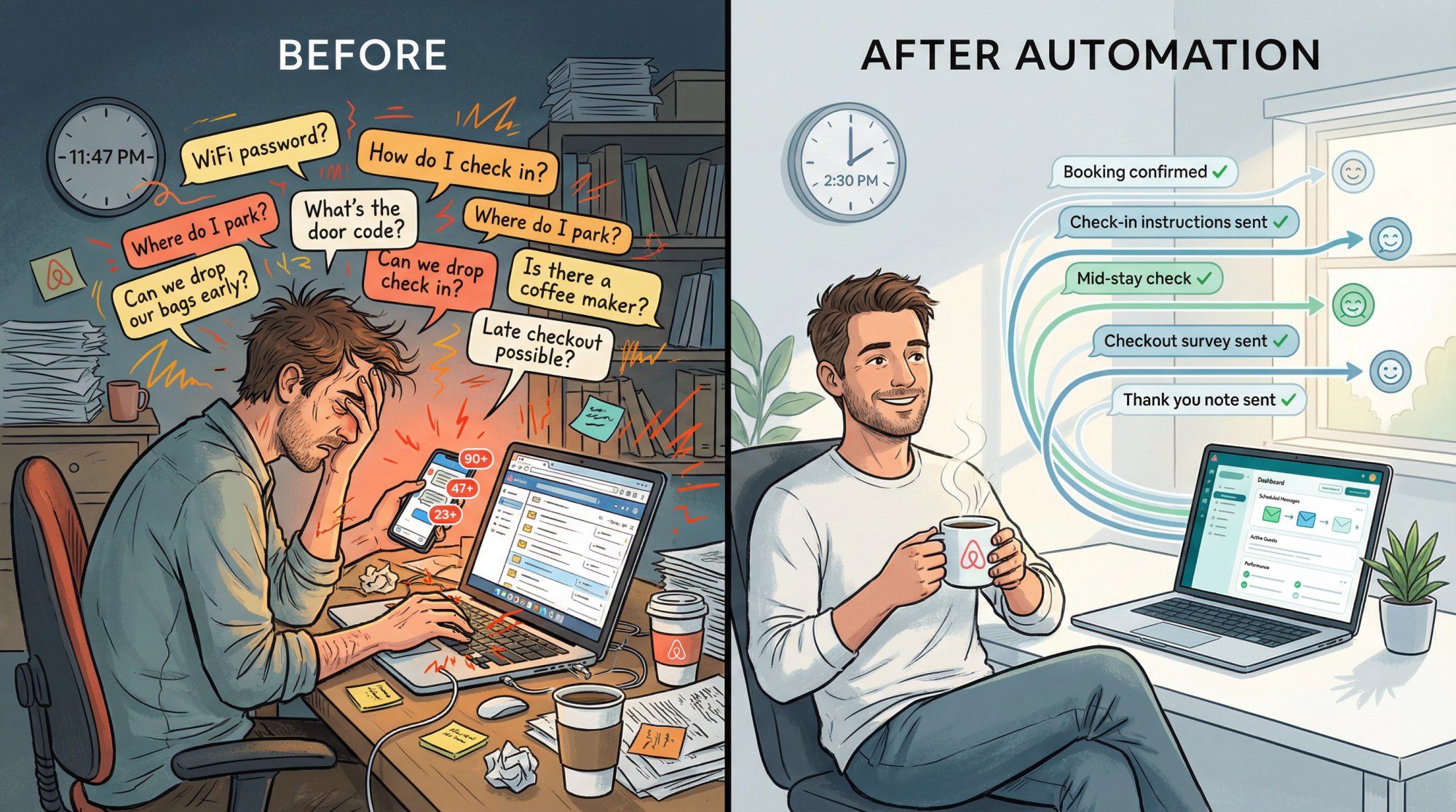
When hosts search for this, they usually want one of these outcomes:
Stop being on-call 24/7
They're tired of repeating the same answers. WiFi password. Parking instructions. Check-in codes. Over and over.
Protect response rate and ranking
Airbnb explicitly says response rate can help your listing appear higher in search results. Fast, consistent communication matters for visibility and Superhost status (you need at least 90% response rate).
Reduce guest mistakes that create bad reviews
Late checkouts, wrong parking spots, broken hot tub rules, confusion finding the unit. These aren't just annoying. They tank your rating.
Make self-management viable
Especially for first-time investors who don't want to pay a full property manager yet. Automation is what makes managing 1-3 listings feasible without losing your mind.
Success looks like this:
→ Every inquiry gets a clean, fast reply (without you typing it)
→ Every booking gets a welcome message that sets expectations
→ Check-in instructions arrive on time and don't violate off-platform policy
→ Mid-stay check catches issues early
→ Checkout message prevents chaos
→ Review ask is tasteful and on-platform
If you can automate these touchpoints, you're 80% of the way to a professional operation.
Best Ways to Automate Airbnb Messages (Free vs Paid)
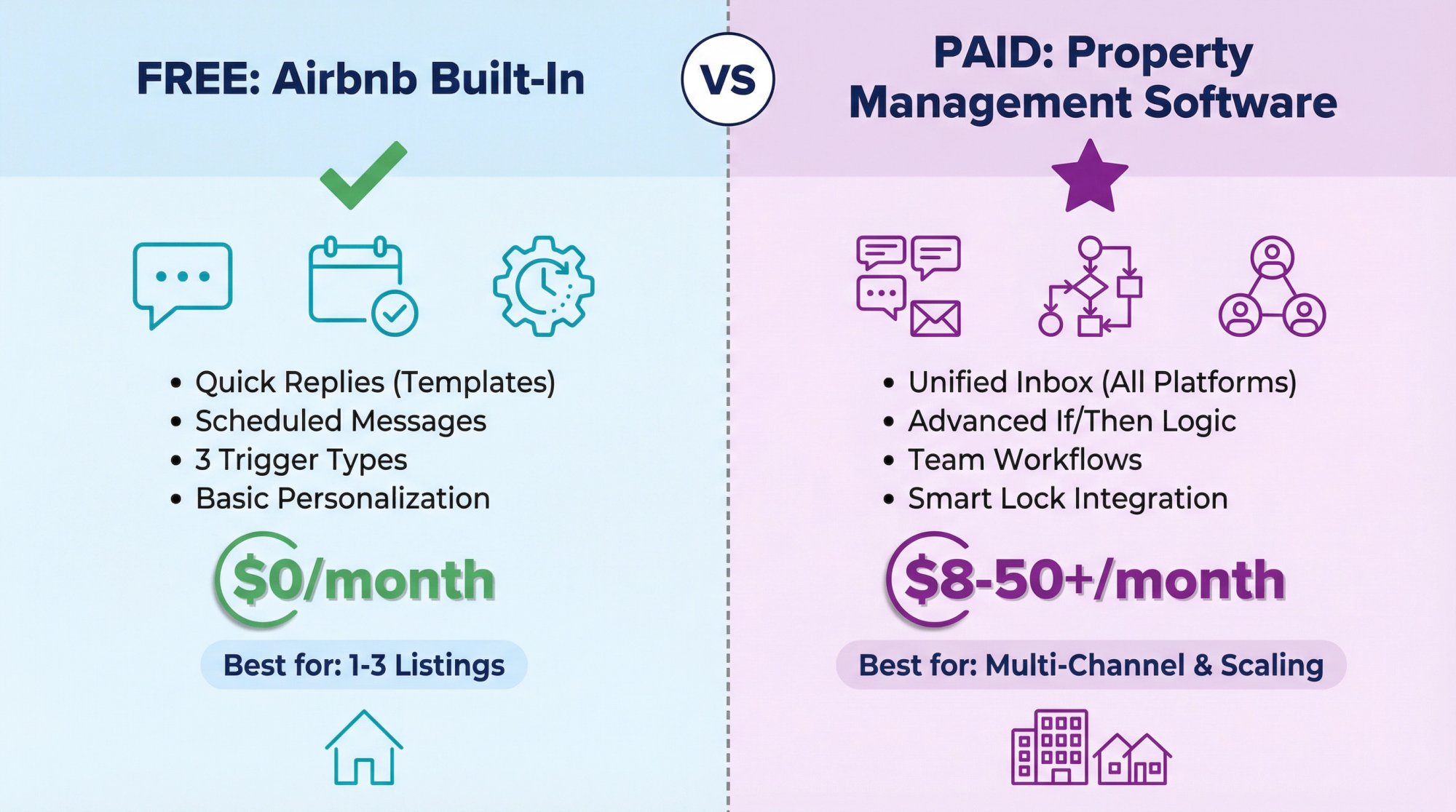
Option A: Use Airbnb's Built-In Automation (Best for 1-3 Listings)
Airbnb's "Messages tab" lets you create quick replies (templates) and schedule them to send automatically. According to Airbnb's Resource Center, you can trigger messages based on:
• A new reservation
• Check-in
• Checkout
You can also personalize templates with placeholders (Airbnb calls them "details" or "shortcodes") like guest name, check-in date, wifi name/password, address, house rules, and more.
This setup is completely free and works well for hosts with a handful of listings who primarily operate on Airbnb.
Option B: Use Property Management Software (PMS) or a Messaging Tool (Best for Scaling and Multi-Channel)
This is for when you need:
• A unified inbox across Airbnb, Vrbo, Booking.com, and direct bookings
• Deeper logic (if/then rules, segmentation, custom fields)
• Stronger team workflows (assign messages to specific people)
• Smart lock and cleaning coordination automation
Airbnb maintains an official directory of software partners for safe, compliant integrations. Tools like Hospitable, Guesty, Hostaway, and others connect via API and can automate far more than Airbnb's built-in system.
The trade-off? Most PMS platforms charge $8-50+ per month depending on features and property count. But if you're managing multiple listings or platforms, they usually pay for themselves in time saved.
How to Set Up Airbnb Message Automation (Step-by-Step)
Build Your "Message Map" First (Don't Start by Writing Templates)
Most hosts mess this up. They write 20 templates and still answer the same questions.
Instead, map the guest journey first and decide what message needs to exist at each stage.
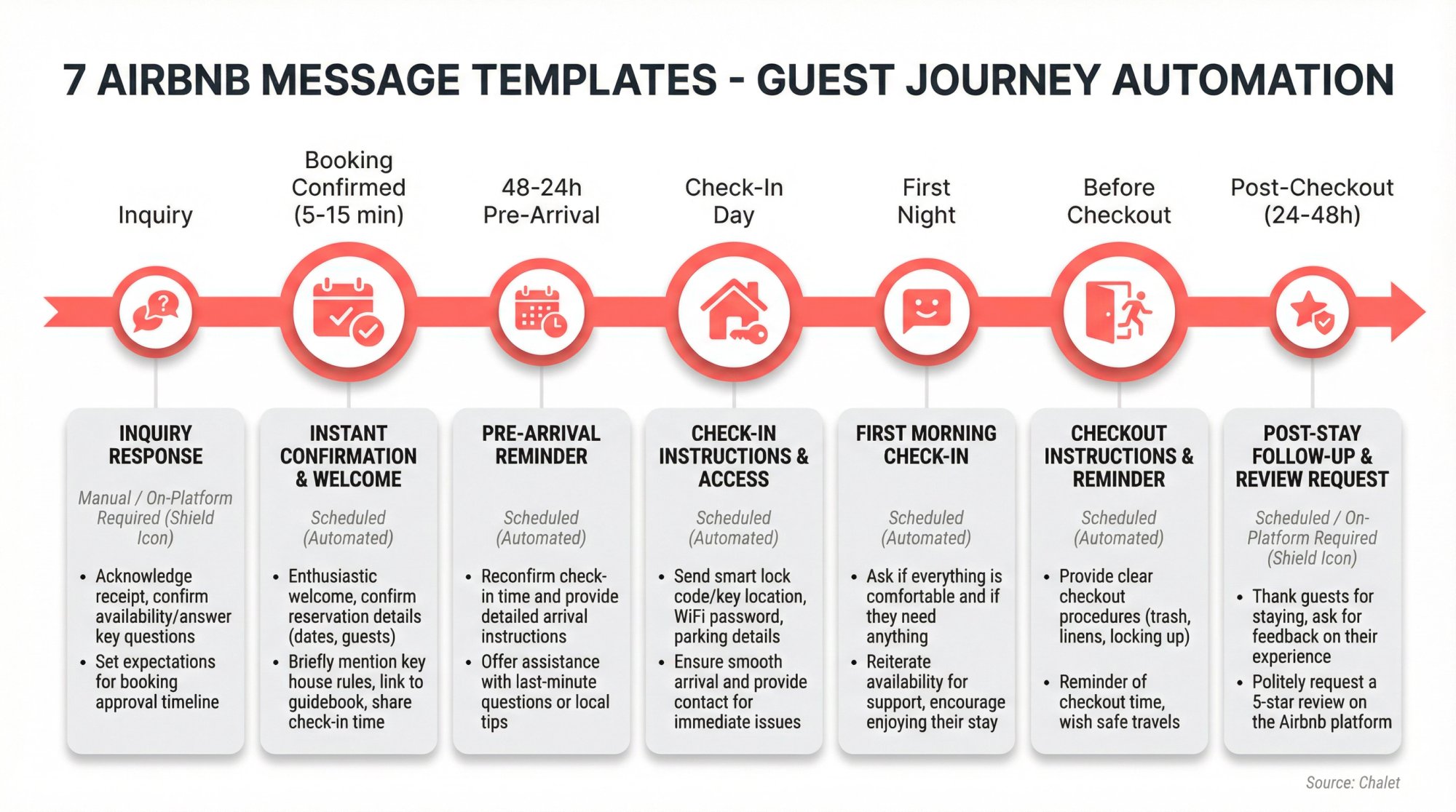
Here's the minimum viable message map that covers about 90% of what guests ask:
| Trip Stage | Automation Trigger | Goal | What the Guest Should Know After Reading |
|---|---|---|---|
| Inquiry / request | Immediately (manual or template) | Convert and qualify | Availability, key rules, fit for their group |
| Booking confirmed | Minutes after booking | Trust and expectations | "Here's what happens next" plus house rules highlights |
| 48-24h before check-in | Scheduled | Reduce arrival stress | Parking, entry method, quiet hours, where to find check-in instructions |
| Day of check-in | Scheduled | Prevent "I'm lost" | Directions, how to get inside, backup steps |
| First night / next morning | Scheduled | Catch issues early | "Everything OK?" plus how to get help |
| Evening before checkout | Scheduled | Smooth turnover | Checkout time, quick checklist |
| Post-checkout (24-48h) | Scheduled | Reviews and feedback | Thank you, review ask (on Airbnb) |
Source: Chalet
Now you're ready to automate.
Create Quick Replies That Don't Sound Robotic
Airbnb defines quick replies as short prewritten templates saved in your messaging settings.
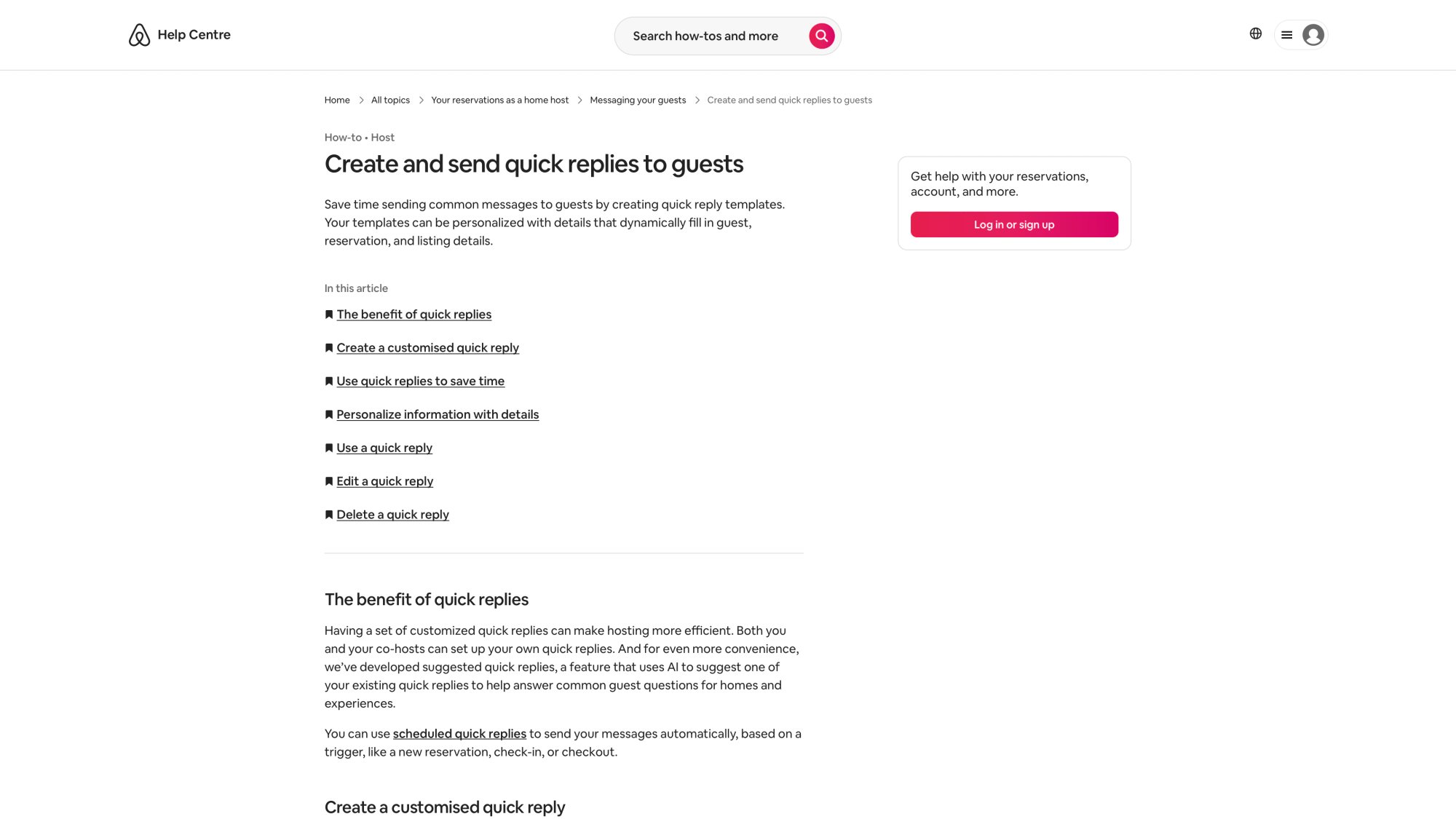
Best practice: One quick reply = one topic. Keep them short and scannable. Airbnb says quick replies work best when brief and focused.
Power move: Add a photo or short video to reduce confusion. Airbnb notes you can attach files after bookings are confirmed, with size limits (photos up to 50MB; videos up to 100MB and 60 seconds). A quick 15-second walkthrough of how to unlock the front door prevents a dozen panicked messages at 9pm.
Schedule Quick Replies (This Is the Real Automation)
Airbnb's help center calls them scheduled quick replies: templates that send automatically based on triggers like new reservation, check-in, or checkout.
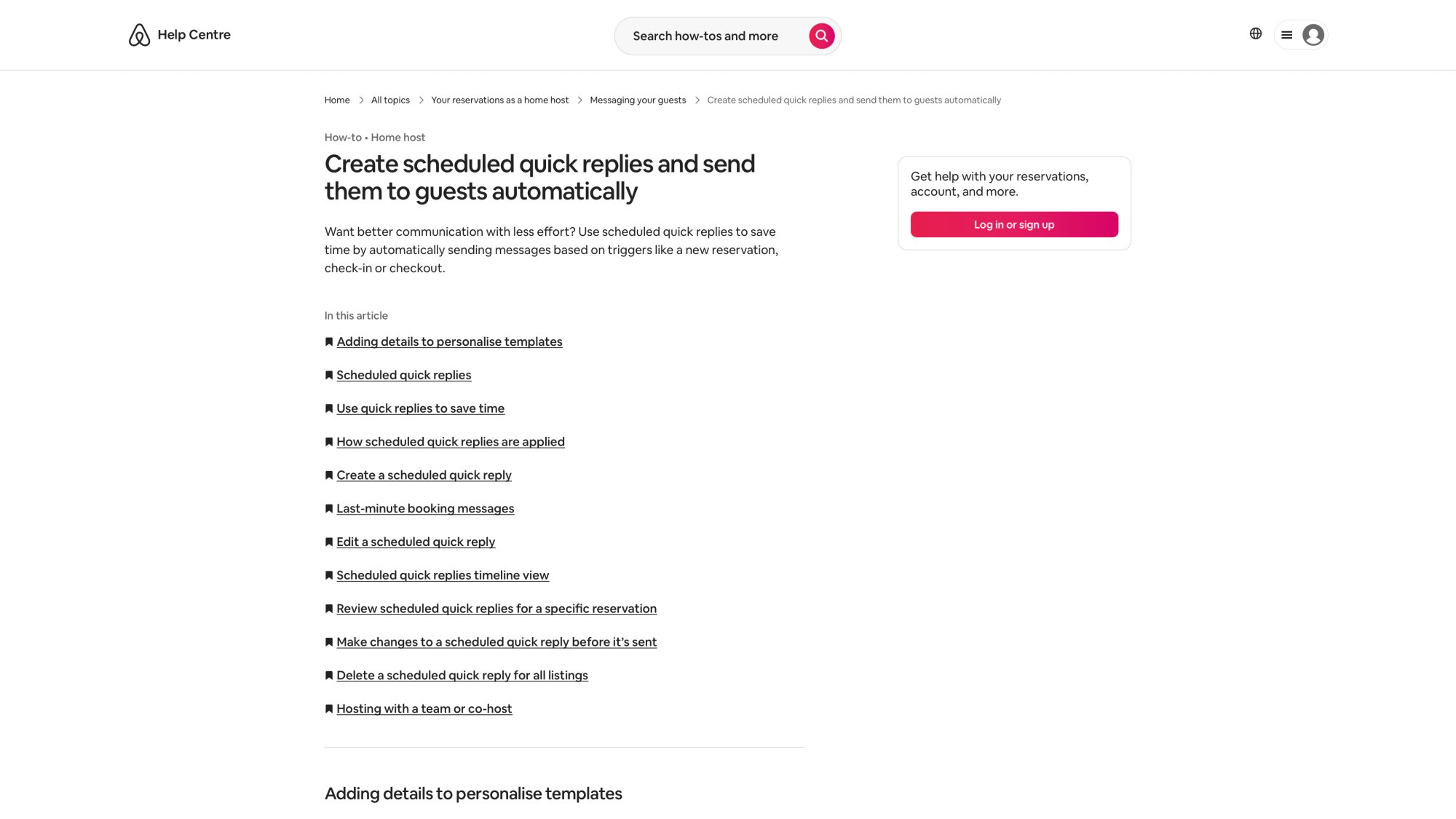
Airbnb also allows scheduling timing like "5 minutes after booking" or "1 day before check-in at 10:00."
Important mechanics (so you don't get burned):
• Scheduled quick replies apply to current and upcoming reservations once set for a listing
• They send in the listing's time zone
• If you use placeholders, missing listing info can show as "unavailable", so keep listing fields complete and current
• You can skip, edit, or send early from the timeline view
Handle Last-Minute Bookings Correctly (Or Automation Will Fail)
Airbnb says some messages may be skipped by default for last-minute bookings or short stays, but you can toggle an option so messages send immediately when needed.
This matters most for:
→ Same-day bookings
→ 1-night stays
→ Check-in instructions that would otherwise "miss" the window
If you don't enable this, a guest who books at noon for a 3pm check-in might never get your door code because the "24 hours before" message already passed.
Use Airbnb's AI Suggestion Feature (But Keep Control)
Airbnb's Messages tab can use AI to understand a guest question and suggest one of your quick replies. Only you see it, and you can edit before sending.
Translation: you can move faster without letting an "autopilot bot" freestyle messages.
The AI doesn't send anything automatically. It just makes your saved replies easier to use when guests ask predictable questions. You still click "send."
7 Airbnb Message Templates That Automate 80% of Guest Communication
Set these up first. Don't overcomplicate it.
Message 1: Inquiry / Pre-Booking (Template, Not Scheduled)
When to use: Someone asks "is it available?" or "can we bring a dog?" or "can we check in early?"
Template:
Hi {{guest first name}} – thanks for reaching out. Yes, the calendar is up to date, so you can book any open dates.
Quick check before you book:
• Max occupancy is {{x}}
• Quiet hours are {{time}}-{{time}}
• Pets: {{policy}}
If that works for your group, feel free to book and I'll send check-in details closer to arrival.
Why it works: Answers the core question plus reduces bad-fit bookings. You're filtering upfront.
Compliance note: Keep all comms on Airbnb before booking. Airbnb's off-platform policy says hosts can't ask for guest contact info prior to booking; pre-booking comms must be on Airbnb.
Message 2: Booking Confirmed (Scheduled: 5-15 Minutes After Booking)
Airbnb lists this as a common scheduled quick reply use case.
Template:
Hi {{guest first name}} – you're all set. Thanks for booking.
Here's what happens next:
I'll send full check-in instructions {{24-48h}} before arrival
Please take a minute to read the house rules here: {{house rules}}
If you have special needs (arrival time, pets, extra guests), message me here on Airbnb so it's documented
Looking forward to hosting you.
This sets expectations immediately and reinforces that communication stays on-platform.
Message 3: 48-24 Hours Before Check-In (Scheduled)
Template:
Quick pre-arrival note for {{check-in date}}:
• Address: {{address}}
• Parking: {{parking instructions}}
• Entry: You'll find check-in instructions in the Airbnb app under "Trips" → "Check-in"
If you'll arrive after {{time}}, just reply here with your ETA so I can confirm everything is ready.
Why this matters: You're reminding them where to find official instructions (and keeping it on-platform).
Many guests won't look at the listing details again after booking. This nudge prevents "I can't find the instructions" messages at 2am.
Message 4: Day of Check-In (Scheduled: Morning)
Airbnb's hosting resource center explicitly recommends repeating key info on check-in day because guests want it in the moment.
Template:
Happy check-in day, {{guest first name}}.
Reminder: check-in is at/after {{check-in time}}.
If you need directions again: {{directions}}
If anything looks off when you arrive (wifi, temperature, cleanliness), message me here and I'll fix it fast.
Simple. Clear. Gives them everything they need right before they travel.
Message 5: First Night / Morning After Arrival (Scheduled)
Airbnb recommends reaching out shortly after arrival to confirm everything is OK.
Template:
Hi {{guest first name}} – just checking in. Did you get in smoothly and is everything as expected?
If you need anything, reply here and include a photo if helpful.
This is your chance to catch problems early. A broken AC unit discovered on day one can be fixed. Discovered on checkout day? That's a bad review.
Plus, guests appreciate the proactive check. It builds trust.
Message 6: Evening Before Checkout (Scheduled)
Airbnb suggests sending checkout time and instructions the evening before guests leave.
Template:
Quick checkout reminder: checkout is tomorrow ({{checkout date}}) by {{checkout time}}.
Before you go:
• Start dishwasher (if used)
• Place used towels in the bathroom
• Lock doors/windows
Thanks again.
Keep it simple. You're not asking for a deep clean (that's your cleaner's job). You're just preventing the most common issues: late checkout, unlocked doors, food left out.
Message 7: Post-Checkout Thank You + Review Ask (Scheduled: 24-48 Hours After)
Airbnb recommends thanking guests and asking for a review after departure.
Template:
Thanks again for staying, {{guest first name}} – hope you had a great trip.
If you have a minute, a review on Airbnb helps a lot. I'll leave you one as well.
Safe travels.
Compliance note: Don't push guests to review you on Google/Yelp or off-platform. Airbnb's off-platform policy restricts taking people off-platform for feedback/reviews.
Keep it tasteful. One message is enough.
How to Keep Airbnb Messaging Automation Compliant
This is where hosts accidentally create risk. Automation is fine. Violating platform policy is not.
The Non-Negotiables (Airbnb Policy in Plain English)
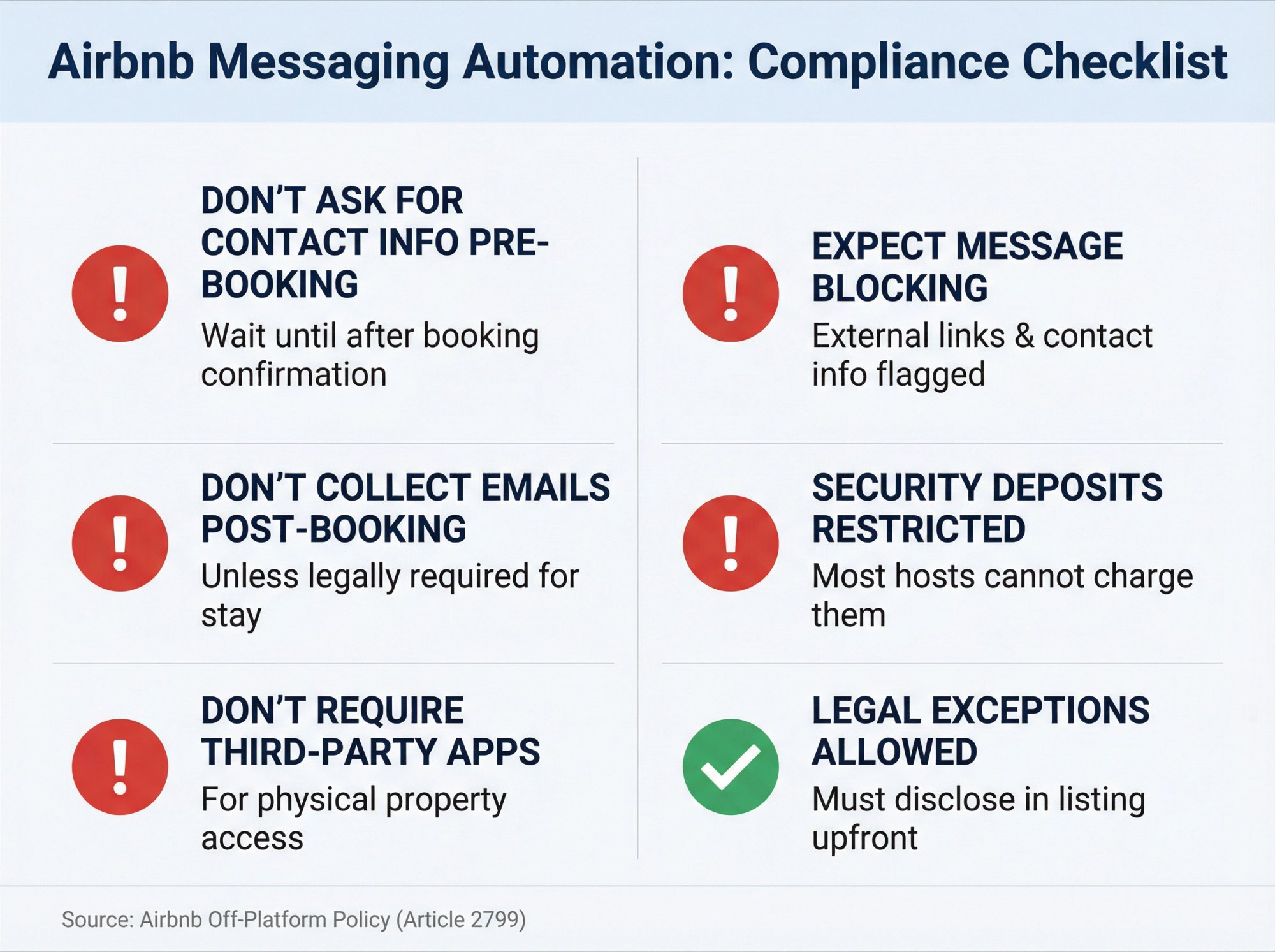
The Non-Negotiables (Airbnb Policy in Plain English)
Don't ask guests for contact info before booking
Airbnb says asking guests for contact info prior to booking is not allowed; pre-booking comms must be on Airbnb.
If someone inquires and you immediately ask for their phone number or email, that's a violation. Wait until after booking.
Don't "collect emails" after booking unless it's truly necessary for the stay
Airbnb explicitly restricts soliciting email/postal addresses/other channels via the messaging system or email alias after booking.
There are exceptions (like if your HOA requires guest info), but casual email collection for your newsletter? That's not allowed.
Don't require guests to use another website/app to physically access the property
Airbnb's off-platform policy includes "requiring guests to use other websites or apps to physically access their listing" as a problem area.
Smart locks that integrate with Airbnb are fine. Forcing guests to download a third-party app just to unlock your door? That's risky.
Expect Airbnb to block risky messages
Airbnb says it blocks potentially dangerous messages that include contact info or references to other sites, including external links.
If your automated message tries to send a Venmo link or pushes people to your direct booking site, Airbnb's filters will catch it.
Security deposits: Most hosts can't charge them
Airbnb says most hosts aren't allowed to charge security deposits on or off-platform; "select software-connected hosts" may be allowed (and it must be disclosed properly).
Don't automate a message asking guests for a $500 deposit via Zelle. You'll get flagged.
There are exceptions for legal/compliance needs, but you must disclose them
Airbnb allows requiring additional contact/identity info if legally required (local laws, HOA/building rules, etc.), and says you should disclose what/why in the listing description and comply with data privacy laws.
If your city requires you to submit guest IDs to local authorities, that's fine. But put it in your listing description upfront.
When You Need More Than Airbnb's Built-In Automation
Airbnb's quick replies and scheduled quick replies are strong for a single operator. But you'll feel pain when:
| Situation | Why Built-In Fails | PMS Solution |
|---|---|---|
| Multiple listings + platforms | Manually setting up same automation on 3 different platforms | Unified inbox + automation across all channels |
| Conditional logic needed | Can't do "if late arrival, send different instructions" | if/then rules + segmentation |
| Team workflows | Only handles guest messaging | Task automation for cleaners/maintenance + assignment |
| Advanced reporting | Basic metrics only | Response time, question patterns, automation success rate |
| AI drafting/triage | AI only suggests existing templates | AI drafts custom responses based on your knowledge base |
That's when a property management system or messaging-focused software makes sense.
Airbnb Messaging Automation Software (2026 Pricing)
Below is a practical "who should use what" view. This isn't affiliate advice. It's a stack decision.
| Tool | Best For | Pricing Snapshot | Notes |
|---|---|---|---|
| Airbnb Built-In | 1-3 listings, Airbnb-only | Free | Quick replies + scheduled quick replies inside Messages tab |
| Property Management Software | Multi-listing operators needing automation | Varies by platform | Check Chalet's STR Directory for vetted options |
Data note: Platform features and pricing change frequently. Visit vendor sites directly for current details.
Which Airbnb Message Automation Setup Should You Use?
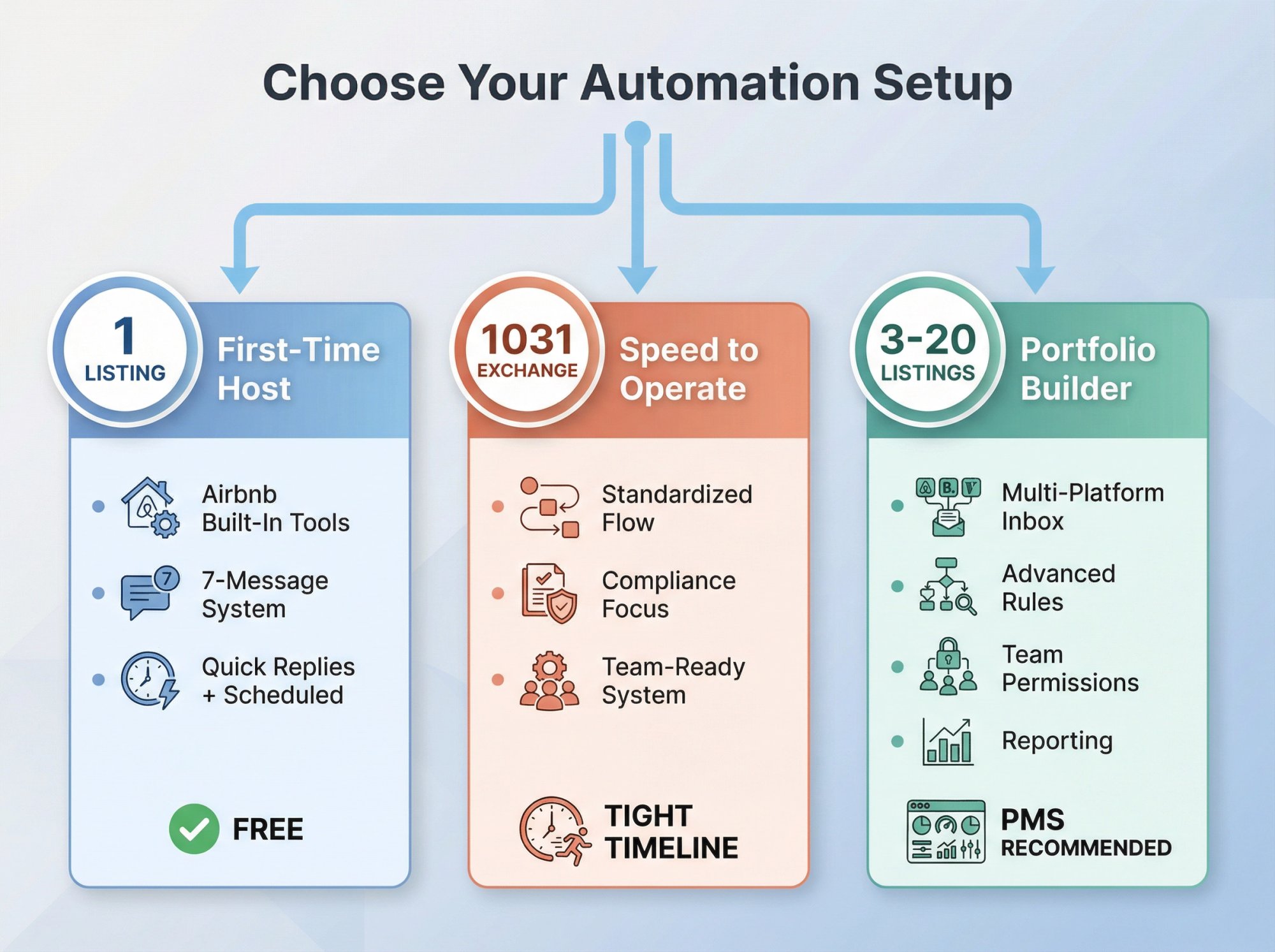
If You're a First-Time Airbnb Buyer (1 Listing)
Start with Airbnb's built-in features:
→ Quick replies + scheduled quick replies
→ 7-message system above
→ Add photos/video to reduce check-in confusion (Airbnb recommends this)
Only add a PMS when you hit a real constraint (multi-channel, team workflows, conditional logic).
Running the numbers? Use Chalet's free Airbnb calculator to see if self-management makes financial sense or if you'd be better off hiring help from day one.
If You're Doing a 1031 Exchange and Need "Speed to Operate"
Automation matters because timelines are tight. You want:
• A standardized onboarding flow for every booking (so nothing falls through the cracks during your first 30 days)
• Fewer guest mistakes = fewer fire drills when you're still setting up operations
• A system your cleaner/maintenance can execute without you being on-call
If you're hiring a manager, use this guide as your interview rubric: ask them to show their automation timeline and how they stay compliant with off-platform rules.
Looking for a property manager who understands 1031 deadlines? Meet an Airbnb-friendly agent through Chalet's vetted network. They often work with managers or can recommend one who specializes in short-term rental operations.
If You're a Portfolio Builder (3-20 Listings)
You're past "templates." You need:
→ A centralized inbox across channels
→ Message rules and segmentation (different templates for mountain cabins vs. urban condos)
→ Team permissions and task automation (assign cleaners, maintenance, guest comms to different people)
→ Reporting (exceptions, response performance, most common questions)
This is where a PMS usually pays for itself in time saved, even if you're still self-managing.
For help deciding which tools fit your portfolio, browse Chalet's STR Directory. We've curated the top messaging platforms, cleaners, smart lock providers, and operational tools so you don't have to research 50 vendors.
Advanced Airbnb Automation Strategies That Actually Work
Use "Details/Shortcodes" Like a Database (Not Decoration)
Airbnb's scheduled quick replies support placeholders ("details"). They pull from listing/reservation data, but only if you've filled those fields; otherwise, the message can show "unavailable".
Practical move: Treat your listing fields like a source of truth:
→ WiFi name/password
→ Directions
→ House rules
→ Check-in/out times
→ Parking
If you update these in one place, your automation stays correct. You don't have to edit 12 different templates when you change the WiFi password.
Design an "Exception Ladder" (Automation + Human Fallback)
The automation principle: Automate info delivery and proactive touchpoints. Keep humans for safety, disputes, and emotionally escalated situations.
Here's how to structure your fallback system:
| Level | Handles | Response Time | Method |
|---|---|---|---|
| Level 1 | Info delivery, reminders, proactive check-ins | Instant | Automated response + link to listing info |
| Level 2 | Questions, clarifications, special requests | 30-60 minutes | Manual response within business hours |
| Level 3 | Safety issues, disputes, refunds, emotional escalation | Immediate | Call support / emergency protocol |
This way, automation handles 80%, but you stay human for the 20% that really matters.
Use Read Receipts and Threading to Reduce Repeats
Airbnb's Messages tab supports read receipts (unless the guest disables) and threaded replies.
Use that to avoid re-sending long instructions. Instead:
"Just re-sent the check-in steps above. If anything's unclear, tell me which step you're stuck on."
Point them to the message they already received. Don't copy-paste the same 200-word block.
Common Airbnb Automation Mistakes (And How to Fix Them)
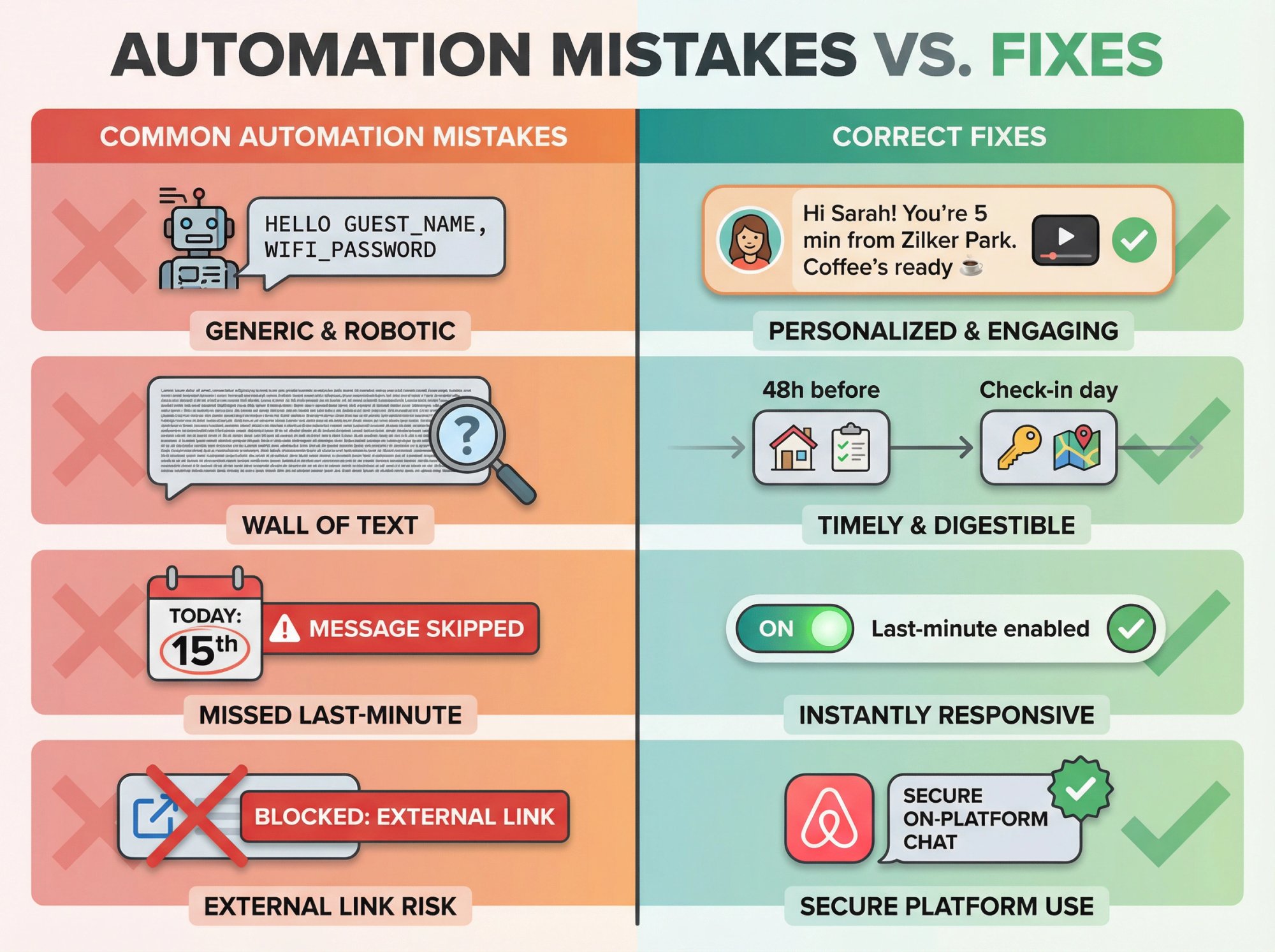
"My messages feel robotic"
Fix: Add one human sentence that changes per property.
• Mention a real landmark ("You're 5 minutes from Zilker Park")
• Mention a weather-aware note (no need to automate that, just keep it generic: "If it rains, the covered parking is on your left")
• Use a short video clip for entry steps (after booking) (Airbnb allows this)
A 15-second video of you showing the lockbox is more human than three paragraphs of text.
"Guests still ask where check-in instructions are"
Fix: Stop putting everything in one massive pre-arrival paragraph.
Instead:
• 48h pre-check: Where to find check-in instructions in-app
• Check-in day: Re-send only what matters now
People don't read long messages. Break it into digestible chunks sent at the right time.
"My last-minute bookings are chaos"
Fix: Enable the last-minute booking toggle so messages don't skip.
Airbnb's scheduled quick replies behavior allows you to toggle whether missed messages send immediately for same-day bookings. Turn that on.
"Airbnb blocks my messages / links"
Fix: Stop sending external links pre-booking, and avoid pushing guests off-platform.
Airbnb explicitly says it blocks messages that might contain contact info or references to other sites.
If you're trying to send a link to your direct booking site or a third-party payment tool, expect it to get flagged.
How Chalet Helps With Airbnb Operations
Messaging automation is one piece of your operating stack. The rest is: cleaning, maintenance, furnishing, insurance, and (sometimes) property management.
Use Chalet to plug the gaps:
Need an ops stack?
Browse vetted tools and partners in Chalet's Short-Term Rental Directory. We've curated messaging platforms, smart locks, cleaners, furnishing services, and more so you don't have to Google "best Airbnb automation tool" and sift through 50 reviews.
Deciding whether self-management is even worth it?
Run the numbers on your address using Chalet's free Airbnb calculator. Compare what you'd net with self-management (plus automation costs) versus hiring a property manager at 20-30% revenue. Sometimes the math says "hire help."
Buying in a new city and worried about permit risk?
Check Chalet's rental regulations library. We track local STR rules so you know what's legal before you buy.
Choosing a market to invest in?
Start with Chalet's free Airbnb analytics dashboards. See ADR, occupancy, and revenue trends across markets without paying for data subscriptions.
What to Do Right Now to Automate Your Airbnb Messages
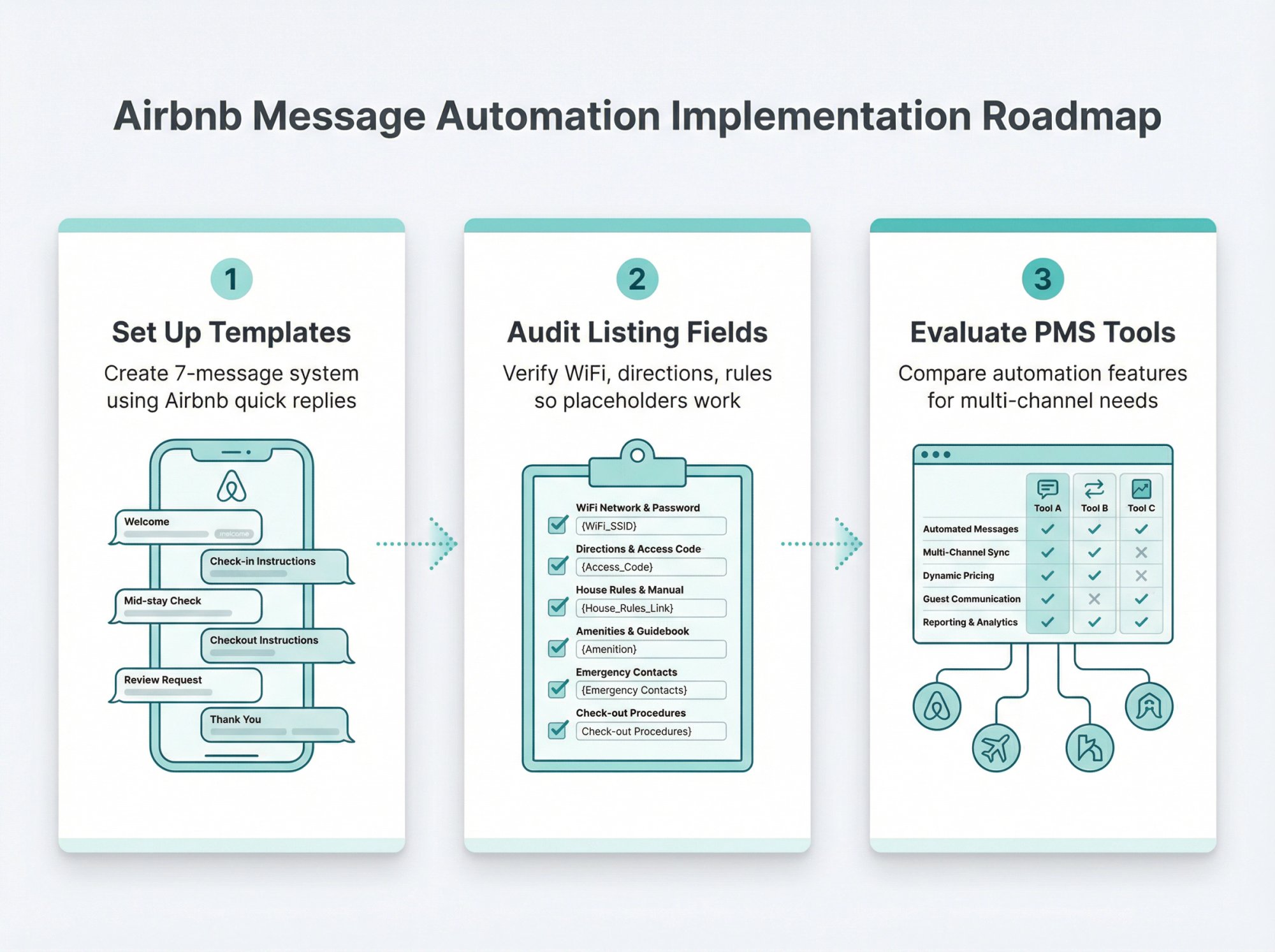
① Set up the 7-message system above using Airbnb quick replies and scheduled quick replies. (Airbnb's guide)
② Audit your listing fields (WiFi, directions, rules) so placeholders don't break. (Airbnb's help center)
③ If you're managing more than 3 listings or multiple channels, shortlist property management tools by comparing automation logic and compliance features. Check Chalet's STR Directory for vetted options.
The difference between an overwhelmed host and a professional operator often comes down to systems. Messaging automation is the easiest system to implement first.
Frequently Asked Questions
Can I automate messages on Airbnb without paying for third-party software?
Yes. Airbnb's built-in quick replies and scheduled quick replies are completely free. You can automate messages for booking confirmation, pre-arrival, check-in day, and post-checkout without spending a dollar. The limitations are: only three trigger types (booking, check-in, checkout), no multi-platform support, and no advanced conditional logic. For most hosts with 1-3 Airbnb-only listings, the free tools work great.
Will Airbnb penalize me for using automated messages?
No. Airbnb encourages automation. Their official help center provides detailed instructions on setting up scheduled quick replies specifically because they want hosts to communicate consistently. The key is staying on-platform and not violating the off-platform policy. Automate on Airbnb = good. Push guests to email/text = bad.
How do I make automated messages not sound like a robot wrote them?
Use the guest's name (via placeholders like {{guest first name}}), write in a conversational tone with contractions (you're, we'll, don't), and add one specific detail about your property that makes it feel personal. For example: "You're 10 minutes from downtown" or "The coffee maker is a Keurig with pods under the sink."
Also consider adding a short video for check-in instructions. Airbnb allows videos up to 60 seconds, and a 15-second walkthrough feels far more human than text.
What's the difference between quick replies and scheduled quick replies?
Quick replies are saved templates you can manually select and send when a guest asks a question. Airbnb's AI might suggest them, but you still click "send." Scheduled quick replies are templates that send automatically at a specific time or event (like "5 minutes after booking" or "1 day before check-in"). Think of quick replies as your FAQ library and scheduled quick replies as your automation engine.
Can I use automation if I list on Airbnb AND Vrbo?
Airbnb's built-in automation only works for Airbnb messages. If you're on multiple platforms, you'll need a Property Management Software (PMS) that integrates with both. Tools like Hospitable, Guesty, and Hostaway unify your inbox and can automate messages across Airbnb, Vrbo, Booking.com, and direct bookings from one dashboard. Budget $20-50/month for this, but it's worth it when you're managing multiple channels.
When should I upgrade from Airbnb's free tools to paid software?
Upgrade when you hit one of these constraints:
(1) You're listing on multiple platforms and manually copying messages is driving you crazy
(2) You have 3+ properties and need better organization/reporting
(3) You want conditional logic (like different check-in messages for weekday vs. weekend arrivals)
(4) You have a team (cleaner, co-host) and need task automation beyond guest messaging
If you're a solo operator with 1-2 Airbnb-only listings, stick with the free tools until you feel real pain.
Is it OK to ask for guest email addresses so I can send them booking confirmations?
No. Airbnb's off-platform policy restricts soliciting email or other contact channels unless legally required for your stay (like HOA guest registration). Airbnb already sends booking confirmations.
If you try to collect emails for your own marketing list, you're violating policy. The exception: if local law or your building requires guest contact info, disclose that in your listing description upfront.
Will automated messages count toward my response rate?
Yes. Scheduled quick replies that send automatically do count as responses for your response rate metric. So if a guest messages you at 2am and your automated reply goes out at 8am (because you scheduled it), that counts as a response. This is actually a huge benefit of automation: you maintain a fast response rate even when you're asleep or offline.
Can I automate review requests?
You can automate the reminder to leave a review (like the post-checkout message above), but Airbnb doesn't let you auto-generate or auto-submit the actual review you leave for guests. You still have to manually write and submit guest reviews.
Some third-party PMS tools offer "review templates" where you can quickly select from pre-written options, but even those require you to click "submit" yourself.